| Product Documentation
Resources
HC Skype Module Multi-Tenant Deployment
Skype for Business
Microsoft Skype for Business is a professional collaboration software tailored for corporate environments. Users seek communications tools that make their work easier and are available anywhere, anytime, including within the context of other applications. Skype for Business provides a single interface that unites voice communications, IM, and audio, video, and Web conferencing into a richer, more contextual offering.
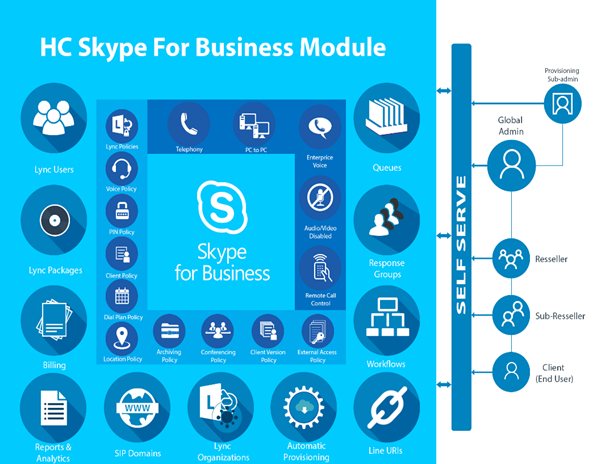
HC Skype for Business
HC Skype for Business provides an all-inclusive web interface to the provisioning and management of Skype for Business accounts. It simplifies the overall process of creating Skype for Business users, SIP domains and segregated tenants, allowing service providers a better chance to offer IM, conferencing, presence information and enterprise-class telephony to their customers.
What do ITSPs need?
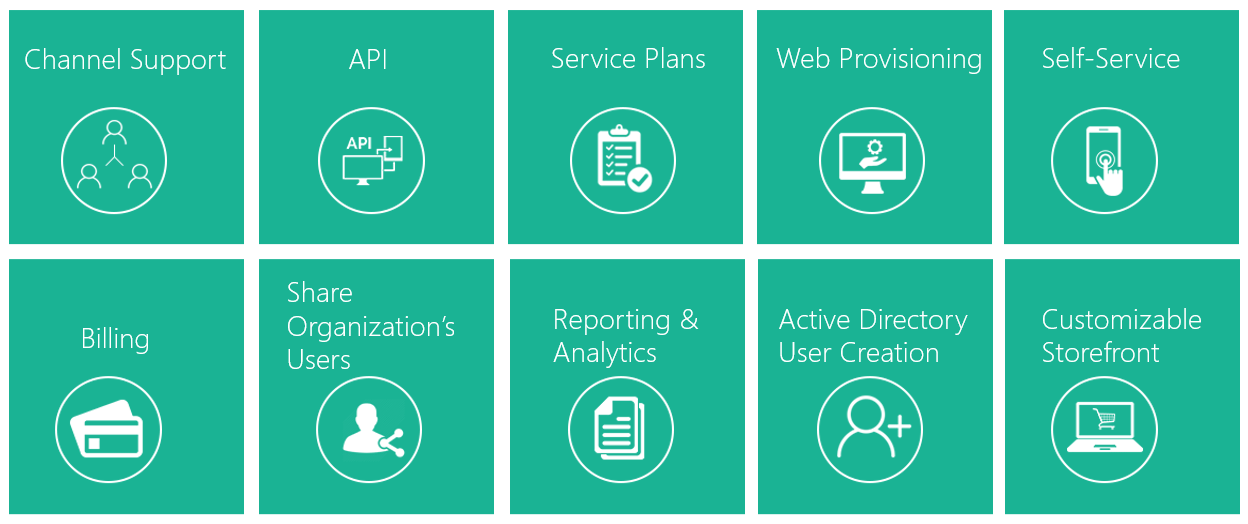
HC Skype for Business Module Key Takeaways
System Requirements for Skype for Business Server
- Hardware for Skype for Business Server
- Operating Systems for Skype for Business Server
- Back end databases that will work with Skype for Business Server
- Software that should be installed before a Skype for Business Server
The Environment
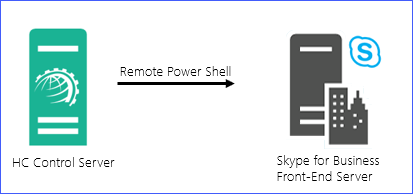
Scenario 1 - Communication through Remote PowerShell
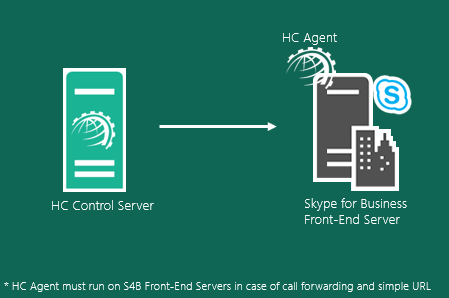
Scenario 2 - HC Agent on S4B Front-End Servers
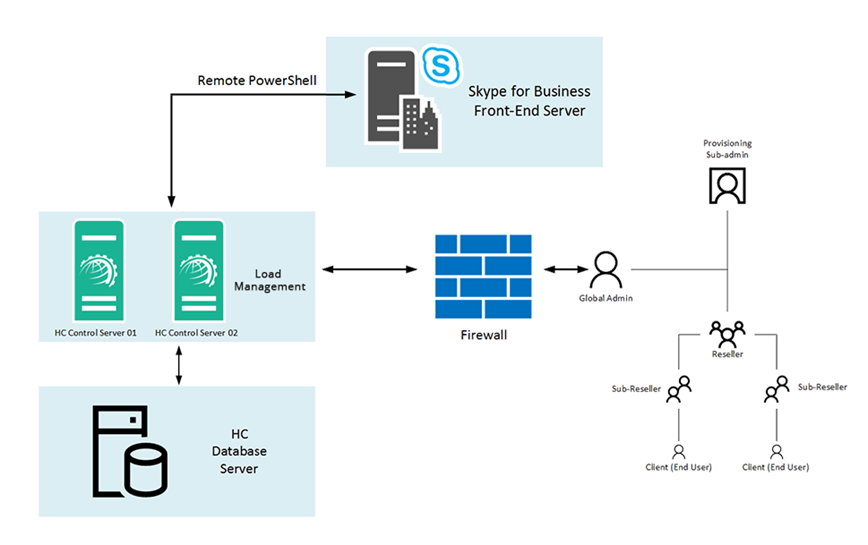
Communication through Remote PowerShell
HC Agent on S4B Front-End Servers
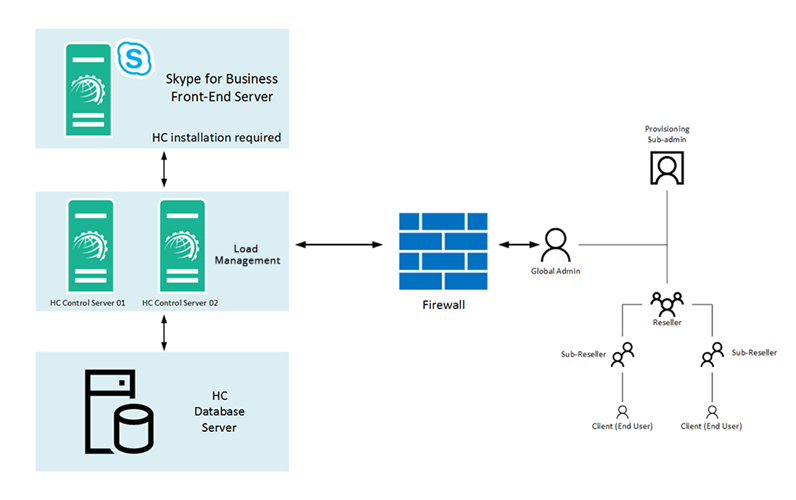
Installing Hosting Controller
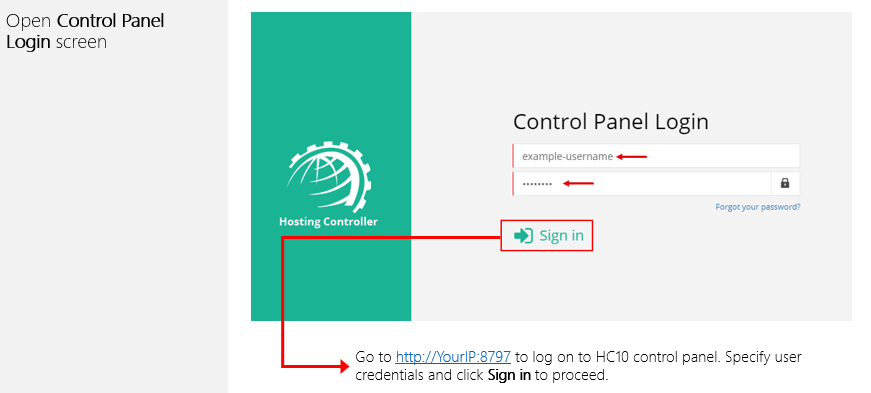
The installation of HC itself is fairly simple. Just download HC Primary or HC Agent and apply it on the Control Server or S4B Front-End Server respectively. Follow a step by step wizard to complete the procedure. To view the installation procedure in detail, see HC10 Installation Guide.
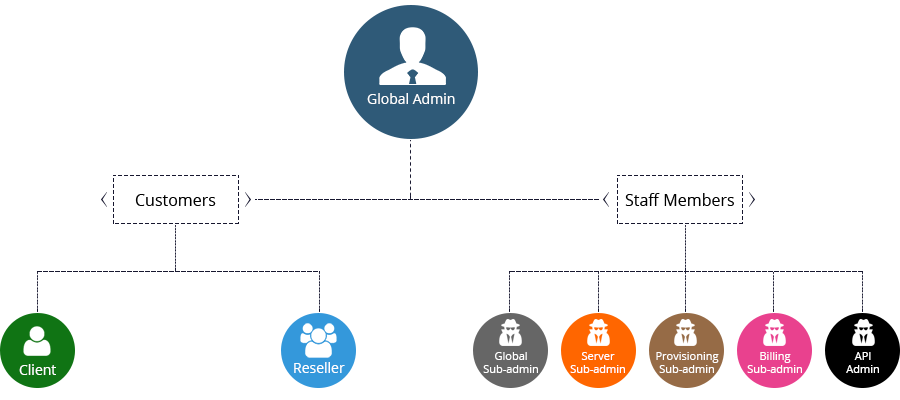
HC User Structure
Segregation Explained
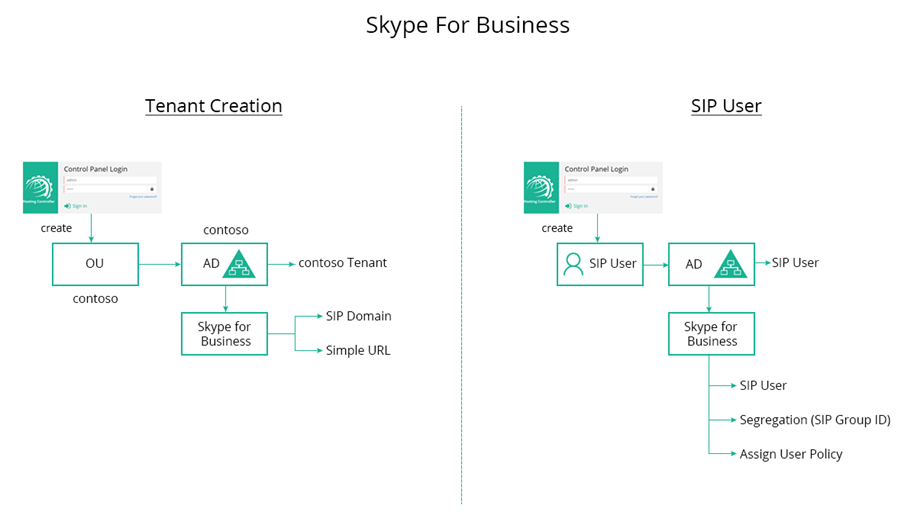
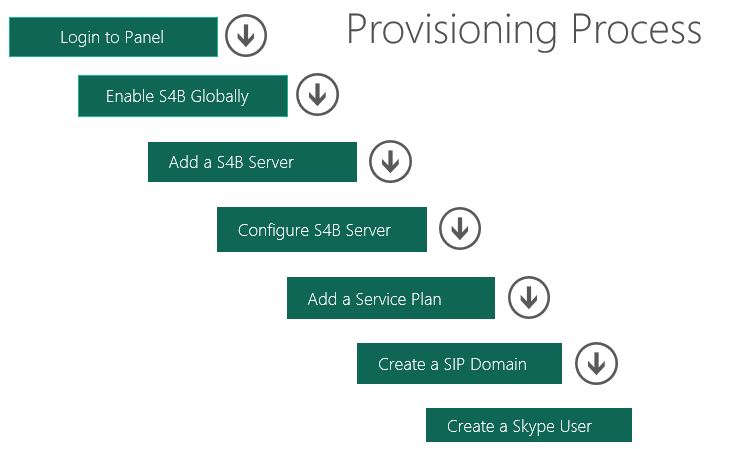
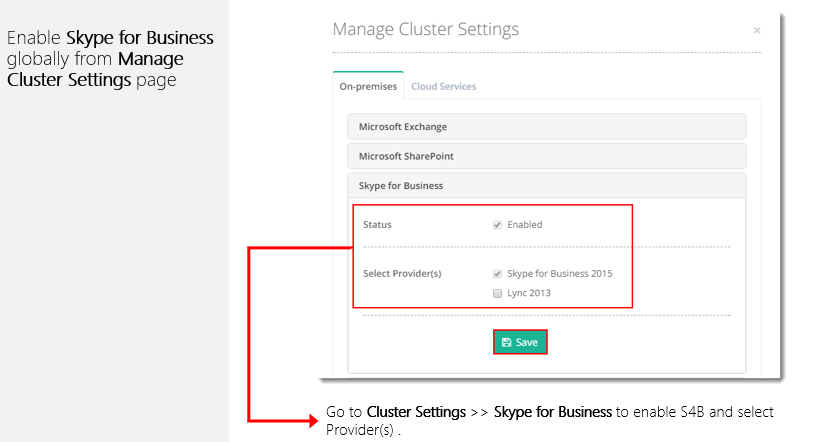
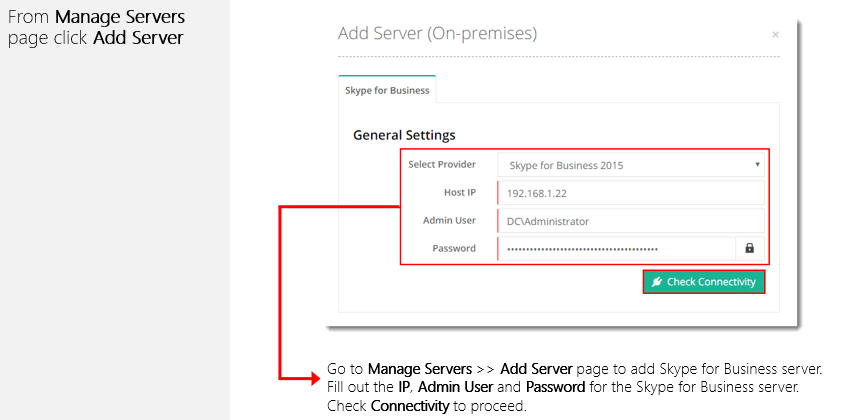
Provisioning Skype for Business