| Product Documentation
Resources
HC Hyper-V Module
Hyper-V is Microsoft’s native hypervisor and utilizes Windows as its underlying operating system. It allows the creation of virtual machines (VMs) on Windows servers, enabling each virtual machine to run in its own isolated space. HyperV is simply a more efficient way to use hardware than just running one operating system on physical hardware.
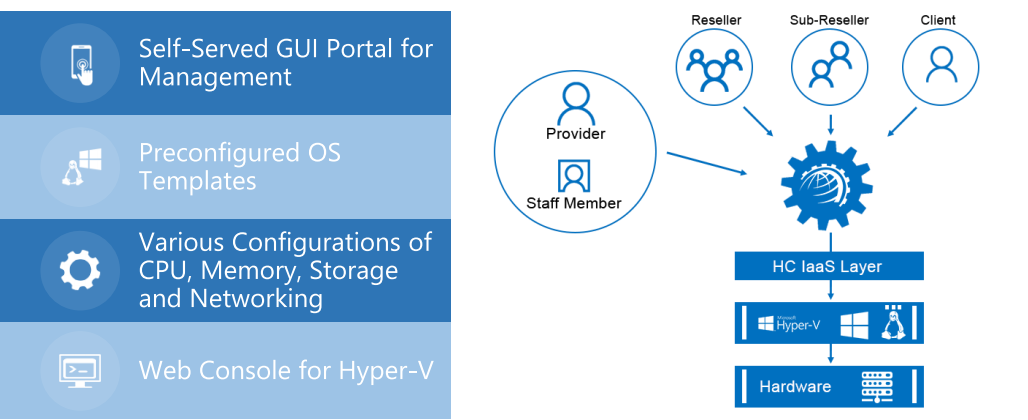
HC Hyper-V module is an additional layer above the hypervisor, facilitating easy creation and management of virtual machines through a web based UI. It strengthens the overall functionality of Hyper-V by furnishing a web platform to VPS providers and datacenters, allowing them a firm grip over various configurations
CPU, memory, storage and networking.
HC Hyper-V Module Key Features
What You Control
Service Provider Features
- Hyper-V hosts: Add, Edit, Delete and Check Health of Hyper-V hosts.
- Base OS Management: Choose from a wide range of Windows/Linux base OS types. Edit, Disable, Make a copy of base OS types.
- Repository Management: Maintain virtual hard disks (.vhdx) files on a separate central location and fetch these files from the central repository.
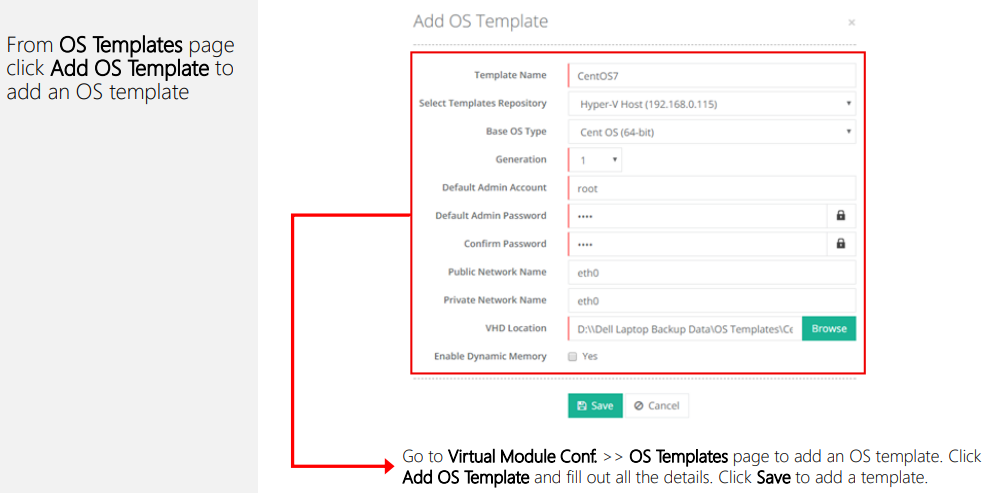
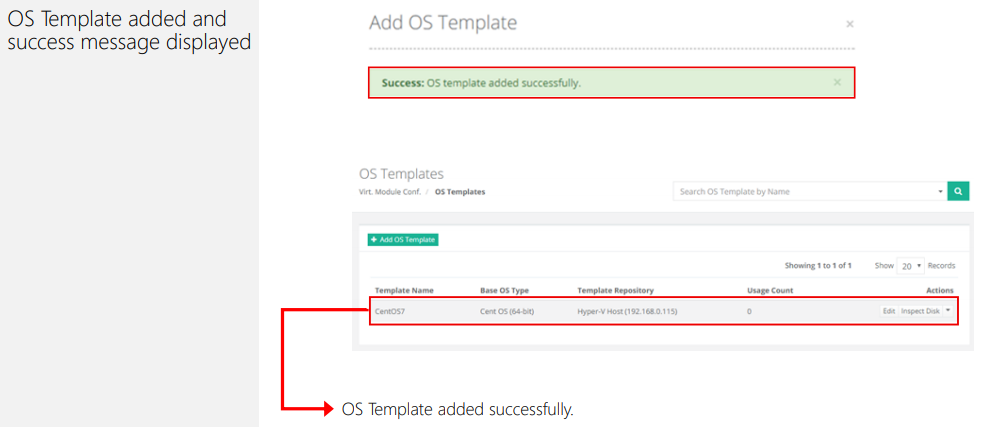
- OS Templates: Add, Edit, Delete and Inspect Disks of VPS templates.
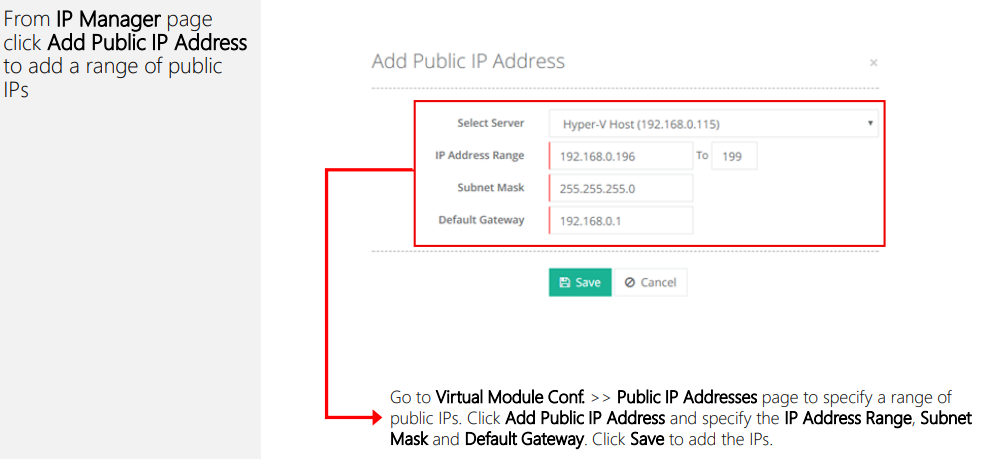
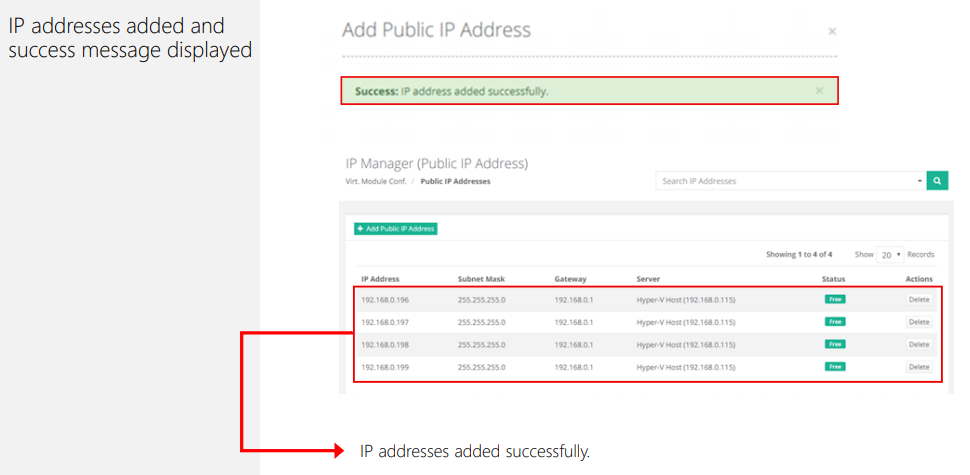
- Public IP Addresses: Add and Delete range of logical public IP addresses to and from the Hyper-V host.
- Private IP Addresses: Add and Delete range of logical private IP addresses to and from the Hyper-V host.
- VLAN Management: Add VLANs existing at the backend to the panel. Assign the same VLANs to control panel users.
- Web Console: Specify web console settings for Hyper-V and allow customers to access their VMs through a browser.
- Plan Management: Add, Sell, Edit and Delete service plans and composite resources with IaaS (virtualization) resources.
- Bandwidth Metering: Enable bandwidth metering for each VM via a 3rd party tool.
- Reporting: View and Download usage reports for the number of virtual machines and their allocated & consumed CPU/memory/storage.
- Network Information: Indicate settings for internal and external switches.
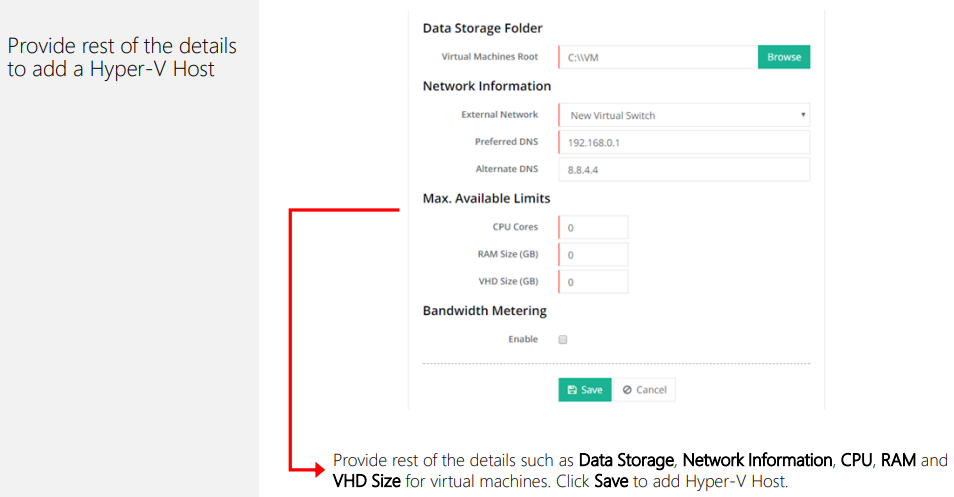
- Data Storage Folder: Specify the storage location of virtual machines.
- VM Import: Import existing virtual machines.
- VM Transfer: Move virtual machines between control panel users.
- Summary Email Management: Send out summary emails for creation, transfer and import of virtual machines.
- DVD Drive: Allow DVD drive in media on virtual machines.
- API Availability: Integrate with external applications and interfaces through a firm API.
End User Features
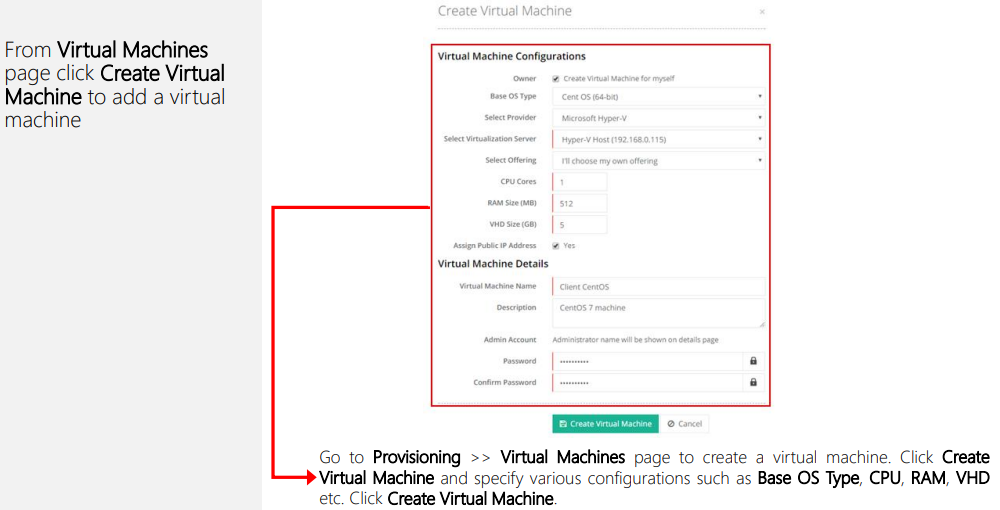
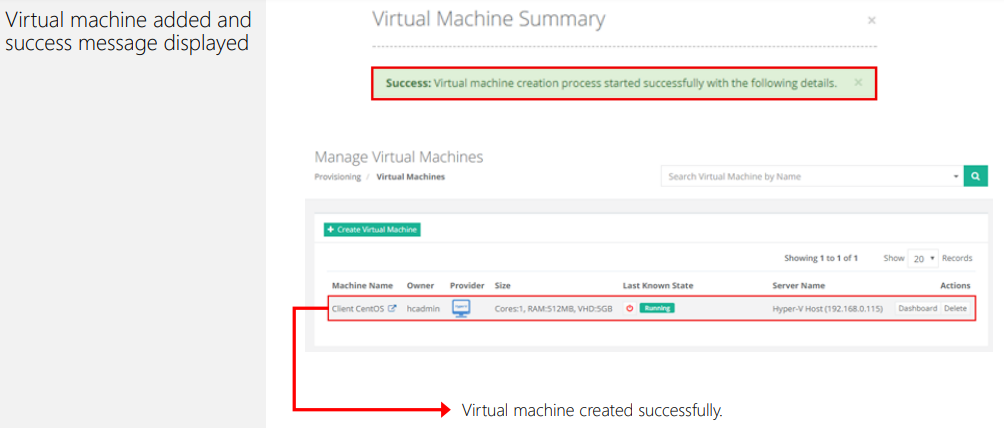
- VM Creation: Create a virtual machine.
- VM Deletion: Delete a virtual machine.
- VM Search: Search virtual machine by name.
- VM Listing: View list of virtual machines.
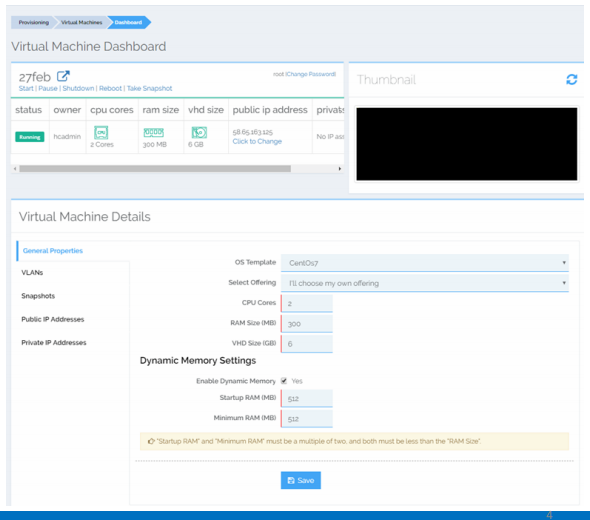
- VM Details: View virtual machine CPU/memory/storage size.
- Change Details: Change virtual machine CPU/memory/storage size.
- VM State: Start, Pause, Refresh, Shut down and Reboot virtual machine.
- Change Password: Change virtual machine administrator password.
- Dynamic Memory Settings: Enable dynamic memory and specify startup RAM and minimum RAM.
- VLAN Assignment: Assign VLAN to virtual machines.
- Snapshots: Take virtual machine snapshot and view its date taken. Apply and remove snapshot.
- Thumbnail: View current state of virtual machine.
- Public IP Assignment: Assign and Delete public IP addresses to and from the virtual machine.
- Private IP Assignment: Assign and Delete private IP addresses to and from the virtual machine
System Requirements
The Environment
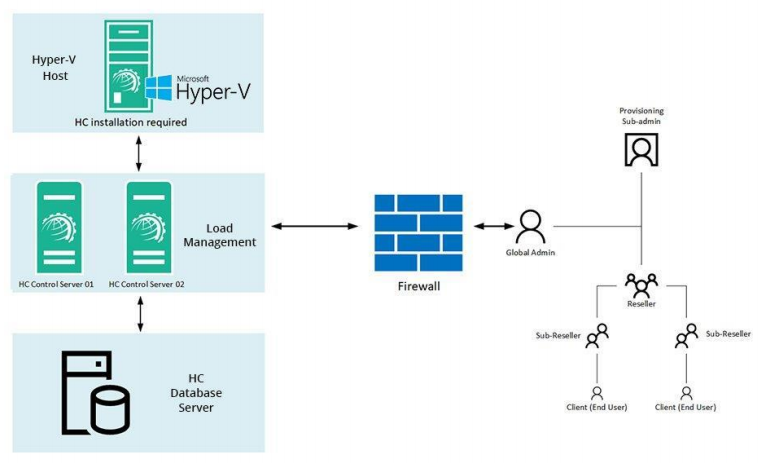
Installing Hosting Controller
The installation of HC itself is fairly simple. Just download HC installer and apply it on the Hyper-V host. Follow a step by step wizard to complete the procedure. To view the installation procedure in detail, see HC10 Installation Guide.
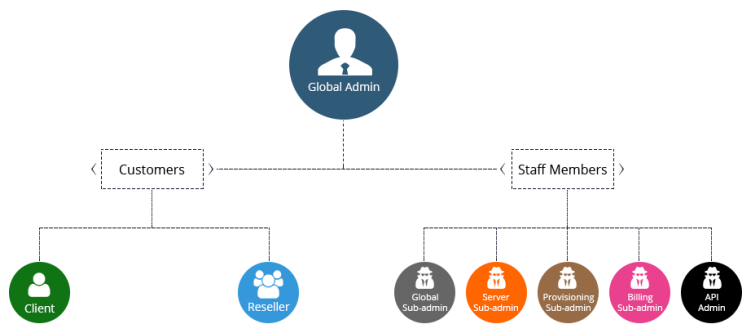
HC User Structure
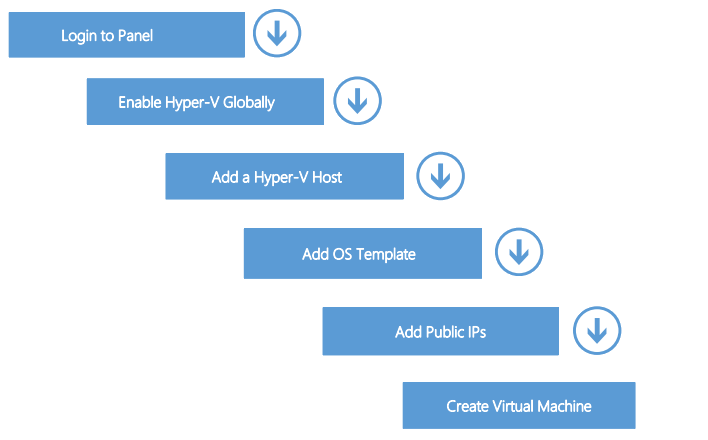
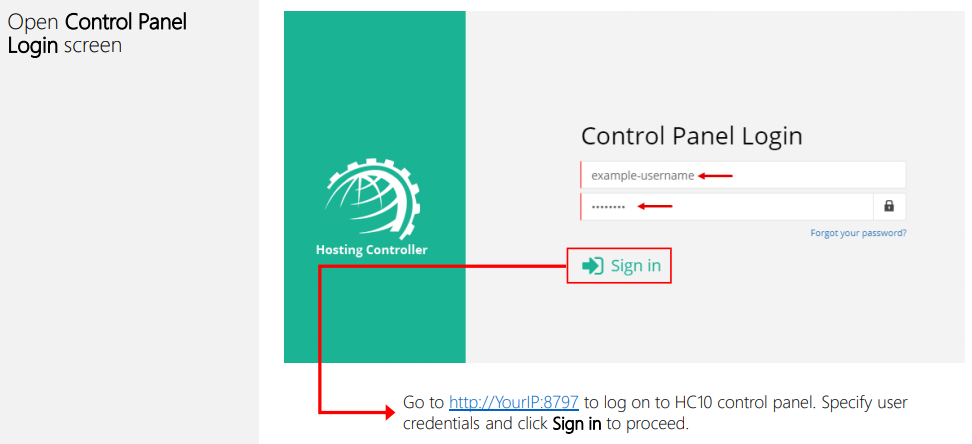
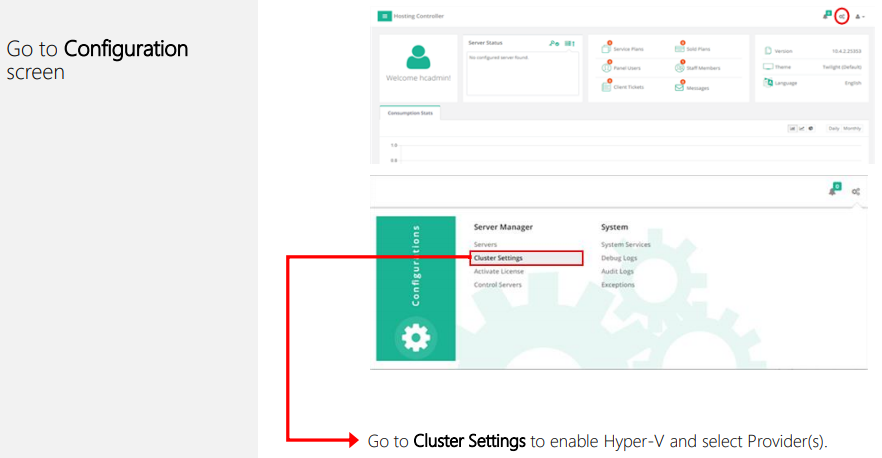
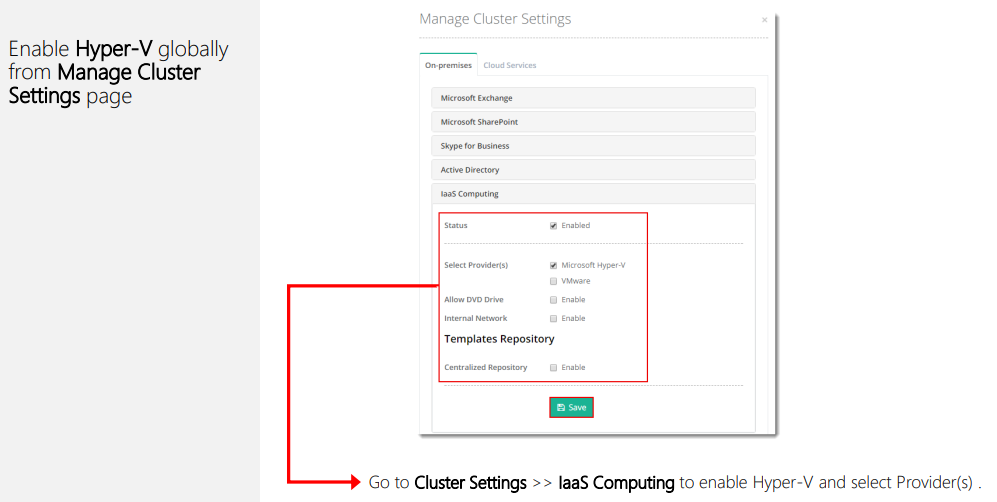
Provisioning Virtual Machines