| Product Documentation
Resources
HC VMware Module
Introducing HC VMware Module
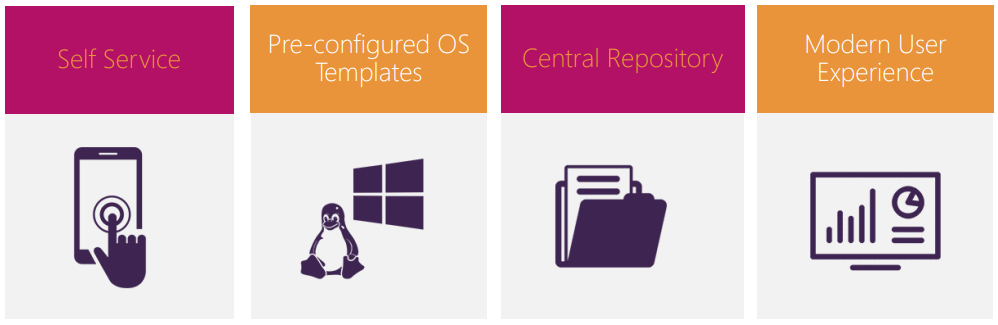
Hosting Controller VMware module simply extends a more powerful web interface to the provisioning of virtual machines in VMware ESXi. With the extra benefits of self-service, ESXi management, central repositories and preconfigured templates, all under one roof, it provides a much fuller services proposition to providers for partitioning their hardware.
Key Features
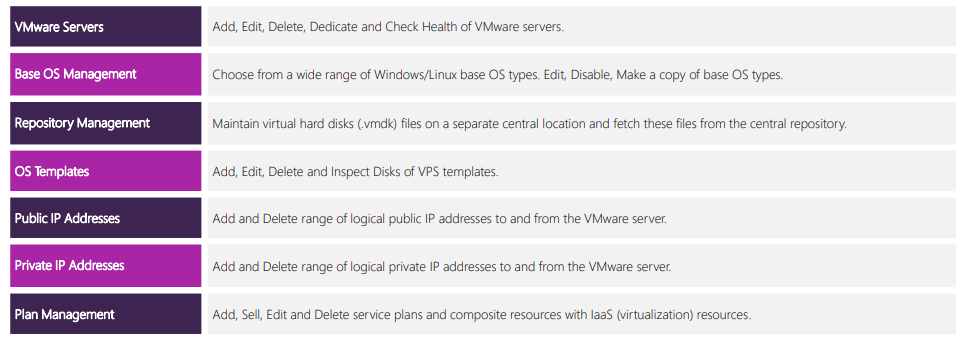
Service Provider Features
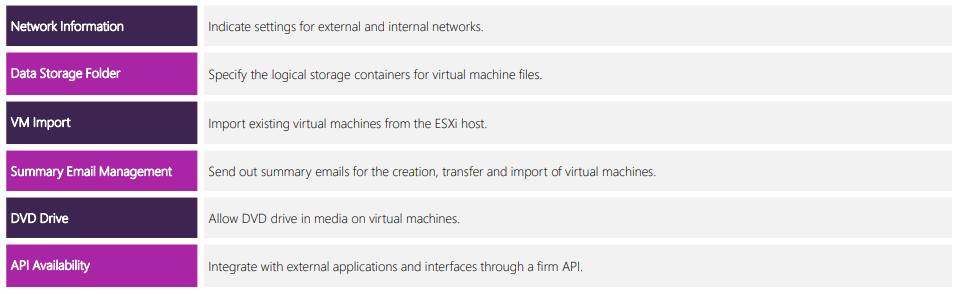
End User Features
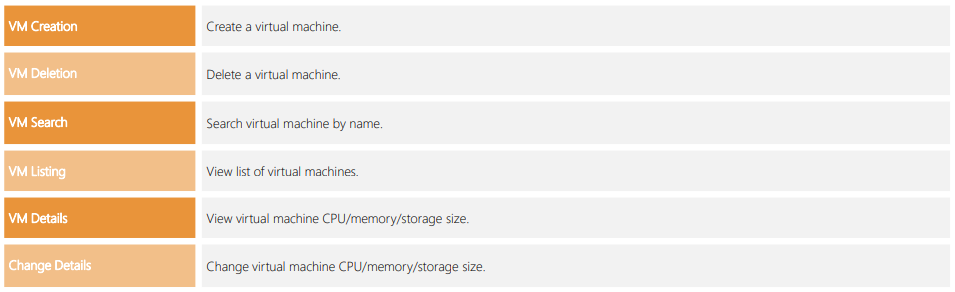
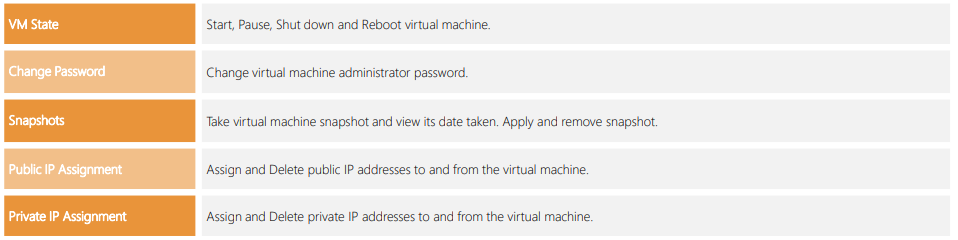
Virtual Machine Controls
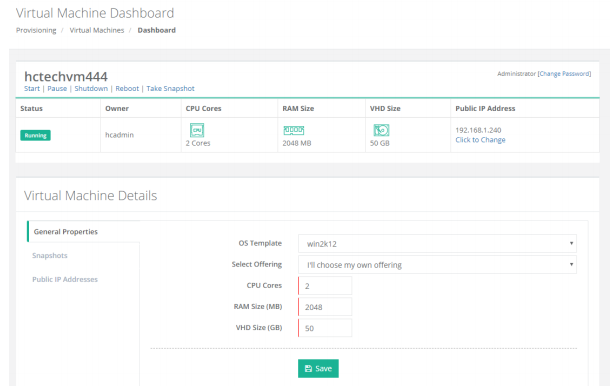
The Environment
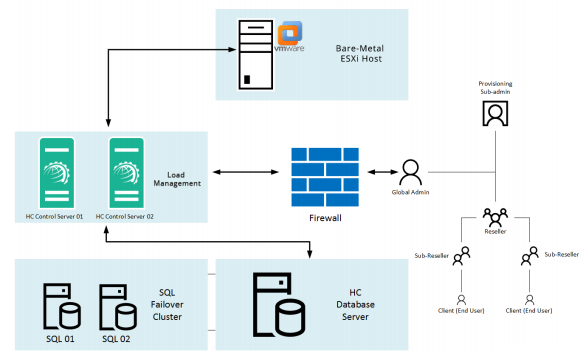
HC installation is not required on the ESXi host. It will communicate remotely with the bare-metal ESXi host.
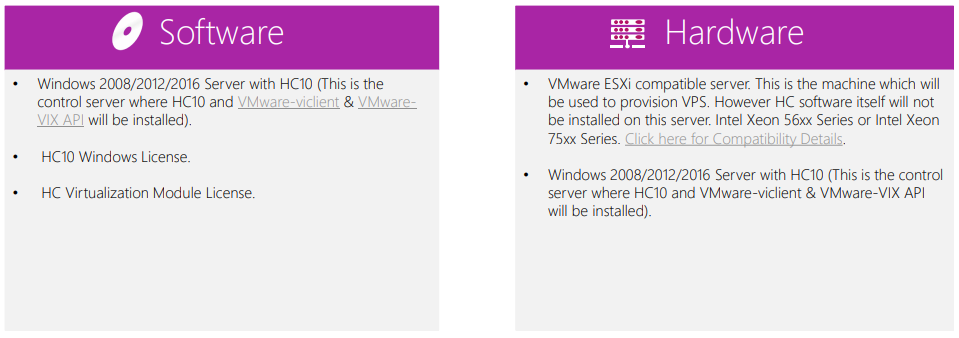
System Requirements
Installing Hosting Controller
The installation of HC itself is fairly simple. Just download HC Primary installer and apply it on the Control Server. Follow a step by step wizard to complete the procedure. To view the installation procedure in detail, see HC10 Installation Guide. HC installation is not required on the ESXi host. It will communicate remotely with the bare-metal ESXi host.
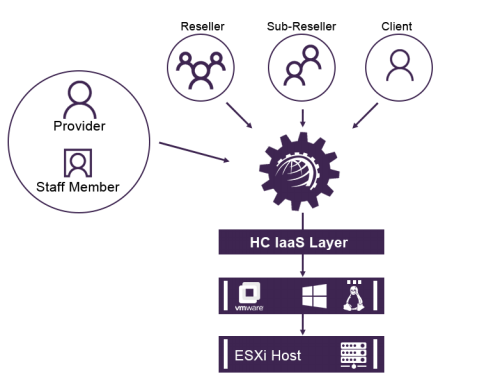
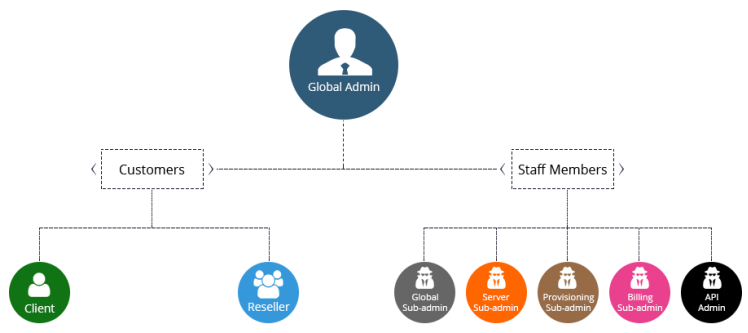
HC User Structure
Provisioning Virtual Machines
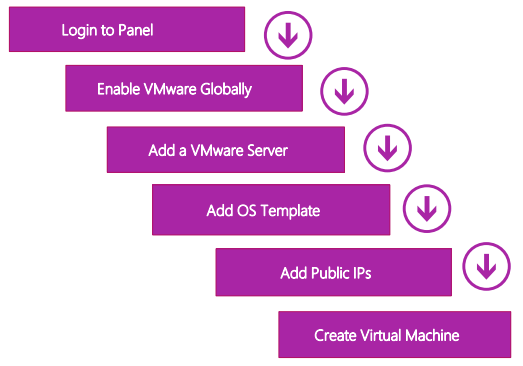
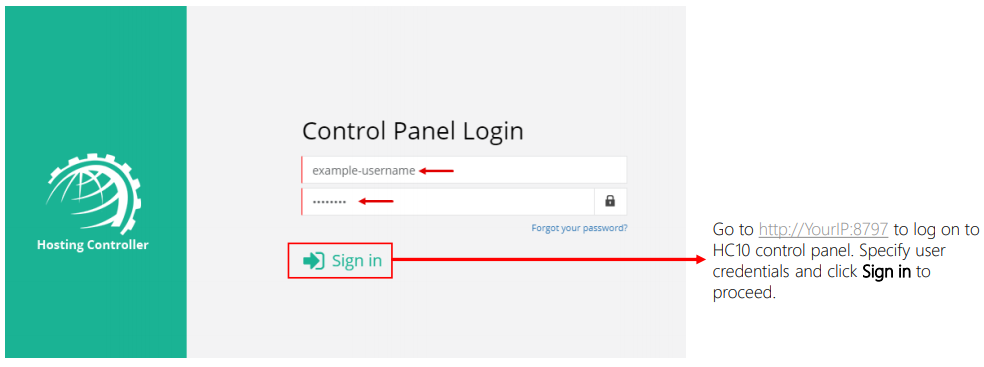
Configure Cluster Settings
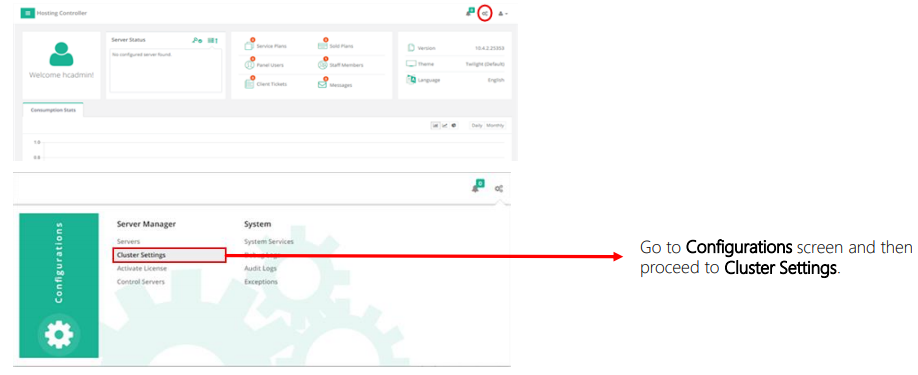
Enable VMware
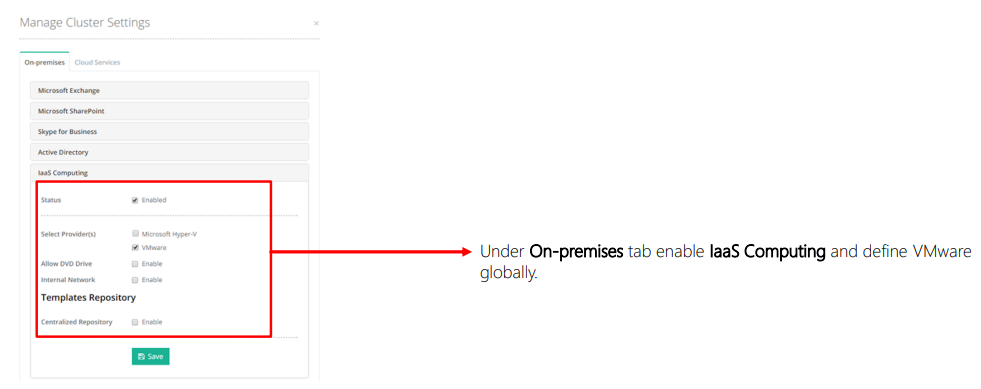
Add VMware Server
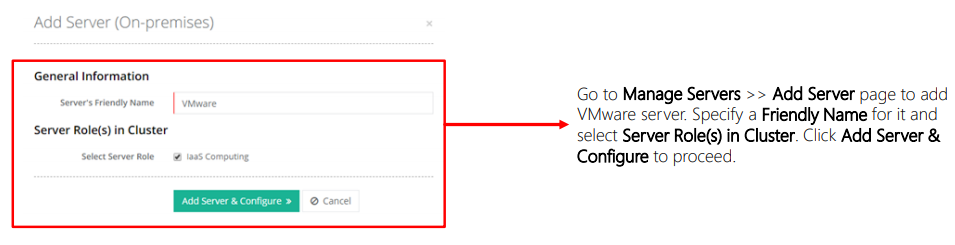
Provide root User to the ESXi Host
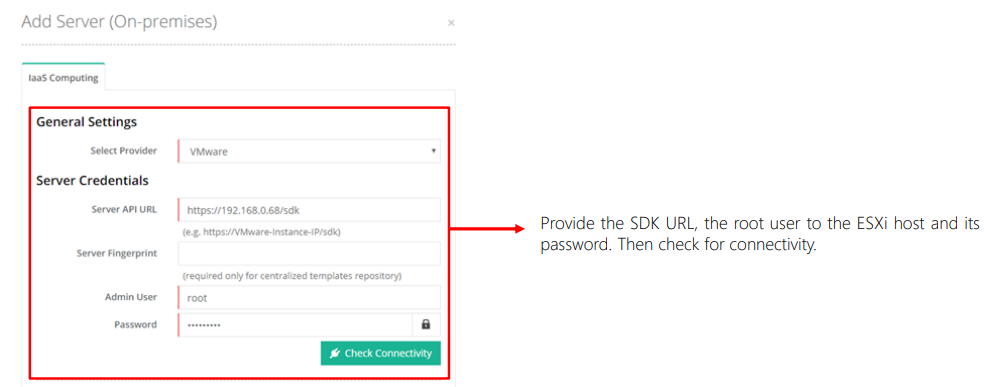
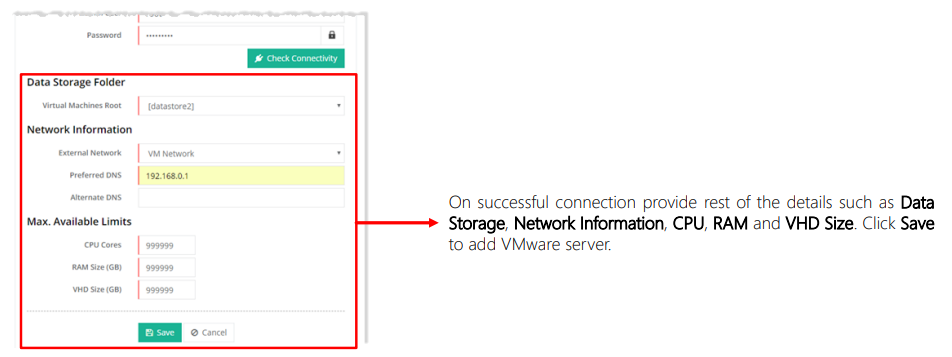
Provide Server Details
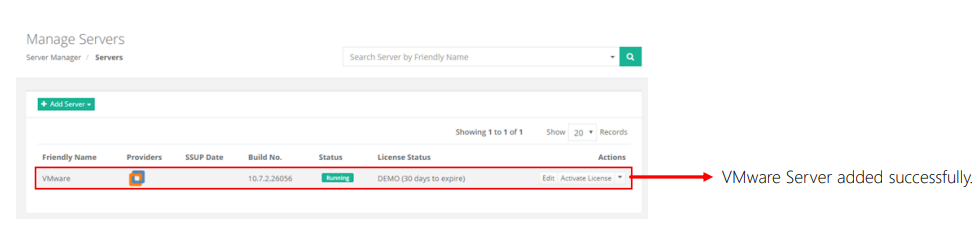
VMware Server Added
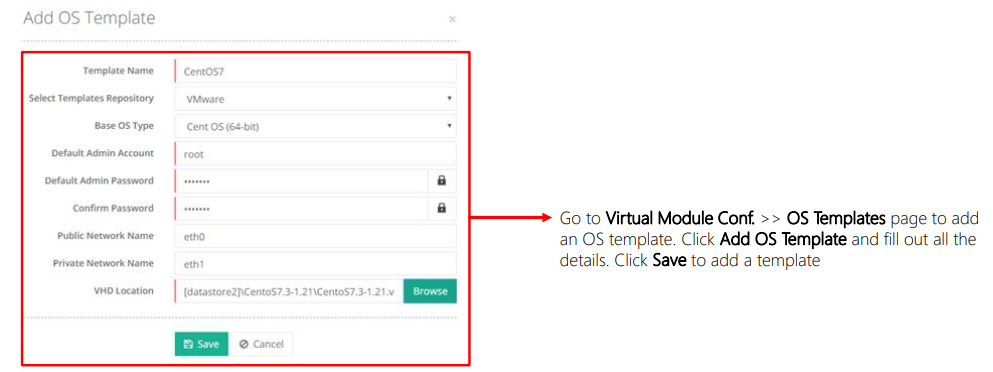
Add OS Template
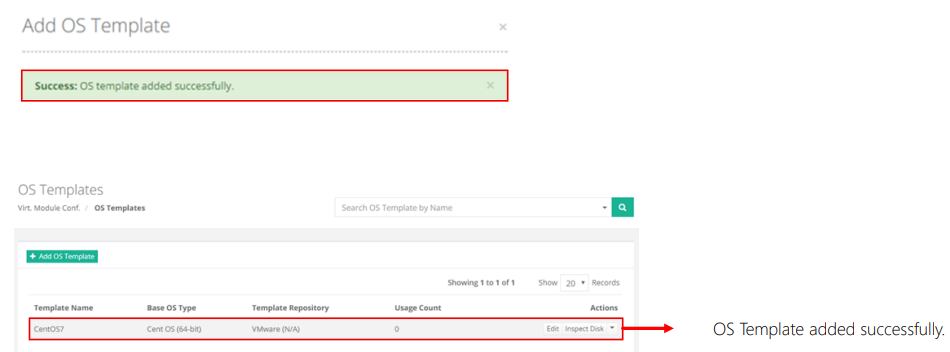
OS Template Added
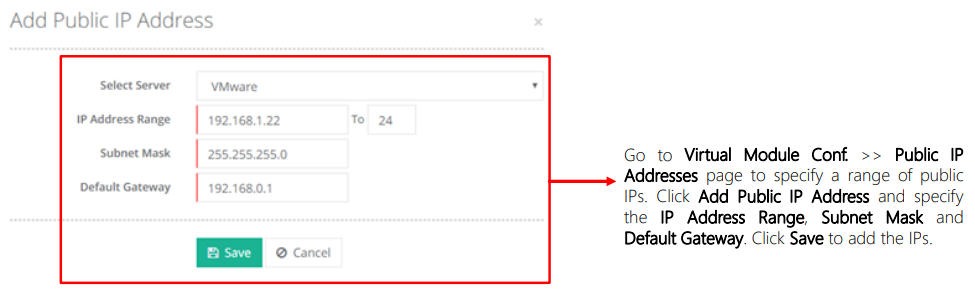
Add IP Addresses
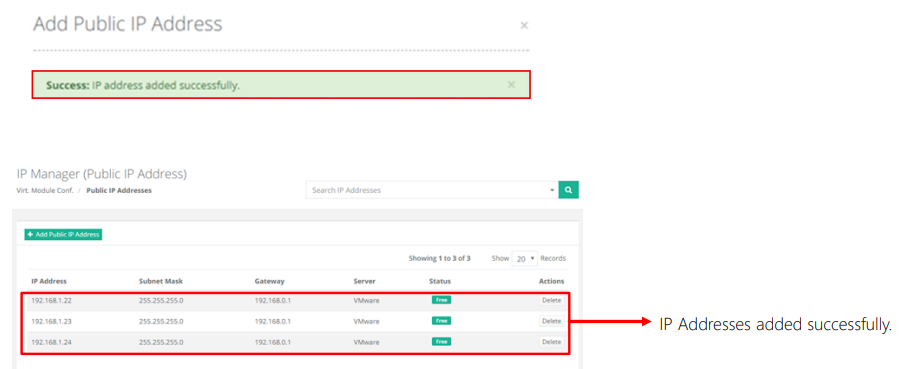
IP Addresses Added
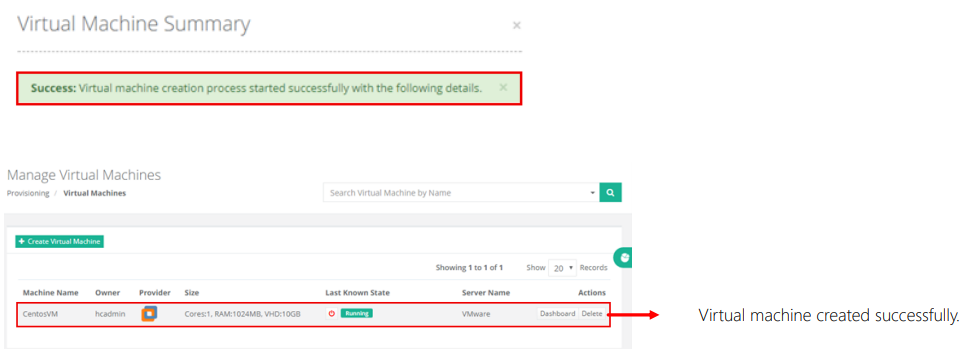
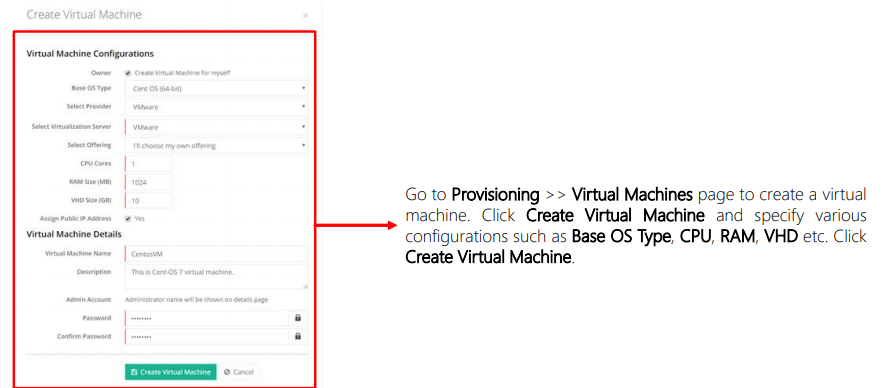
Create Virtual Machine
Virtual Machine Created