
| Product Documentation
AD Connect Sync
AD Connect Sync Deployment on Mediation Server
ADSync Primary Agent Guide
Overview
The ADSync Primary Agent serves as a critical component for synchronizing communication between the source Domain Controller and the cloud DC (target DC). To enable communication with the target DC, the Primary Agent machine must be accessible over the internet.
Common Challenges
Organizations often hesitate to install the AD Connect Sync Primary Agent on their Domain Controllers. This reluctance arises from concerns such as:
- The Domain Controller is not published over the internet.
- Organizations do not wish to open the required ports to accept inbound requests from the client-side DC (target location).
Recommended Solution: Mediation Server
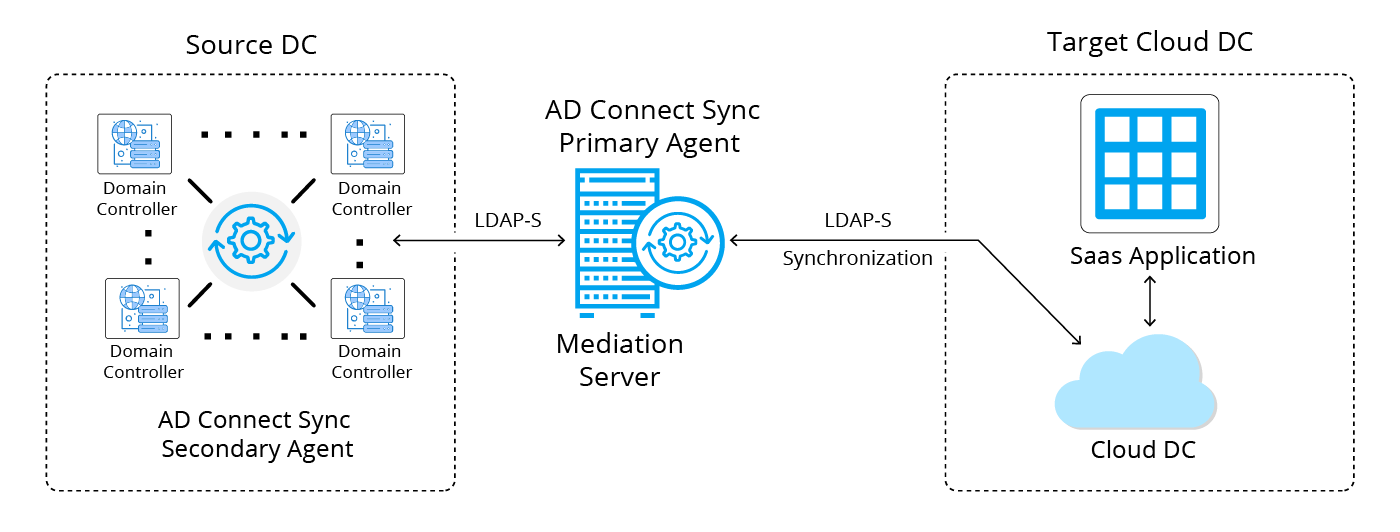
To address these concerns, organizations can opt for a more secure configuration by using a standalone Mediation Server for the ADSync Primary Agent. In this setup:
- The Primary Agent is installed on the Mediation Server rather than the Domain Controller.
- Only the Secondary Agents are installed on the Domain Controllers.
Benefits of Using a Mediation Server
- Enhanced Security:
- The Mediation Server, instead of the Domain Controller, handles external communications with the cloud DC.
- The source/local DC remains isolated from direct external communication.
- Improved Network Configuration:
- No need to publish the Domain Controller over the internet.
- Avoids opening inbound ports on the Domain Controller, reducing attack surfaces.
.
Use Case: Deploying Mediation Server
Consider a use case where Customer 1 and Customer 2 have each deployed separate standalone VMs acting as mediation servers, while Customer 3 has a typical conventional setup with the AD Connect Sync Primary installed directly on the Domain Controller.
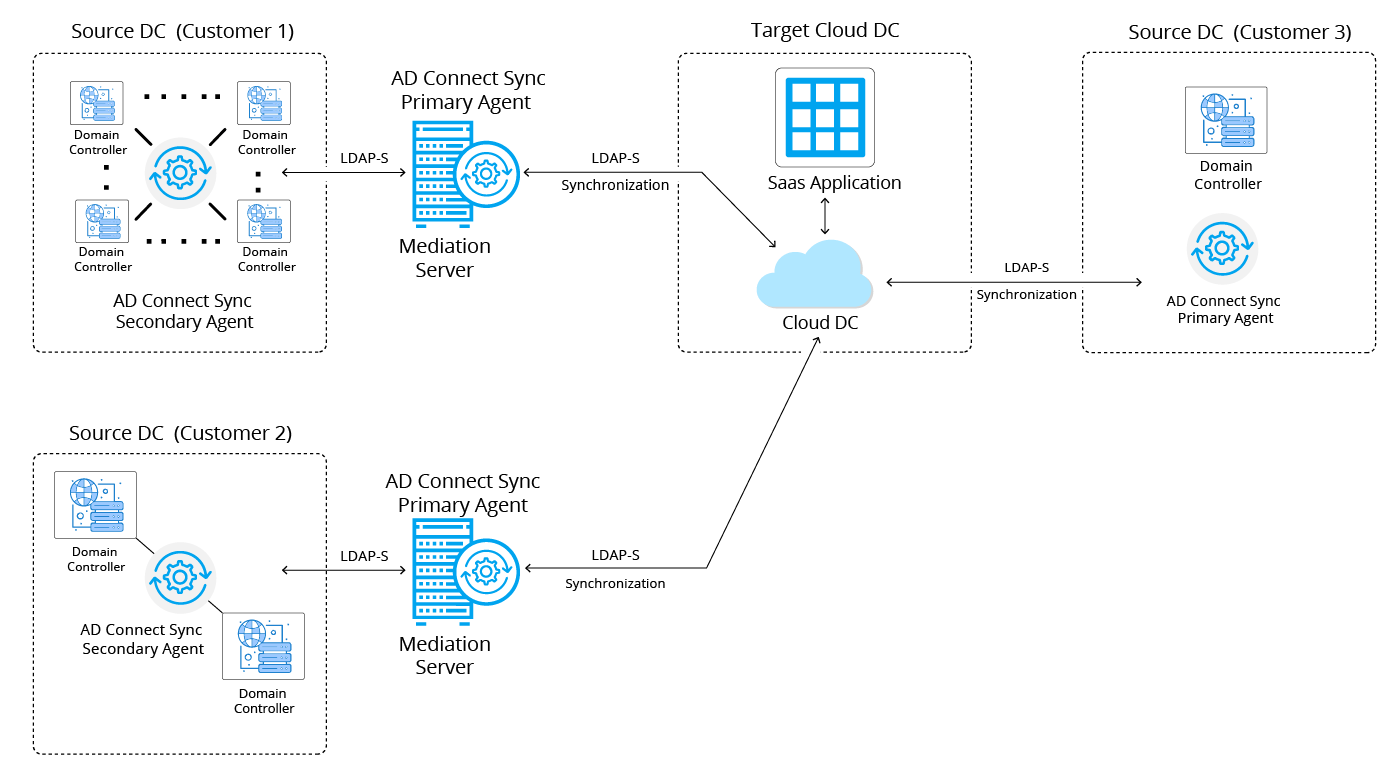
- The mediation server, which is a standalone machine, will host the AD Connect Sync Primary setup.
- Communication between this standalone mediation server and the customer's DC will use only LDAP (port 389/636).
- The standalone machine will fetch AD attributes and passwords from the local customer DC and push them to the target cloud DC via secure LDAP (LDAPS).
- Here it's mandatory to ensure that the required AD Connect Sync ports are open between the mediation server and the target cloud DC.
- The target DC certificate must be applied to the standalone machine for secure LDAP communication to function correctly.