| Product Documentation
Mail Data Migrator
Viewing Dashboard
The dashboard provides clear visibility and easy access to various migration menus and controls.
To view dashboard, click Dashboard from the top menu.
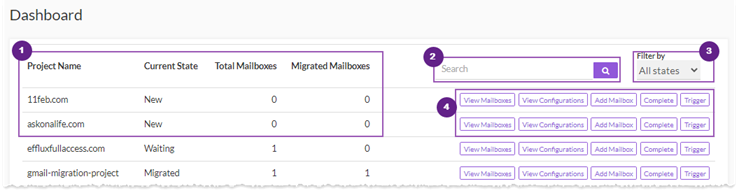
Information Area
This section shows existing domains with some additional information as:
** Current State - shows current state of the domain such as New, Waiting, Migrating, Migrated or Completed.
** Total Mailboxes - shows total number of mailboxes associated with this domain.
** Migrated Mailboxes - shows total number of migrated mailboxes.
Search Area
To search any domain, type its name in the search area, select its state and click  or press Enter.

State Selection List
For mail domains, states identify the various stages they can be in. This list shows all the available states of a domain as:
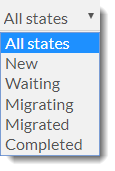
New: signifies the initial state of the mail domain wherein there is no mailbox in it. It is empty.
Waiting: it means that mailboxes are added to the mail domain for the purpose of migration but not yet verified. There is an elaborate verification mechanism in place for verification of mailboxes before their creation on target server. For details refer to the verification process.
- Verification Process: When a mailbox is added to a mail domain, a verification mail is sent out to the mailbox with a verification link. Clicking the link redirects to a Mail Data Migrator interface requesting some info. Once verified the mailbox is created on the target server. The procedure works as follows:
- Verification Email: Click on link in the email.
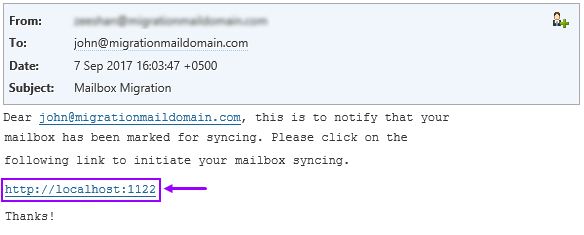
- Provide Information:
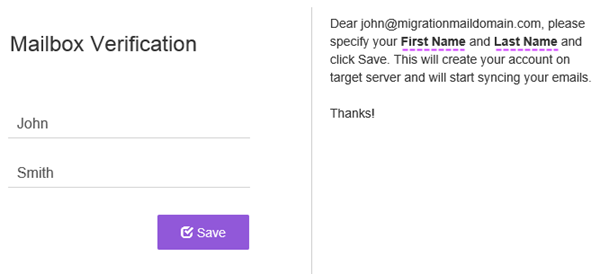
- Provide First Name
- Provide Last Name.
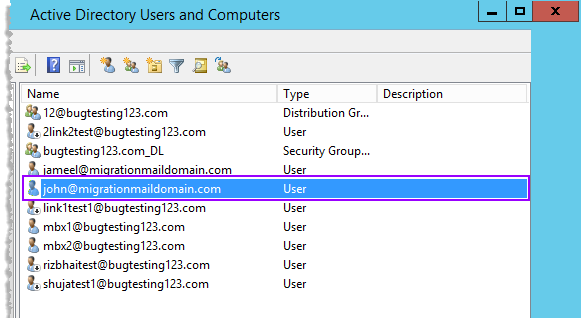
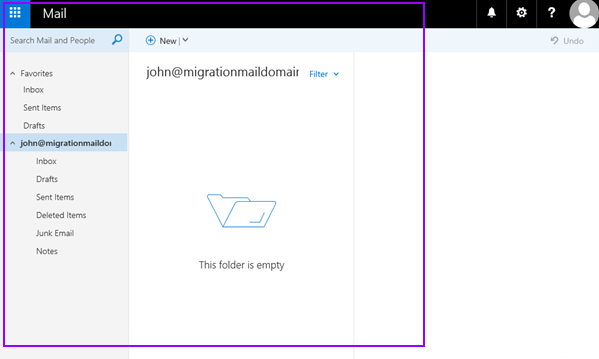
- Creation of Mailbox on target server:

- Verification Email: Click on link in the email.
-
-
- Creation of user in Active Directory
- Creation of mailbox in Exchange
- Creation of user in Active Directory
-
Migrating: it means that syncing has commenced for all those mailboxes that have been verified. This is the main state where the actual transfer takes place. Synchronization starts as soon as the verification is complete and for all those mailboxes which have been verified. Some mailboxes of the mail domain could still be unverified in this state but as soon as each of them gets verified the sync will commence for it.
Migrated: When all mailboxes for a mail domain have been verified and sync has run at least once for each of them, the mail domain state will turn Migrated. In other words no mailbox is now unverified and the state of all mailboxes is migrated.
Actions
This section allow users to perform various actions as:
View Mailboxes
To view mailbox, click View Mailboxes.
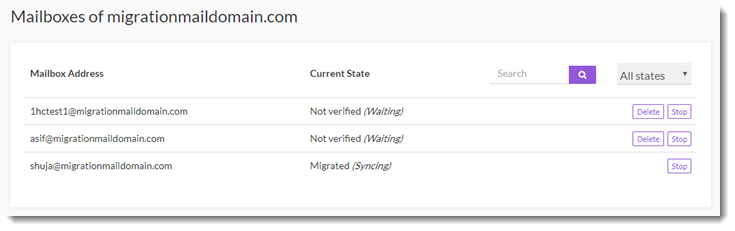
Mailboxes page shows all the existing mailboxes with additional information and actions as:
** Mailbox Address - shows mailbox address.
** Current State - shows current state of the mailbox such as Not Verified/Verified/Migrated.
** Search - allows to search any mailbox.
** Delete - deletes the mailbox.
** Stop - stops the mailbox to the current state.
View Configurations
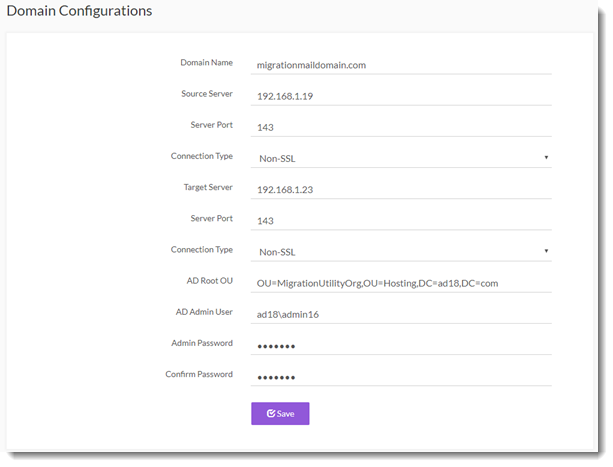
To view certain system settings, click View Configurations.
Add Mailbox
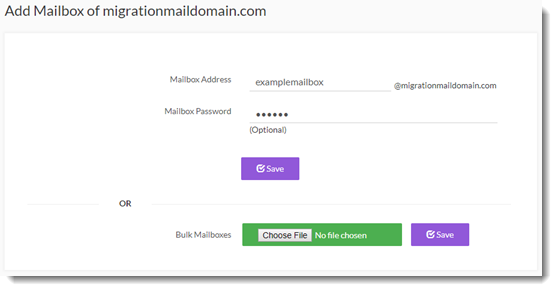
To add a mailbox, click Add Mailbox.
Complete
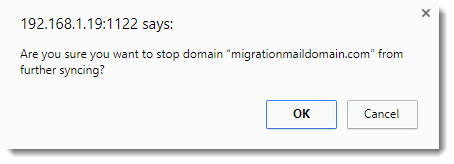
To stop the domain from further synching, click Complete.