| Product Documentation
Efflux Migrator
Prepare/Move Single Mailbox-O365
On-boarding commences with the hitting of the Prepare Mailbox button.
Preparing and moving a mailbox through Efflux follows a particular sequence. Following is the full sequence of events in the Prepare / Move mailbox process:
- Specify SMTP address of the mailbox
Type user initials and hit Search button to fetch user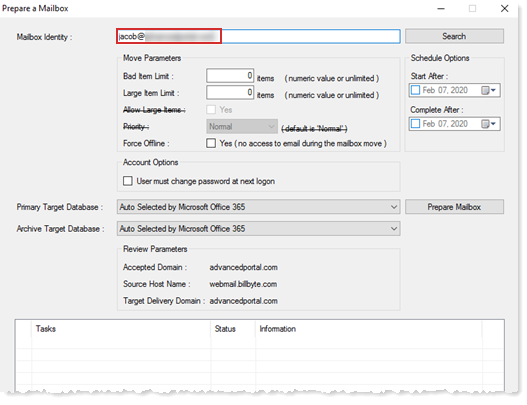
- Office 365 decides the target database
In case of Office 365, the target database is decided by Office 365 itself
It auto selects the database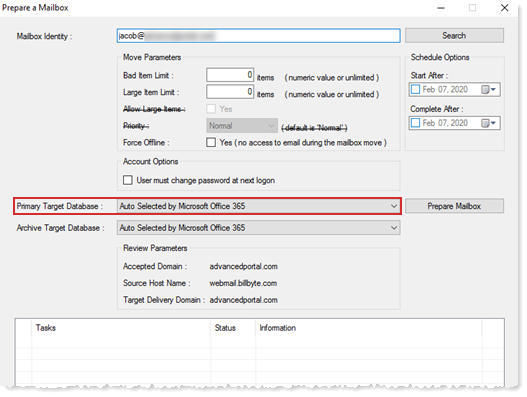
- Prepare mailbox
Hit Prepare Mailbox button to prepare mailbox
Proceed to the next step only after the mailbox is prepared successfully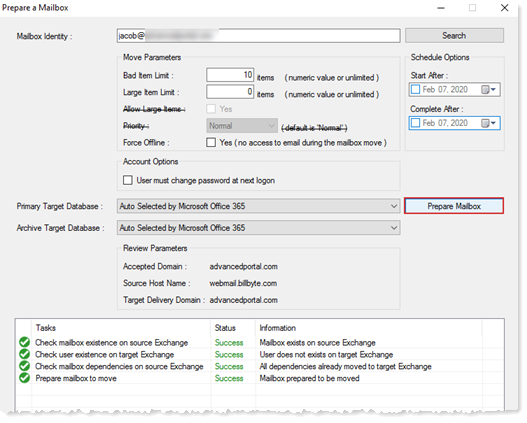
-
Move mailbox
Click to move mailbox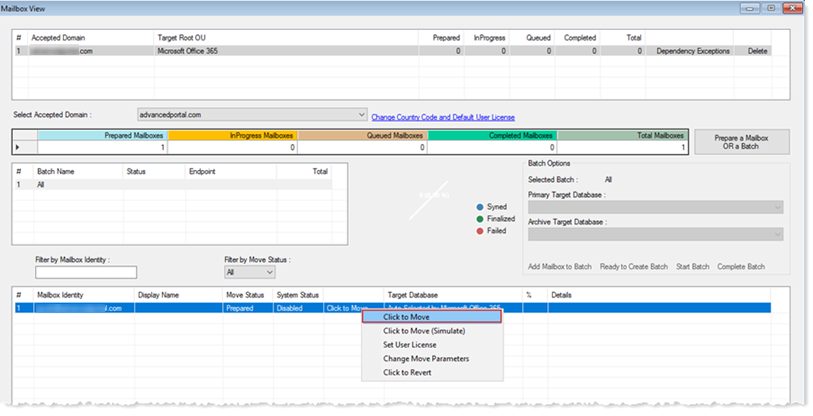
-
Queued Status
Wait while the mailbox is in queued status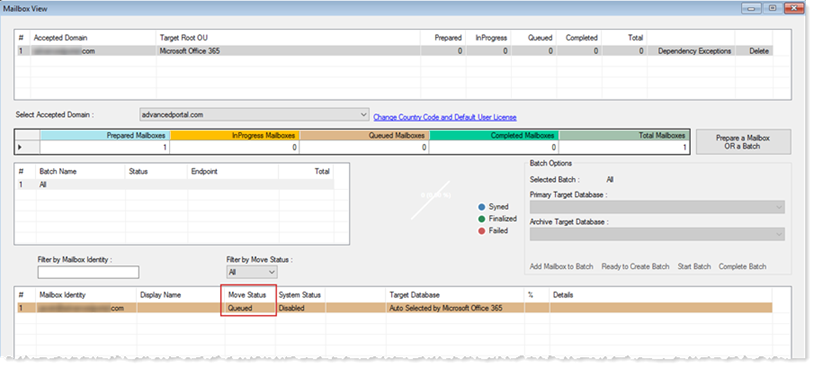
-
Completed Status
Move to the next step after move completes in green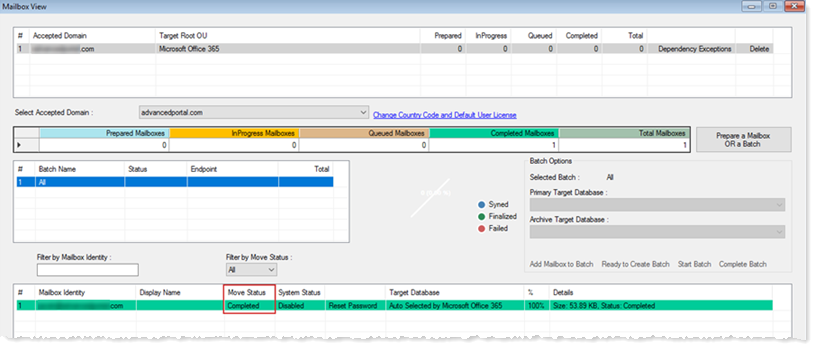
-
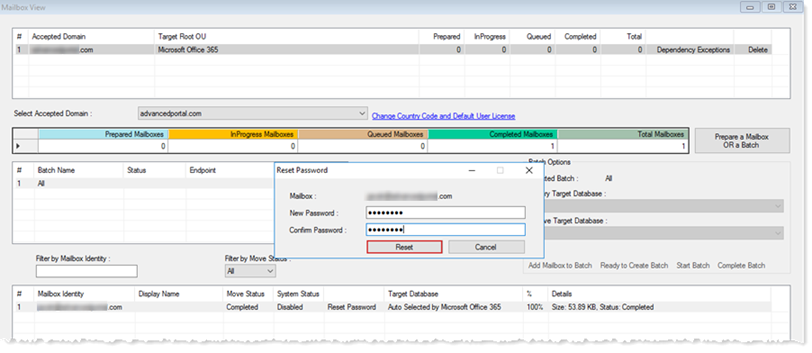
Reset Password
Finally reset password of the migrated mailbox
Password reset is required because original passwords are not migrated