| Product Documentation
Efflux Migrator
Prepare/Move Single Mailbox
The migration process commences with the hitting of the Prepare Mailbox button. Efflux provides the flexibility to handle diverse customer scenarios. A common scenario is where organizations prepare their mailboxes first and move them later after receiving customer permission, with the possibility of a gap of several days or even weeks between the prepare and move initiatives. Efflux is fully capable of handling such cases.
Another built in feature is the ability to specify a different mailbox database on the target server than the one on the source server.
Preparing and moving a mailbox through Efflux follows a particular sequence. Following is the full sequence of events in the Prepare / Move mailbox process:
- Specify SMTP address of the mailbox
Type user initials and hit Search button to fetch user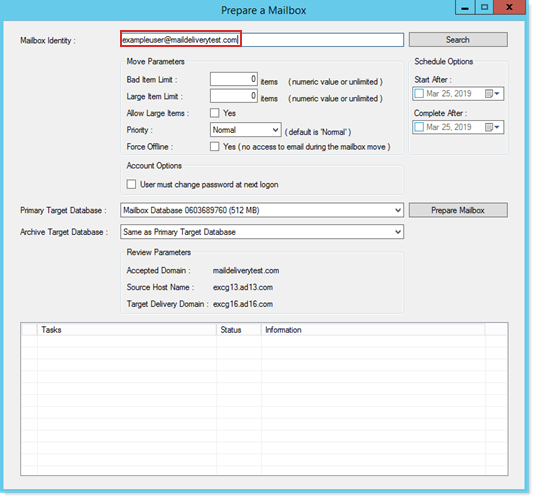
Type in the first few initials of the mailbox you want to fetch and hit the Search button. Efflux will list all similar mailboxes, in a dropdown to choose from. - Select the Primary target database
Select Primary target database from dropdown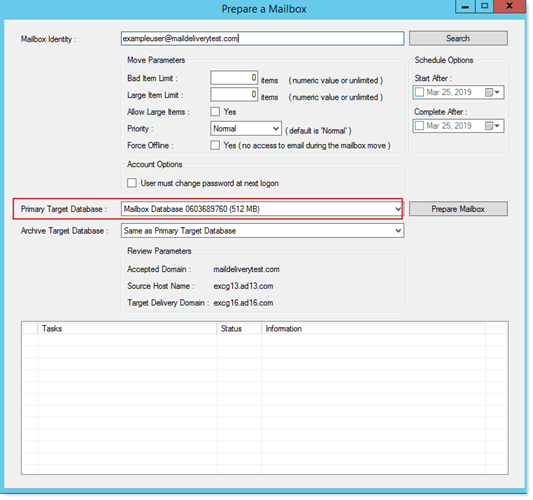
- Prepare mailbox
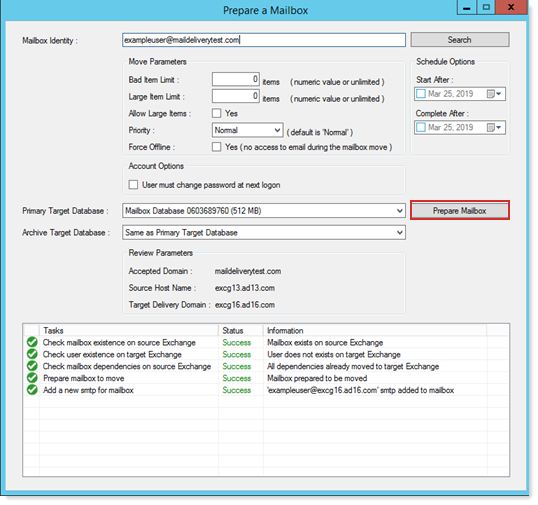
Hit Prepare Mailbox button to prepare mailbox. Proceed to the next step only after the mailbox is prepared successfully
- Move mailbox
Click to move mailbox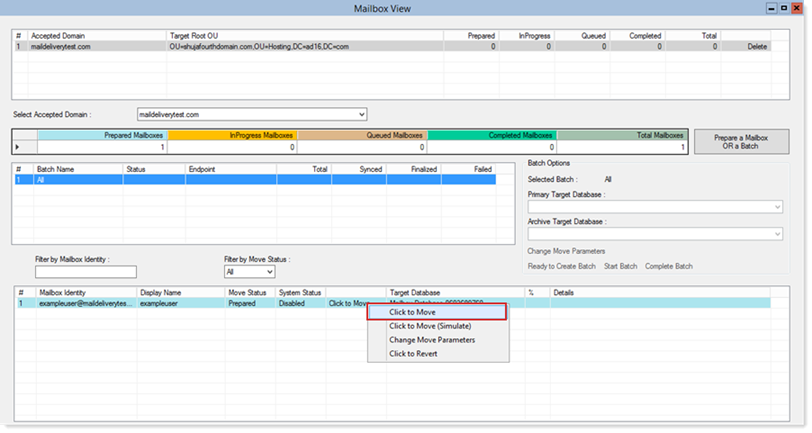
- Queued Status
Wait while the mailbox is in queued status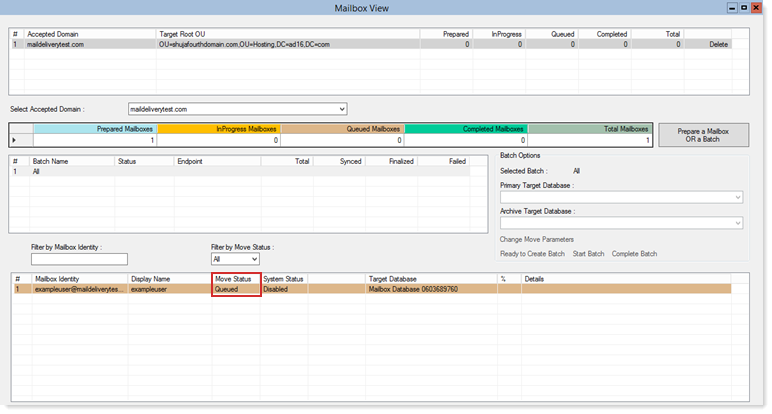
- Completed Status
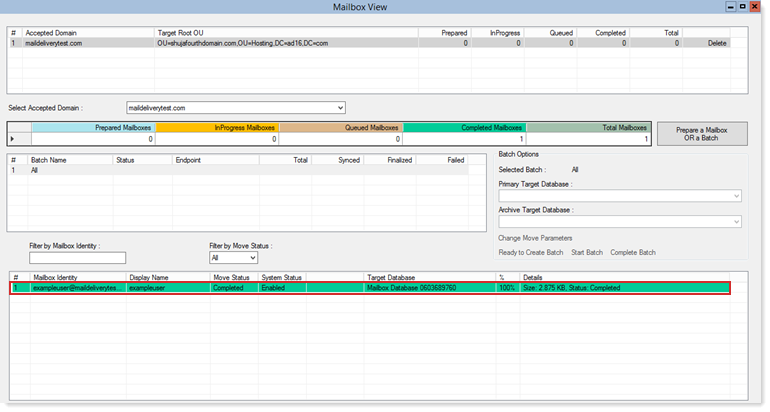
Move to the next step after move completes in green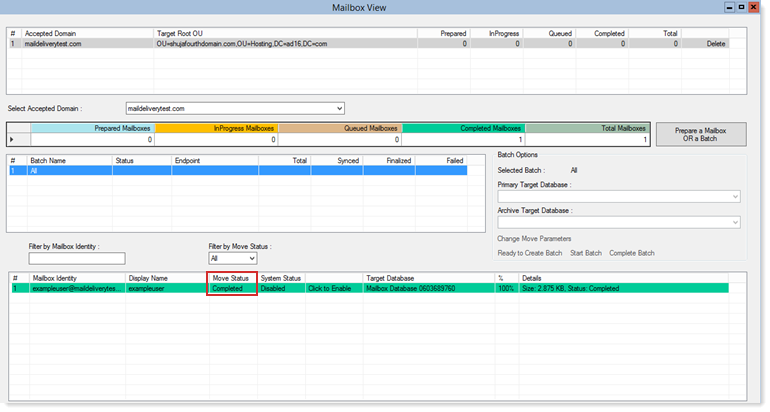
- Enable mailbox
Click to enable mailbox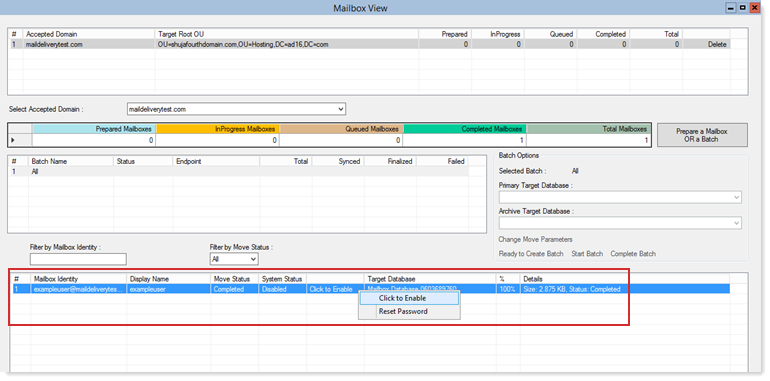
- Successfully migrated
Migration concludes successfully after enabling mailbox