| Product Documentation
AD Self Service Portal
System
Installation of AD Self-Service Portal creates a site for the portal in IIS and names it ADSS Portal. This site serves as a place for ADSS users to login into their respective management interfaces and administer their accounts. The portal provides exclusive interfaces to Portal Admins, Entity Admins, and OU Admins.
To configure different settings of the AD Self-Service portal, navigate to System.
General Settings
To configure system settings, navigate to the top menu and click System >> General Settings.
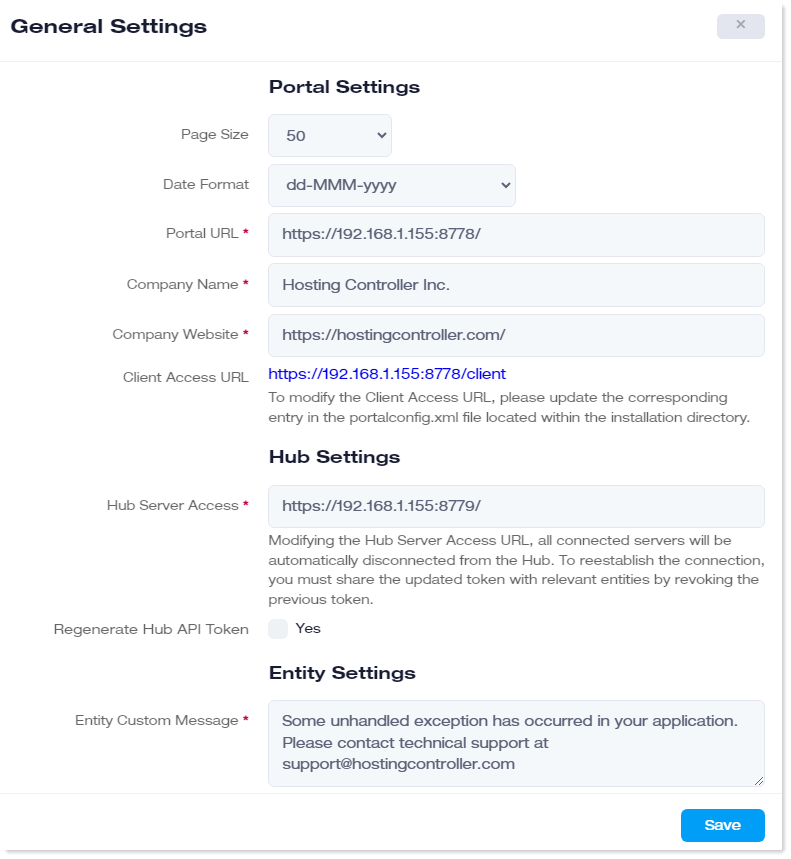

- Page Size: This indicates the number of records (rows) displayed on each page.
- Date Format: This indicates the date format followed by the application.
- Portal URL: This displays the administration site for the ADSS portal. This is where admin users login into their respective interfaces with their credentials. The URL field is a required field and cannot be left empty.
- Company Name: This displays the company name. This field is used in the event templates. The company name field is a required field and cannot be left empty.
- Company Website: This displays the company website. This field is used in the event templates. The company website field is a required field and cannot be left empty
- Client Access URL: Modify the xml file as required.
- Hub Server Access: This is the URL of the API hub. API hub serves as an interface for communication between the portal and the agent. It is also used for HA monitoring. It is a required field and cannot be left empty.
- Regenerate Hub API Token: Select the Yes checkbox to regenerate the hub API token.
- Entity Custom Message: This message appears on the agent interface when an error occurs while connecting the ADSSP agent with the ADSSP portal. The message specified here appears across all the agent servers.
High Availability Mode
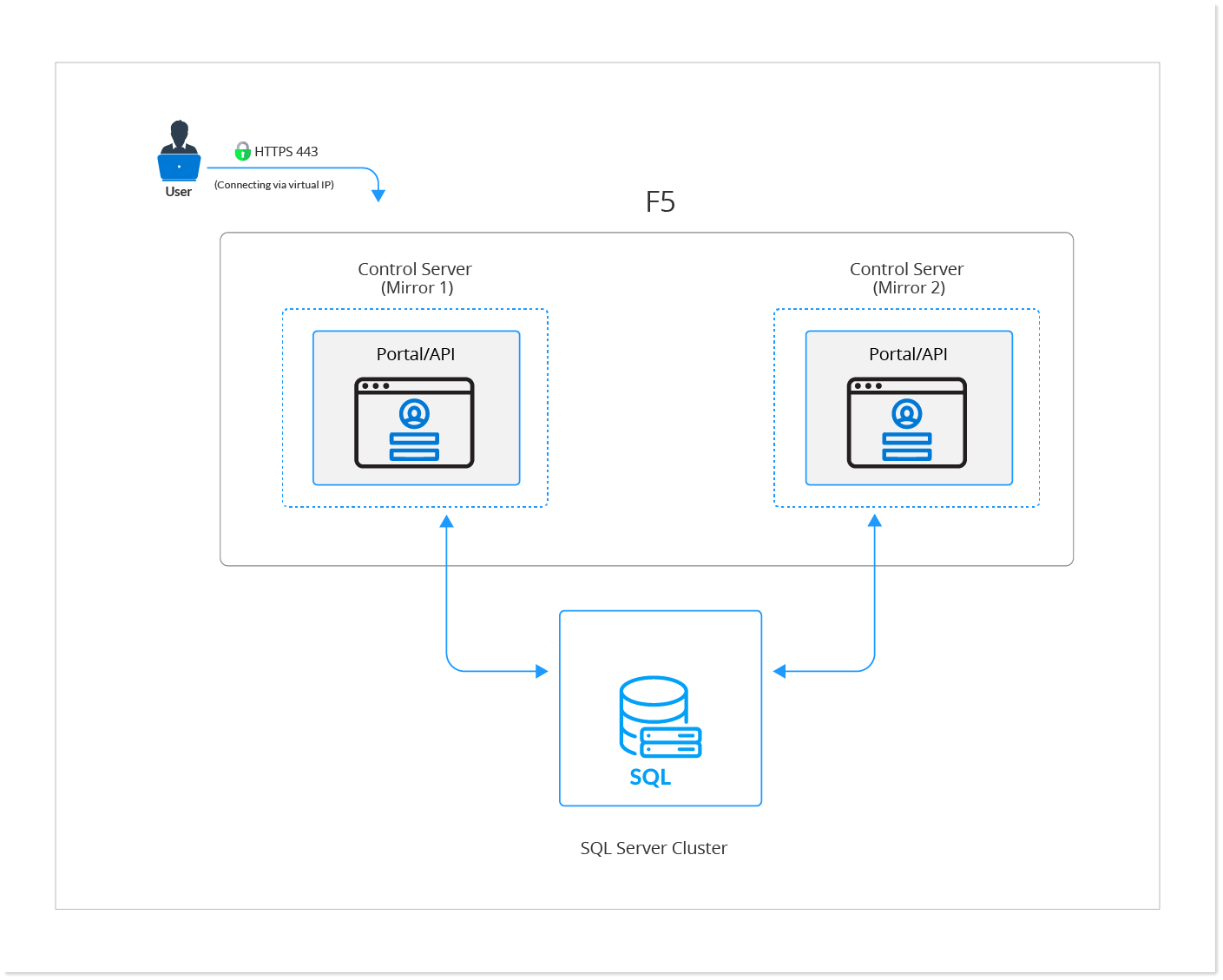
To make the solution highly available, there should be more than one ADSS Portal server deployed in an active-passive mode. The portal web address will be behind a virtual IP and the external requests will be routed to the available portal server node via an external system like F5. Requests will be routed only to the active node thus making the solution always available.
Password Expiry Notifications
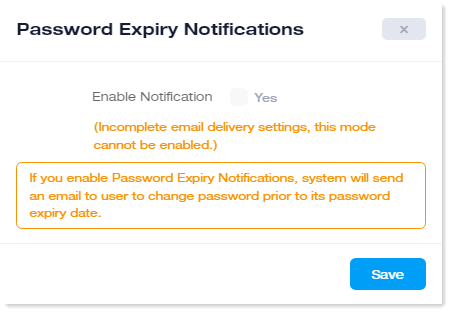
If password expiry notifications are enabled, the system will notify users to change their passwords before their passwords expire. The system will notify them through email.
To configure password expiry notifications, navigate to the top menu and click System >> Password Expiry Notifications.

Activate License
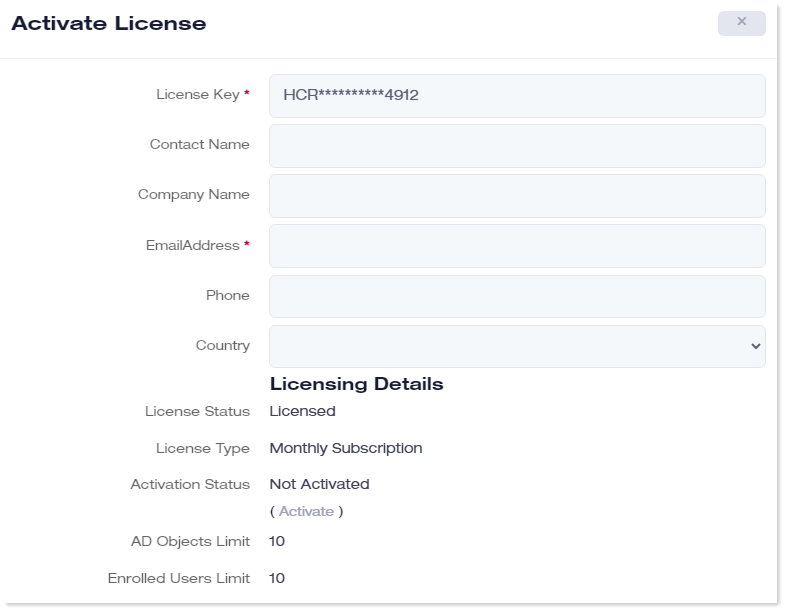
To activate ADSS Portal license, navigate to the top menu and click System >> Activate License.