
| Product Documentation
AD Self Service Portal
Monitoring
The ADSS Portal enables you to monitor disk space, database storage, and log file usage on the ADSS Portal (Control Server). When predefined thresholds are exceeded, the system generates alerts and displays warnings on the dashboard, ensuring proactive management and maintaining optimal performance.
Database and Disk Health
To monitor database storage and disk health, click Monitoring >> Database and Disk Health.
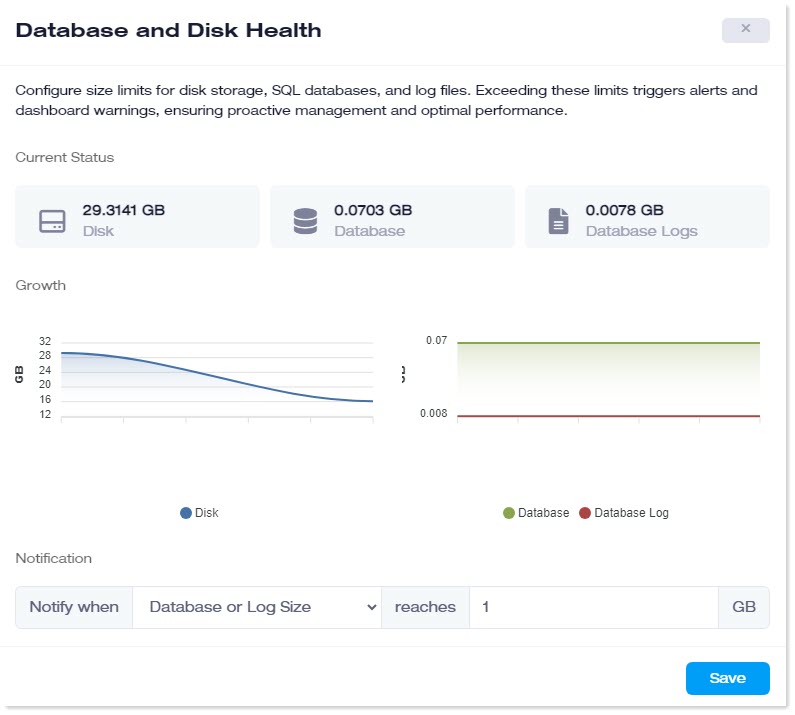
- Current Status:
- Disk: This displays the space consumed by the ADSS Portal installation drive on the portal server (control server)
- Database: This shows the space consumed in GB by the SQL Server database.
- Database Logs: This shows the space consumed in GB by the database logs.
- Notification:
- Notify when: Notify the admin through an email when the disk size, database, or database logs reach a certain threshold
- Reaches: Specify the threshold limit in GBs. When the disk, database, or database logs reach this limit, a notification email will be sent.
Service Health Monitoring
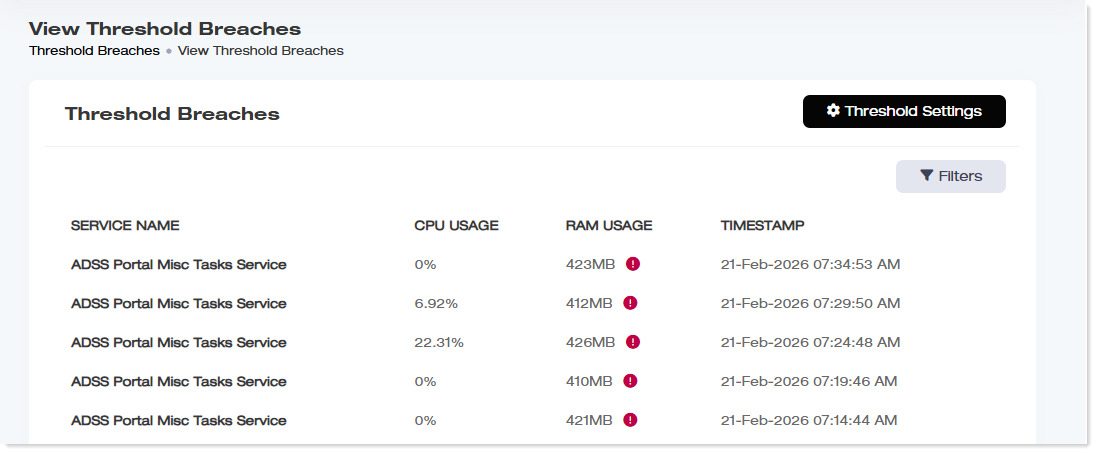
To monitor other services, click Monitoring >> Services Health Monitoring.
ADSS Portal also enables you to monitor CPU and RAM usage of the control server. If resource usage exceeds the defined threshold, the system automatically sends email notifications to the administrator.
|
View Threshold Breaches page shows following information:
|
Threshold Settings
If CPU or RAM usage exceeds a specified threshold, ADSSP automatically sends email notifications to the administrator.
To specify threshold settings, click Threshold Settings.
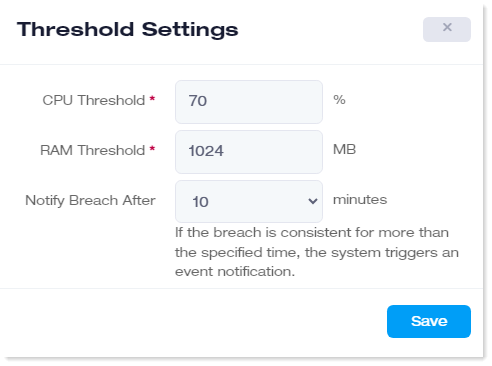
- CPU Threshold: Specify CPU threshold value in percentage.
- RAM Threshold: Specify RAM threshold value in MBs.
- Notify Breach After: If CPU or RAM usage exceeds the specified threshold and remains above that threshold for a defined period, ADSSP automatically sends an email notification to the administrator. The duration after which the system triggers the event notification can be configured here. These durations can be 10, 20, or 30 minutes.