
| Product Documentation
AD Self Service Portal
Client Interface
Active Directory users can enroll themselves for self-service. ADSS Portal allows users to answer one or more security questions to enroll themselves. Once they are enrolled in the software, they can manage their AD accounts. ADSS Portal presents a separate interface for AD users to enroll and manage their accounts.
To manage their accounts, users can log in to the ADSSP client interface and access all their settings there.
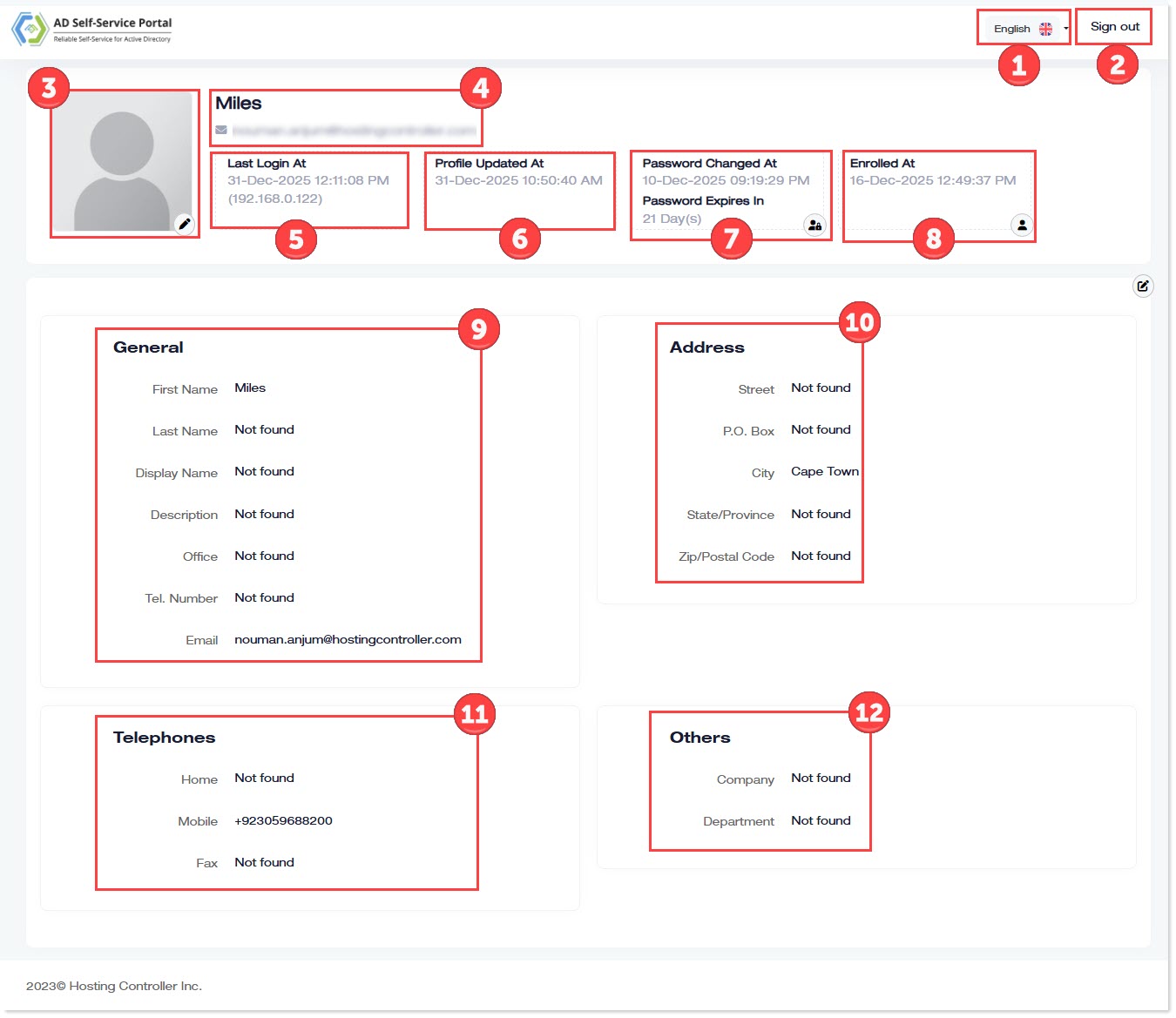
- Language Selection: Select required language from the drop-down arrow.
- Sign out: To log off from the system, click sign out.
- Picture Upload: This shows user's display picture. To change it, please click
 .
. - Name: This shows the first name and email of the AD user.
- Last Login at: This displays the date and time when the user last logged in to the ADSSP client interface.
- Profile Updated at: This displays the date and time when the user last updated their profile through the client interface.
- Password Details: This displays the date and time of the user’s last password change and the number of days remaining before the password expires. Users can also change their passwords here by clicking
 .
. - Enrolled at: This displays the date and time when the user enrolled in ADSSP. Users can also update their multi-factor authentication (MFA) methods for identity verification here by clicking the
 button.
 - General Details: These indicate the user’s general profile details, for example, the last name. Users can also edit their profile here by clicking
 .
. - Address: These indicate the user’s address attributes, for example, the state/province attribute.
- Telephones: These indicate the user’s contact attributes, for example, the mobile number.
- Others: These indicate other attributes, for example, the company name.