
| Product Documentation
AD Self Service Portal
Reports
Built-in reports in the ADSS portal provide complete visibility into what's going on in your Active Directories. They provide a clear view of how many profiles were updated, passwords were changed, accounts were unlocked, login attempts failed, and passwords expired.
To view reports, navigate to the left menu, under the Main section, and click Reports
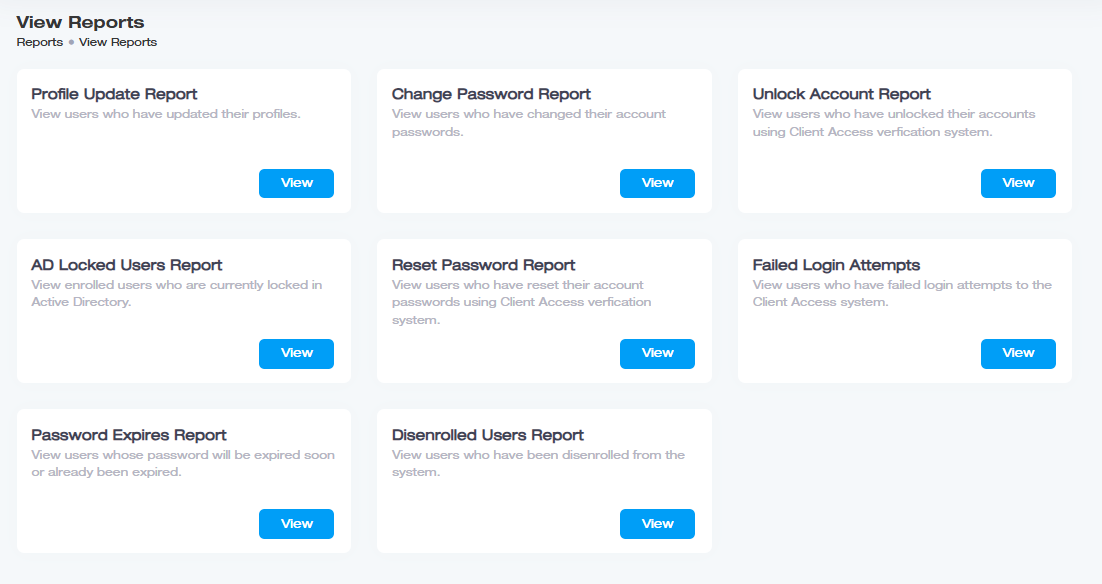
Profile Update Report
This report lists all users who have updated their profile information through the Self-Service Portal and provides detailed information about the actions performed.
Change Password Report
This report lists all users who changed their password through the Self-Service Portal and provides other important information.
Unlock Account Report
This report provides information about the users who have unlocked their accounts using the Client Access verification system.
AD Locked Users Report
This report displays all the important information about the enrolled users whose accounts are currently locked in Active Directory.
Reset Password Report
This report displays all users who reset their account passwords using the Client Access verification system and provides other important information.
Failed Login Attempts
This report lists users who have had unsuccessful login attempts to the Client Access system and other detailed information related to failed login attempts.
Password Expires Report
This report lists users whose passwords are about to expire or have already expired, including their property information.
Disenrolled Users Report
This report displays users who have been disenrolled from the Self Service Portal.