
| Product Documentation
Hybrid Control Panel (v10)
Managing Resource Usage Alert
Timely insights into resource consumption help monitor usage before it reaches the threshold. This feature allows admins to track the usage of selected resources and compare them against predefined thresholds. When enabled, a notification alert via email is sent to users once their usage reaches the limit.
To manage the resource usage, from the top right corner of your screen, click  and then go to Panel Configuration >> Usage Alert.
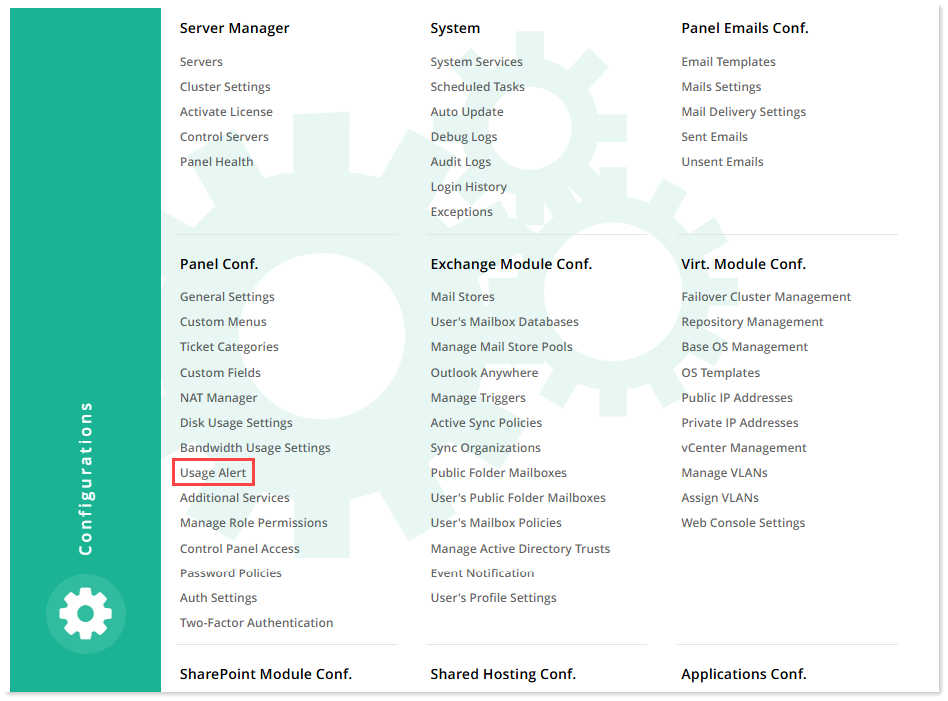
Resource Usage Alert
To configure resource usage alert settings, from the top right corner of your screen, click  and then go to Panel Configuration >> Usage Alert >> Resource Usage Alert.
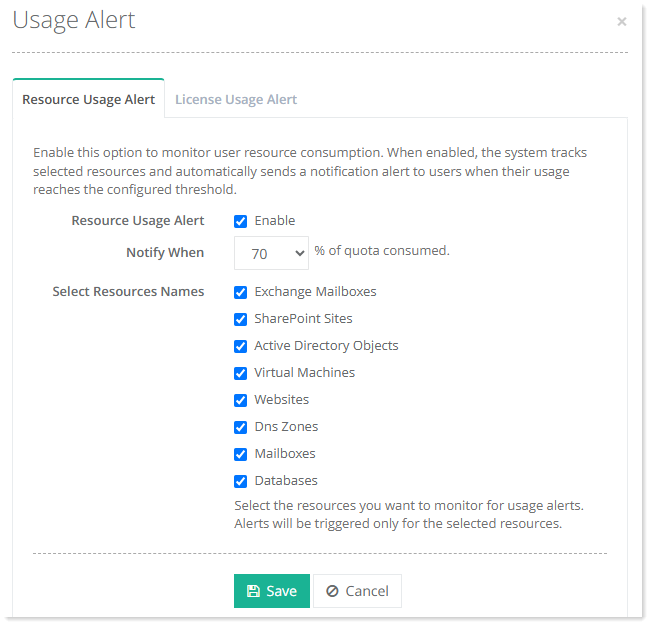
- Resource Usage Alert: Select the checkbox to enable and configure the usage alert settings.
- Notify When: Specify the usage threshold at which the notification is sent.
- Select Resource Names: Select the required resources to be monitored for usage alerts.
License Usage Alert
To configure license usage alert settings, from the top right corner of your screen, click  and then go to Panel Configuration >> Usage Alert >> License Usage Alert.
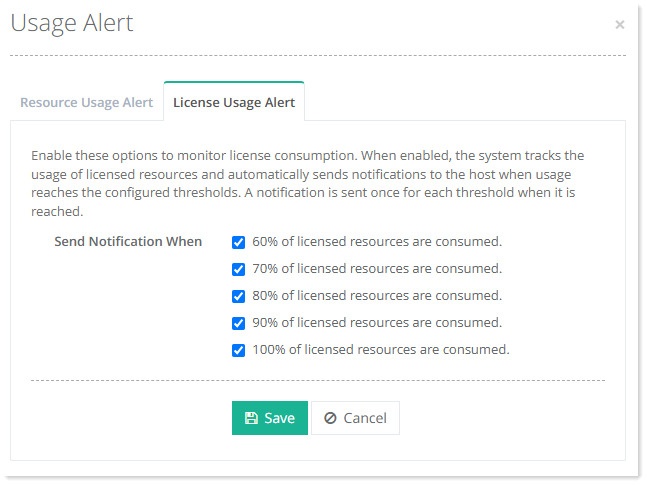
- Send Notification When:Select the required thresholds for usage alerts.