| Product Documentation
Hybrid Control Panel (v10)
Active Directory
It’s quite cumbersome to manage Active Directory, through built-in native tools. Hosting Controller provides an easy way to add users, groups and contacts to Active Directory. It provides an intuitive, web-based solution for managing Active Directory accounts and enabling various services such as Exchange and SharePoint against them.This module deals with the management of Active Directory.
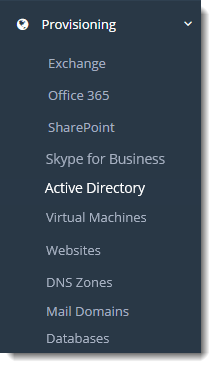
To manage Active Directory organizations go to Provisioning >> Active Directory.
|
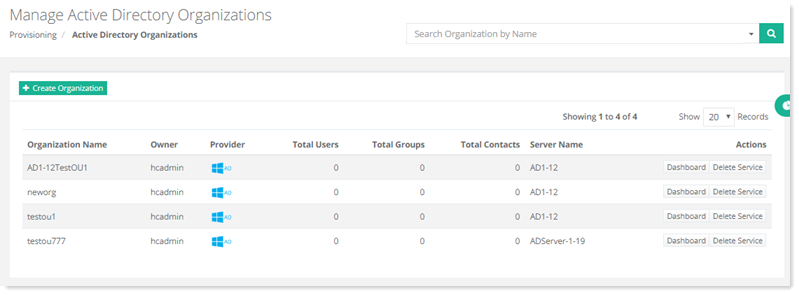
Manage Active Directory Organizations page shows list of existing Active Directory organizations with additional information as:
|
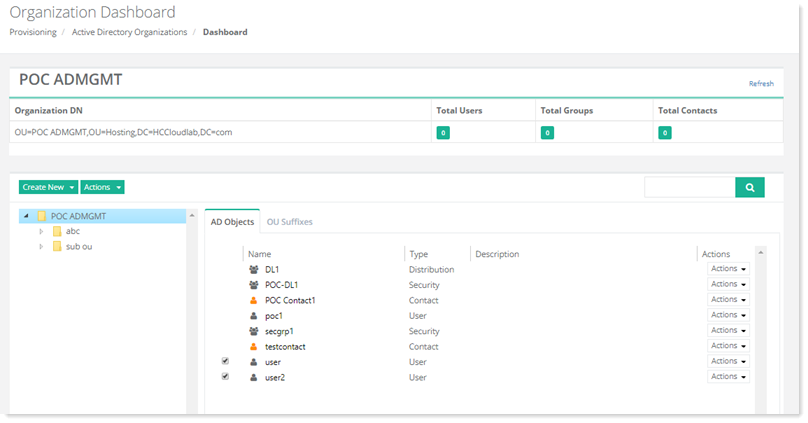
Each organization has its own dashboard, where all the details are listed such as its users, groups, contacts, OUs and suffixes. To view detailed information, click Dashboard under Actions column. All the items are categorized under two tabs, AD Objects and OU Suffixes. Each newly created OU is shown under its parent tab.
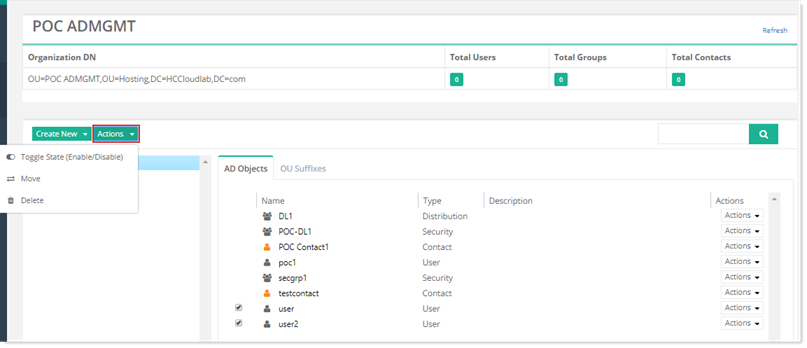
To move/delete any AD object you can select one or multiple items and then click Move/Delete from Actions drop-down arrow. To enable/disable any AD user you can select one or multiple users and then click Toggle State (Enable/Disable) from Actions drop-down arrow. The user is enabled/disabled after a confirmation message.