| Product Documentation
Hybrid Control Panel (v10)
Creating an AD organization
Organizational Unit (OU) is like a directory, where you can place users, groups and computers. You can create an OU in AD through HC. AD users exist under these OUs.
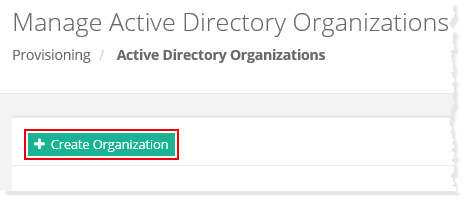
To create an Active Directory organization, click + Create Organization at top left. Specify required information to proceed.
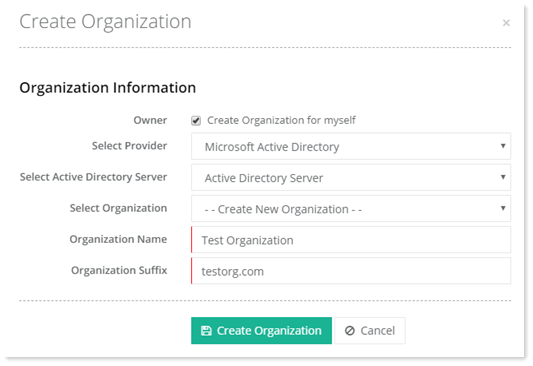
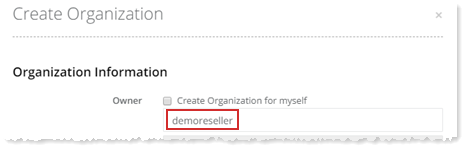
- Owner: It is the panel user for which the organization is being created.
- Select Provider: Select Microsoft Active Directory as the provider.
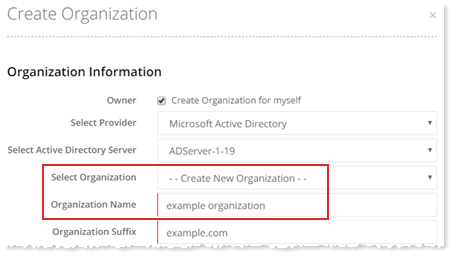
- Select Active Directory Server: Select the Active Directory server added in HC.
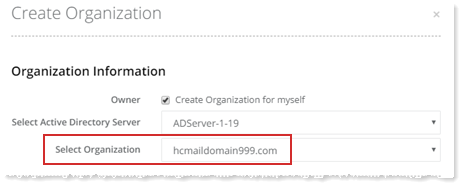
- Select Organization: This is an optional field and is required to be selected if and only if an OU related to other services like Exchange, SharePoint etc. already exists under HC panel user.
- Organization Name: If a new OU is to be created, specify the OU name here.
- Organization Suffix: is the UPN suffix for the organization. You may either provide a single suffix or multiple suffixes. In case of multiple suffixes use comma separated values like example.com, example.net, example.org
You can either create an organization for yourself or for a specified user. Also, a new AD organization can be created or AD services can be enabled against an existing organization.
Myself
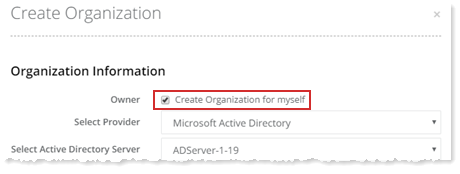
To create an organization for yourself, select Create Organization for myself checkbox to proceed.
Specified User
To create an AD organization for a specified user, type user name to proceed. This is the panel user under which the organization will be created.
New Organization
To create a new AD organization, type Organization Name to proceed.
Existing Organization
To enable AD services against an existing organization, select required organization from the list to proceed.