
| Product Documentation
Hybrid Control Panel (v10)
Viewing properties of AD user
To view properties or modify information for an AD user, click Actions and then Properties. User's properties page allows admins to view additional information for AD user such as General Profile, Account, Member Of, and Object.
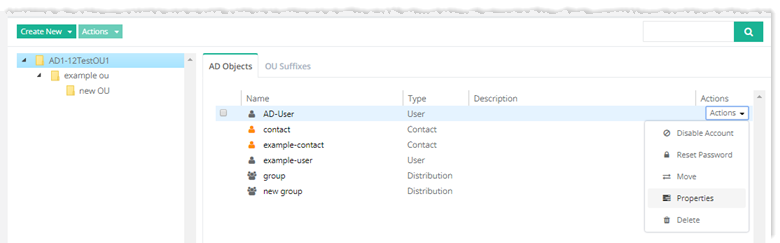
To view/modify AD user details, refer to the following section:
General Profile
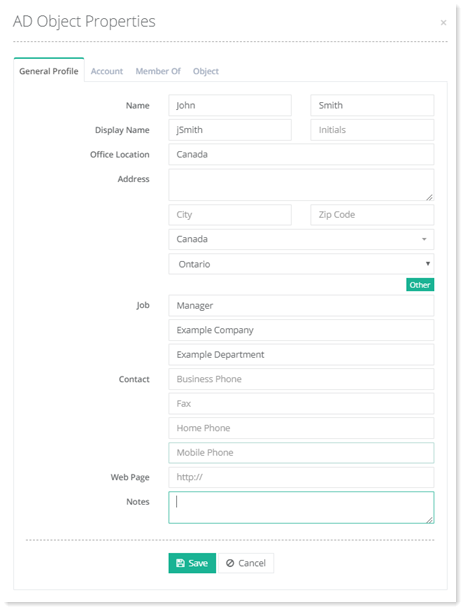
General settings (attributes) for the AD user can be set through HC. To view/modify general profile information, click General Profile.
Account Settings
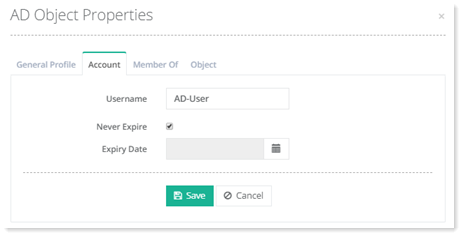
AD user account can be set to expire at some point in the future. If an AD user account expires, the user cannot login with its credentials. To view/modify account expiry settings, click Account Settings.
Member Of
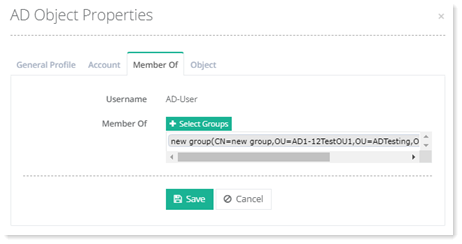
An AD user can be a member of certain groups. To view/modify group membership information for this user, click Member Of.
Object
To view object information of this user, click ?Object.
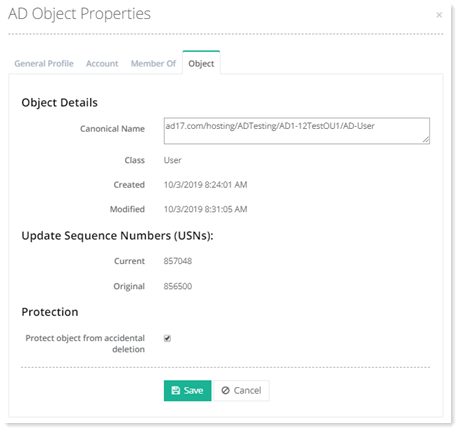
- Canonical Name: Each AD object has a canonical name. It gives the name of the object in canonical DNS domain name format like domain.com/Hosting/POC ADMGMT/user.
- Update Sequence Numbers (USNs): An update sequence number (USN) is a 64-bit number in Active Directory that increases as changes occur in objects. Whenever an object is changed, its USN is incremented. When replication occurs, only the version of the object with the greatest USN is retained.
- Protection: AD objects can be protected from accidental deletion. If checked this checkbox protects objects from being deleted.