| Product Documentation
Hybrid Control Panel (v10)
Understanding Group Authentication
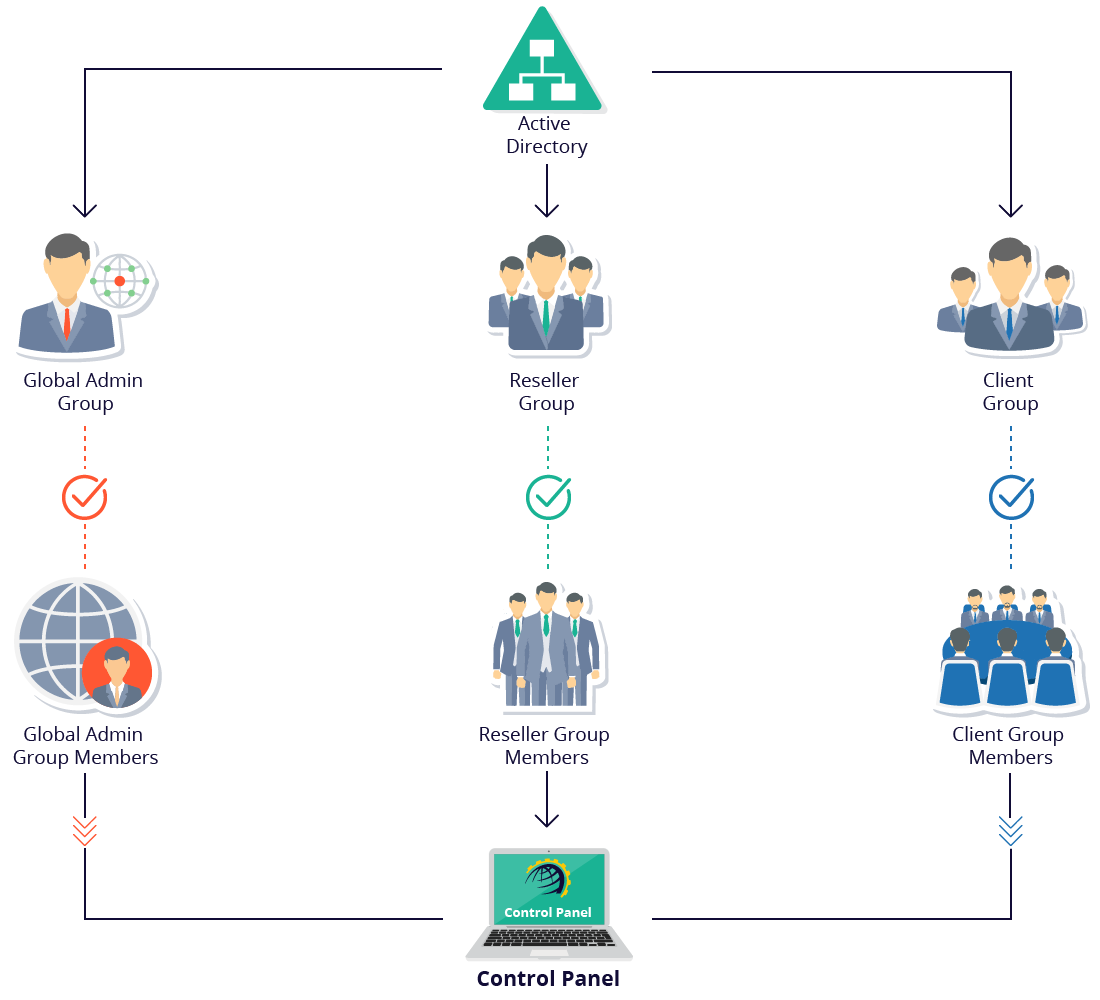
When group authentication is enabled, all users (Global Admin, Resellers, Clients, Staff Members) created in the panel are created as security groups in the Active Directory. They are added under the root Organizational Unit (OU) configured in HC. Each user (Global Admin, Resellers, Clients, Staff Members) is represented by an AD group and all members of these groups can login to the panel at the respective level. Members of the Global Admin group can login with their AD credentials as Global Admins. Members of the Reseller group can login with their AD credentials as Resellers and members of the Clients group can login as Clients.
Benefit of Group Authentication
The entire notion of granting group level access to the panel revolves around the ability to have multi-user access to the same level. All members of the same AD group can login to the panel, with their respective credentials and perform desired tasks. Members of the Global Admin group can login as Global Admins, members of the Reseller group can login as Resellers and members of the Clients group can login as Clients. This ensures accountability. Each individual user can be held accountable for its actions. Moreover user audit across the AD user base can easily be made possible.
The below steps outline the procedure for enabling group authentication and creating users:
- Login as Global Admin
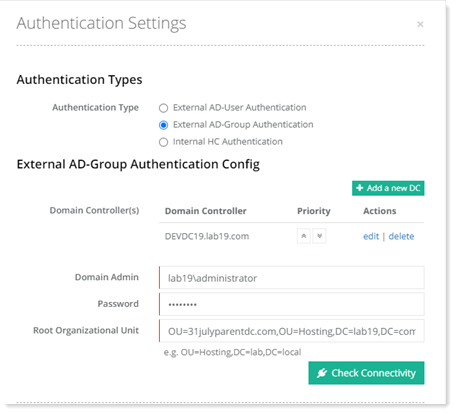
- Navigate to Configurations >> Panel Conf. >> Auth Settings and enable External AD-Group Authentication. In Active Directory the users will be created under the root Organizational Unit (OU) specified here.
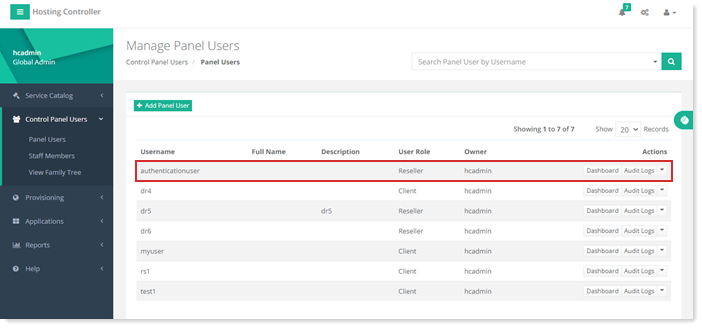
- Create a panel user. As an example a user with Reseller access is created here.
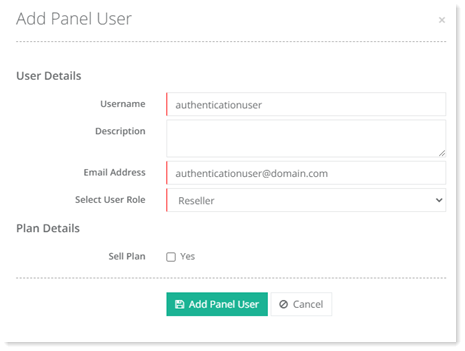
If group authentication is enabled, the panel user will not have a password, as the panel user will be created as a security group in Active Directory and security groups do not have passwords. - A security group of the same name will automatically be created in the Active Directory.
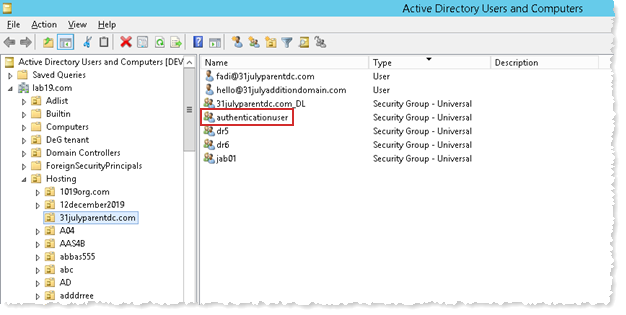
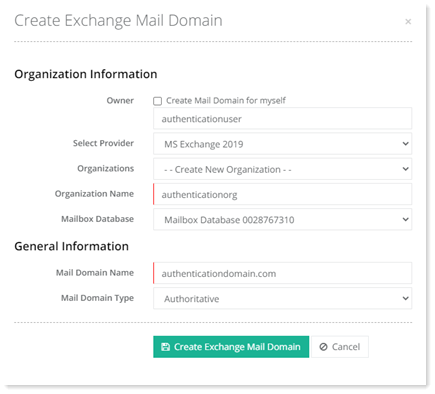
- Under the panel user, create an Exchange organization and a mail domain.
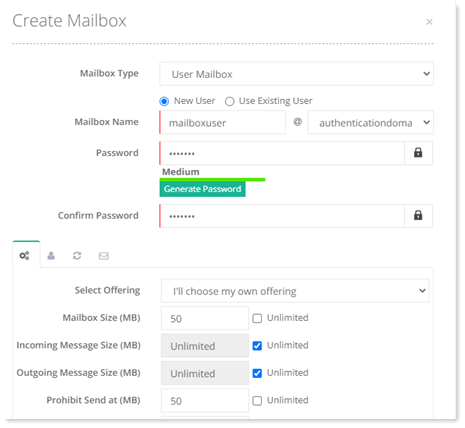
- Create a mailbox user under the mail domain.
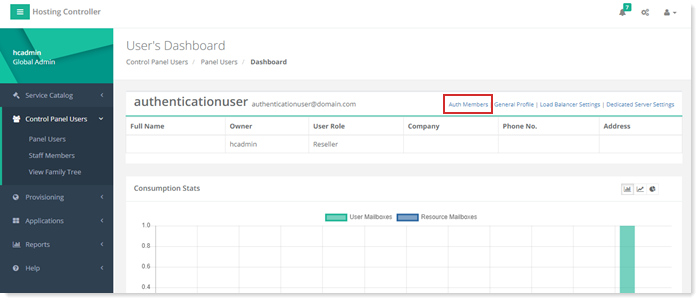
- Go to the dashboard of the panel user created in step 3.
- There click “Auth Members”. This menu will only be visible if the panel user has at least one Exchange OU under it. Otherwise it will not be visible.
- Search for the mailbox user created under the mail domain and add it as a member of the security group.
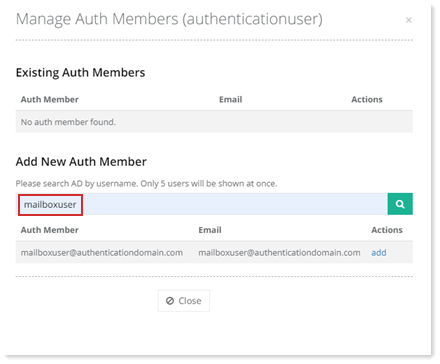
- The user will be made a member of the security group in the Active Directory.
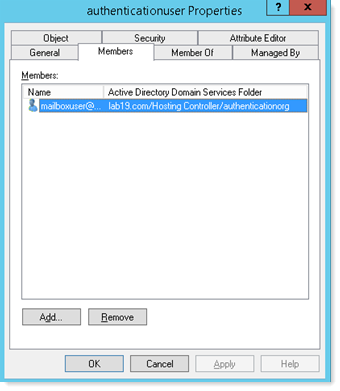
Now all members of the security group can login to the panel with their AD credentials. They will be eligible to logon to the same level as the panel user (Reseller in this case) and will have Reseller level privileges.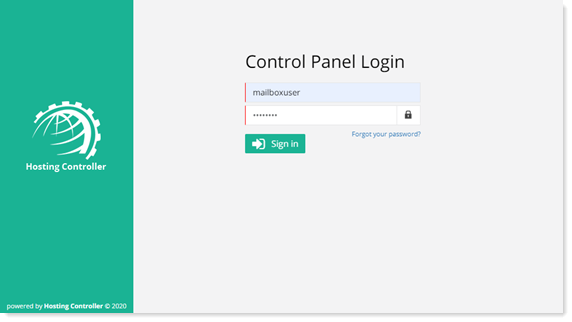
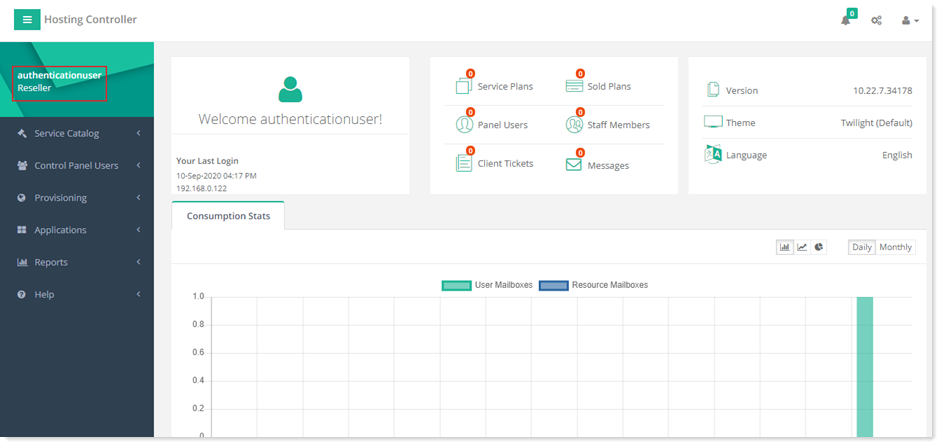
How Group Authentication Works