
| Product Documentation
Hybrid Control Panel (v10)
Viewing Customer VM Report
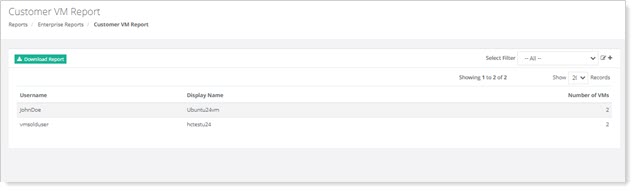
This report provides insight into the virtual machines (VMs) hosted for the customers in a virtual environment. It includes various metrics related to the utilization management of virtual machines allocated to the customers.
To view Customer VM Report, go to Reports >> Customer VM Report and click View under Customer VM Report section to proceed.
|
Customer VM Report page shows information as:
|