
| Product Documentation
Hybrid Control Panel (v10)
Adding a Hybrid Endpoint Batch
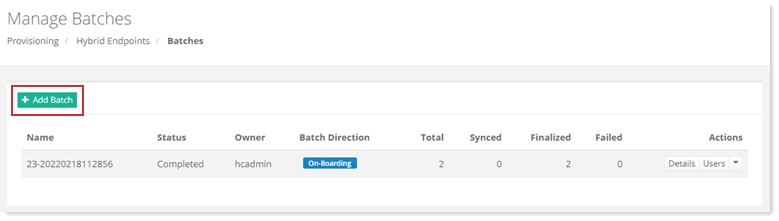
To add a hybrid endpoint batch, click + Add Batch and specify required information.
|
Manage Batches page shows existing batches with additional information as:
|
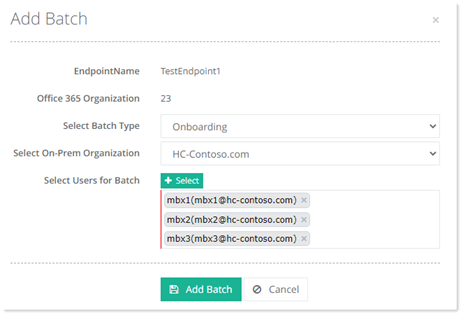
- EndpointName: shows name of the endpoint.
- Office 365 Organization: shows office 365 organization.
- Select Batch Type: Select type of batch from the list.
- Select On-Perm Organization: select on-perm organization from the list.
- Select Users for Batch: select required users.