
| Product Documentation
Hybrid Control Panel (v10)
Creating an AD group
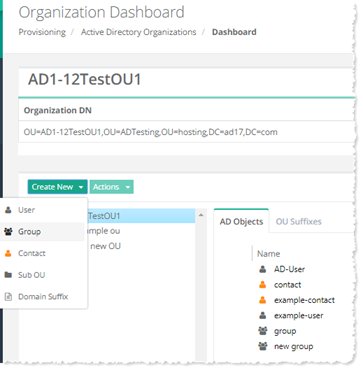
An Active Directory group is a collection of Active Directory objects. A group can include users, computers, other groups and other AD objects. To create an Active Directory group, click Create New and then Group.Specify required information to proceed.
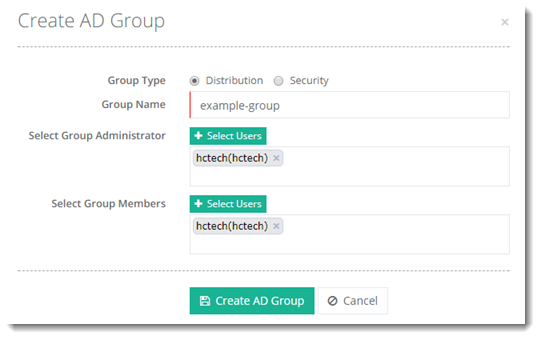
- Group Type: HC supports two types of AD groups; Security and Distribution.
- Distribution: Distribution groups are merely email distribution lists.
- Security: Security groups provide its members certain rights and privileges. The rights assigned to a security group, determine what members of that group can do.
- Group Name: This is the name of the AD group.
- Select Group Administrator: Select the administrator of the AD group. Administrators can only be AD users.
- Select Group Members: Select the members of the AD group. Members can be AD users, AD contacts and AD groups.