| Product Documentation
Hybrid Control Panel (v10)
Managing Role Permissions
At times admins may want to block their customers from performing certain tasks such as deleting websites. HC brings menu controls to prevent such undesirable actions. A Global Admin can restrict itself or its customers from performing certain operations on various menus. Some menus can be made to disappear completely while for others a “sufficient privileges” error is displayed.
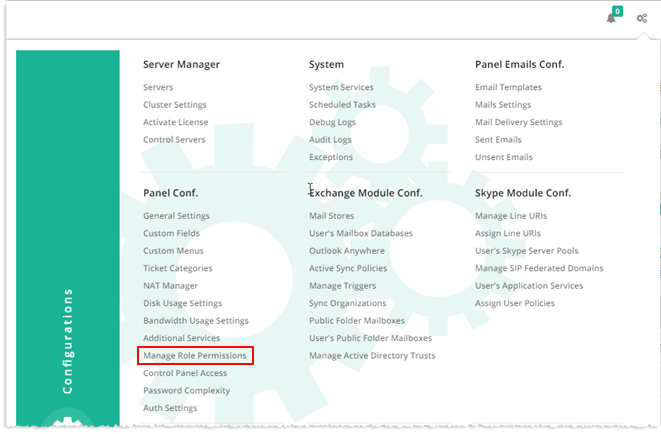
To manage role permissions, from top right corner of your screen, click  and then go to Panel Configuration >> Manage Role Permissions. Select user roles from the drop-down list box and select/clear permissions check boxes as required.
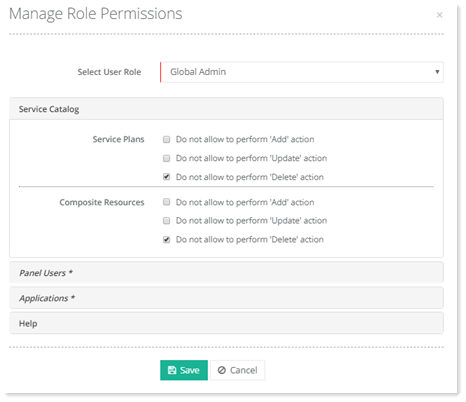
Global Admin
Specify permissions for Global Admin and click Save.
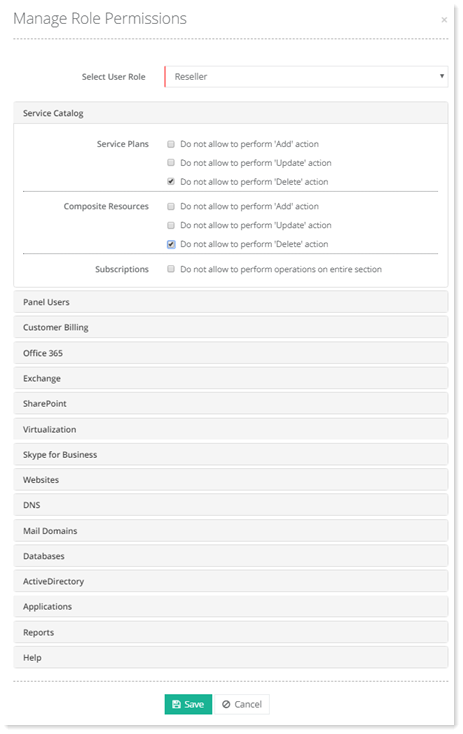
Reseller
Specify permissions for Reseller and click Save.
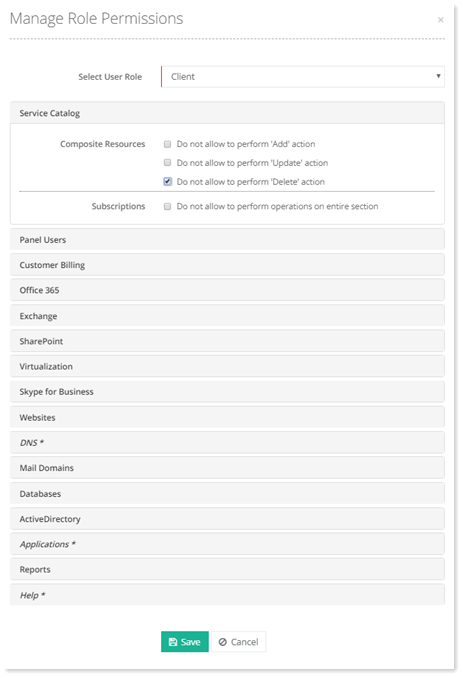
Client
Specify permissions for Client and click Save.
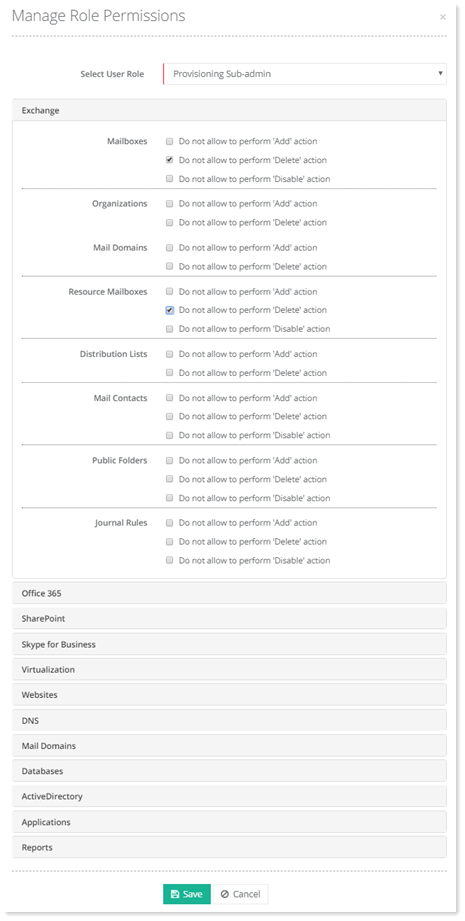
Provisioning Sub Admin
Specify permissions for Provisioning Sub-admin and click Save.
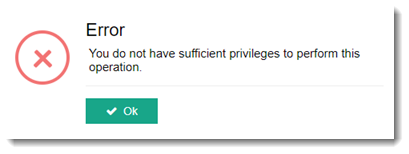
When a restriction is applied on any of the sections, HC either hides the entire menu or displays a “sufficient privileges” error as: