
| Product Documentation
Hybrid Control Panel (v10)
Activating License
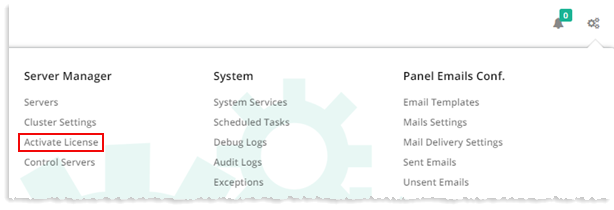
To activate license, from top right corner of your screen, click  and then go to Server Manager >> Activate License. Specify required information to proceed.
Fields marked in red are required fields and cannot be left empty.
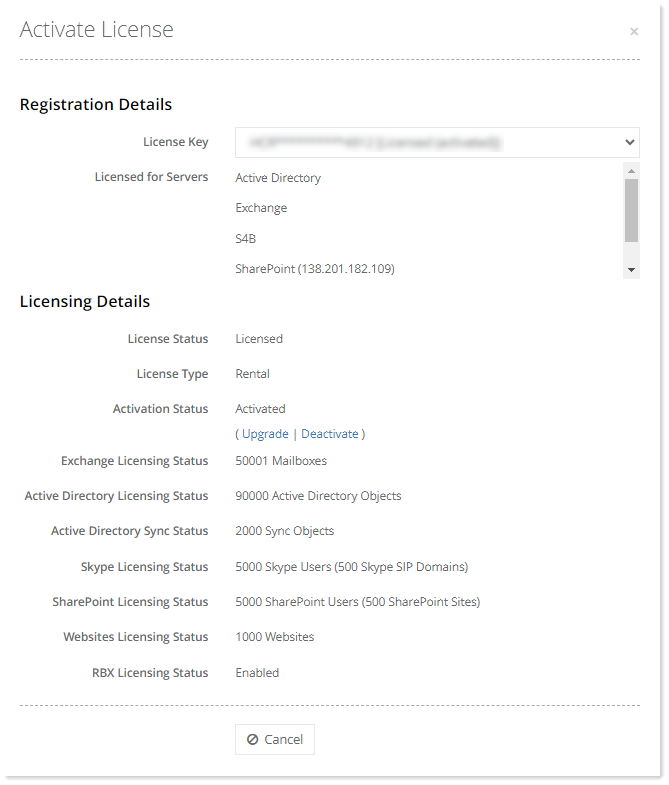
To learn how to upgrade license capacity, see How to Upgrade License Capacity.
Hosting Controller Modules license allows single activation. This is implemented to prevent license fraud and to make sure that End User License Agreement is not violated. In order to reactivate license (change of server or hardware) activation details must be reset by contacting HC Sales team. Please note that in a calendar year only three (03) activation reset are allowed. Therefore it is important to “deactivate” license key first through control panel before making any hardware changes.