
| Product Documentation
AD Connect Sync Plus
CMS
AD Connect Sync Plus Portal presents a full Content Management System (CMS) that allows the admin (Portal Admin) to control the brand and business content of the system such as Terms and Conditions, Privacy Policy, Custom Menus, etc. This content is mostly displayed on the login page of the AD Connect Sync Plus Portal.
Terms and Conditions
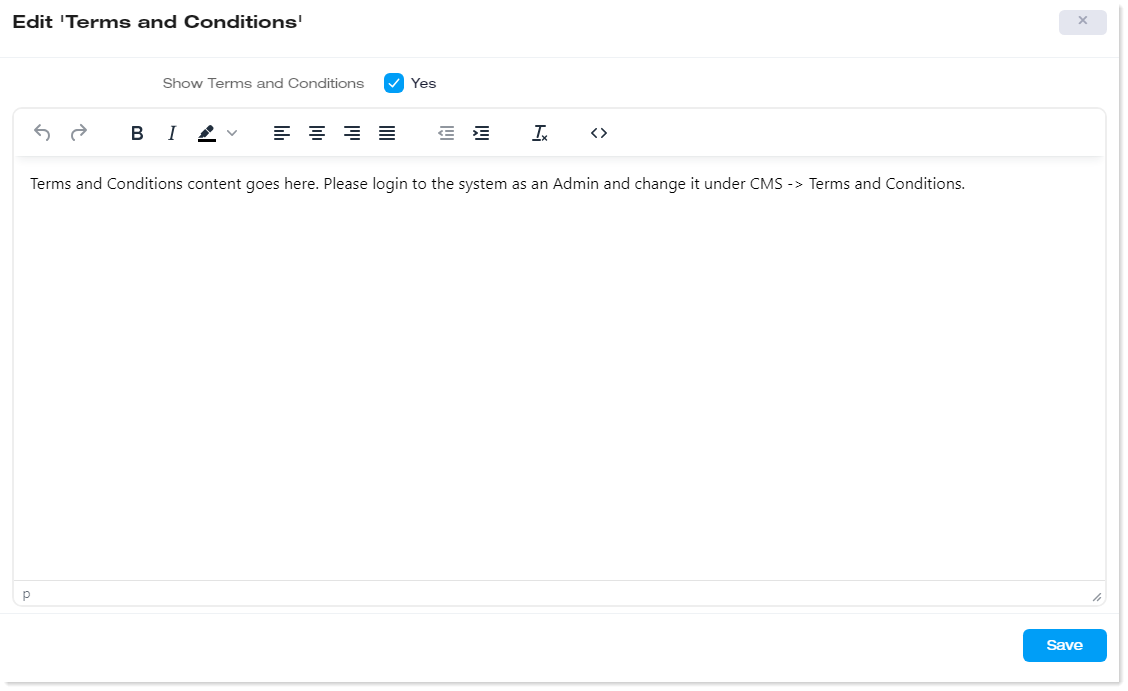
The AD Connect Sync Plus Portal admin is offered a content editor to modify the Terms and Conditions of the company. The admin can add or edit the terms according to the company’s requirements. The Terms and Conditions are displayed on the login page of the Portal.
Privacy Policy
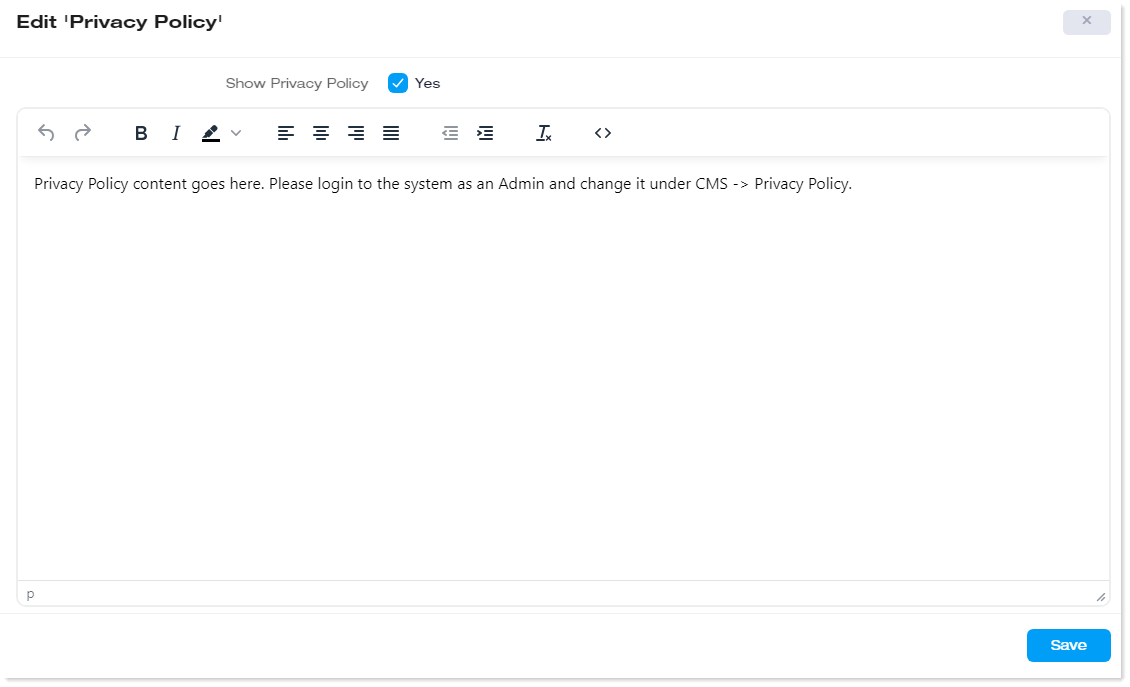
Similarly, the AD Connect Sync Plus Portal admin is offered a content editor to modify the Privacy Policy of the company. The admin can enter the CMS section and add or edit the Privacy Policy of the company. The Privacy Policy is displayed on the login page of the Portal.
Password Change Instructions
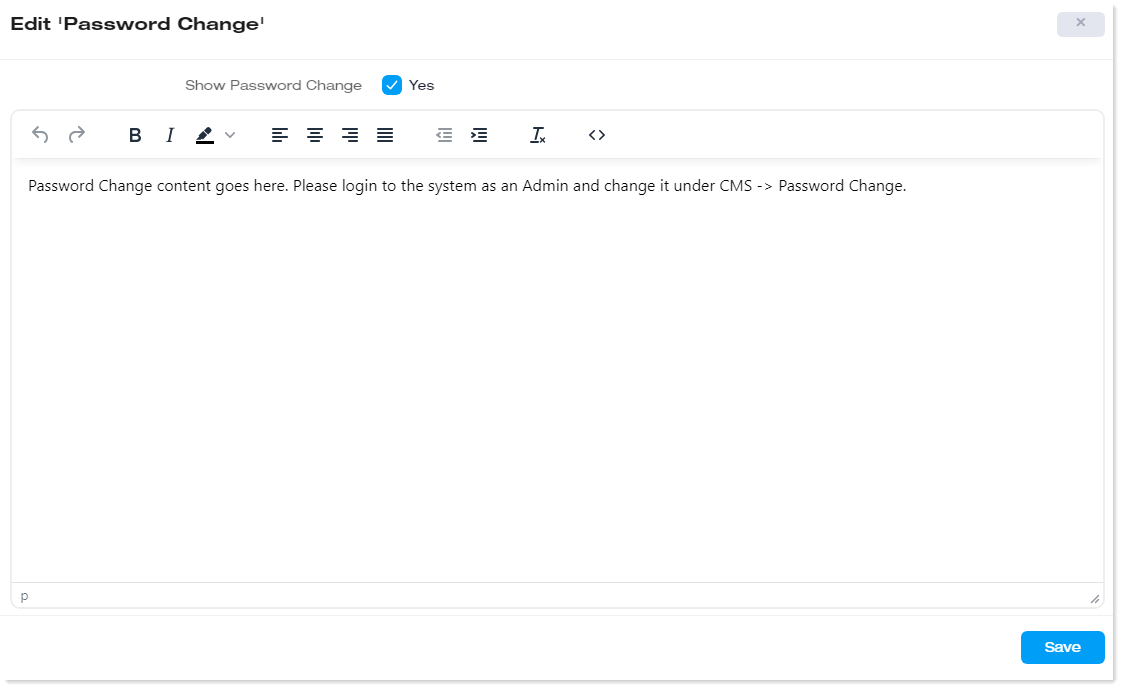
The admin is offered a content editor to modify the text behind the Forgot Password button. The admin can add or edit the text according to its requirements. The Forgot Password button is displayed on the login page of the Portal. It is used when users forget their passwords and need to change them.
Custom Menus
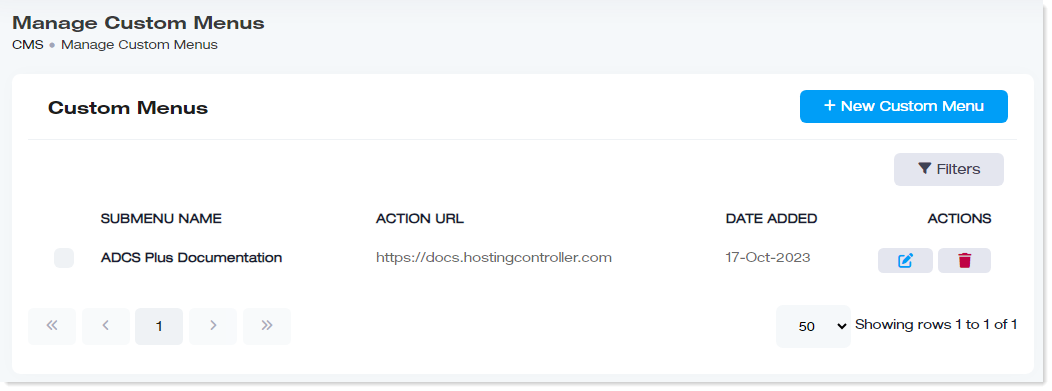
Custom Menus are your own menu items that may be added to the interface besides the permanent ones. They represent additional menus that don’t come by default and are added later. Custom menus can be added to the AD Connect Sync Plus Portal interface, and their access can be made available to all or some of the admins.
|
Manage Custom Menus page shows the following information:
|
Add a New Custom Menu
To add a new custom menu, click + New Custom Menu. Specify the required information and click Save to proceed.
- Submenu Name: Specify a submenu name for the custom menu.
- Action URL: Specify the URL to be directed to when the menu is clicked.
- Access to Users: Specify the admin levels that will have access to the menu.