These settings are only available to the Portal Admin (global admin).
To configure settings for different kinds of logs, navigate to Logs.
Logs sometimes may fall out of sync with the actual operations and updated logs may not reflect in the interface. ADCSP provides a refresh feature whereby logs can be refreshed immediately to display the correct entries. To refresh any Log screen, click  to refresh/update the logs.
Portal Audit Logs
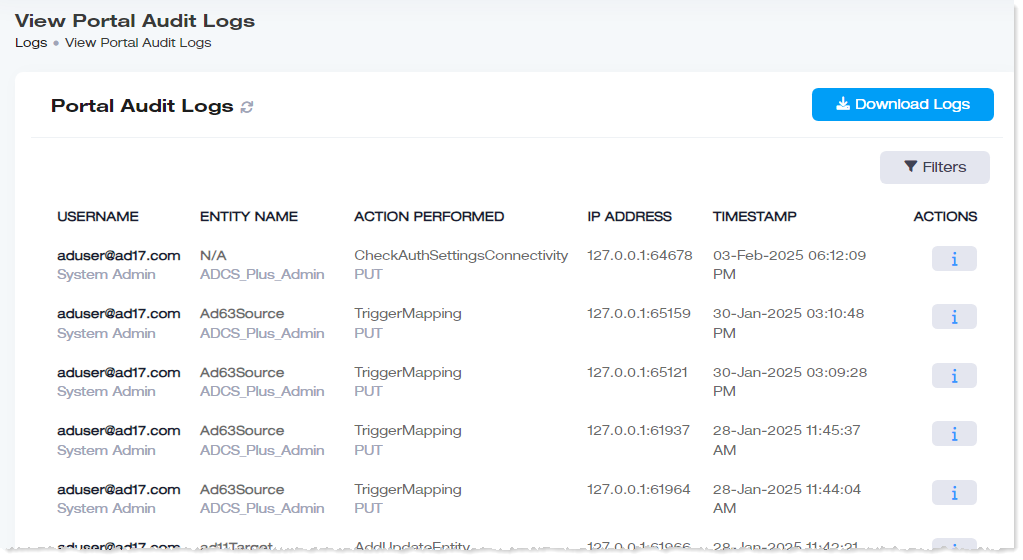
These logs give all the CRUD (Create, Read, Update, Delete) operations performed by admins in the AD Connect Sync Plus Portal. The logs give the username, the action performed, the IP address of the machine through which the action was performed, and the time stamp.
To view all the activities performed by the admins in the AD Connect Sync Plus Portal, click Logs >> Portal Audit Logs.
|
View Portal Audit Logs page shows the following information:
- Username: It gives the User Principal Name (UPN) and the user role of the admin performing the operation.
- Entity Name: It indicates the friendly name of the Active Directory and the security group of which the admin is a member.
- Last Action Performed: It shows the CRUD operation performed by the admin.
- IP Address: It gives the public IP address of the machine through which the operation was performed.
- Timestamp: It gives the date and time of the action.
- Actions: They show the details of the operation.
|
To view the logs in detail, click Download Logs. They will be downloaded in CSV format.
Agent Audit Logs
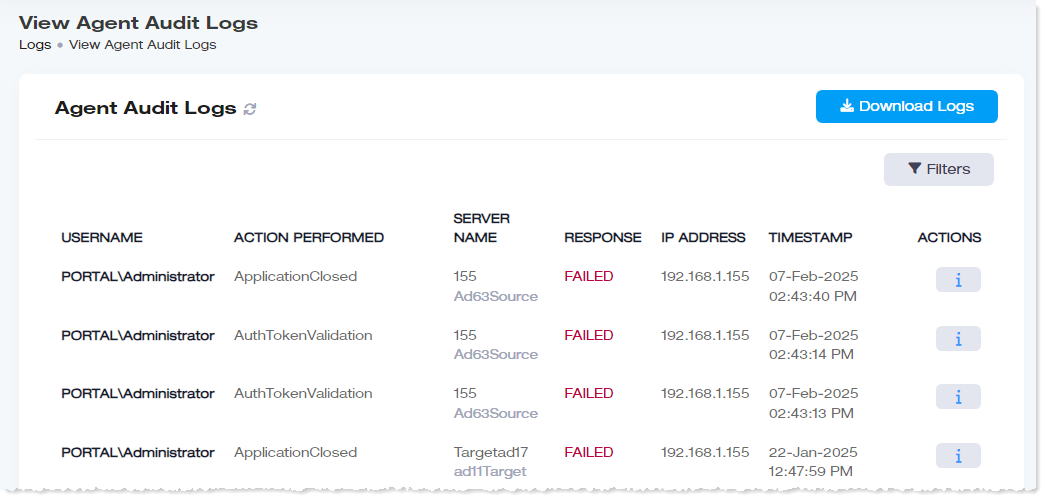
To view agent audit logs, click Logs >> Agent Audit Logs.
|
View Agent Audit Logs page shows the following information:
- Username: It shows username.
- Action Performed: It shows last action performed.
- Server Name: It shows name of the server.
- Response: It shows response as success/failed.
- IP Address: It shows IP address.
- Timestamp: It shows date and time of the last action performed.
- Actions: They show the details of the Agent Audit Logs.
|
To view the logs in detail, click Download Logs. They will be downloaded in CSV format.
Login History
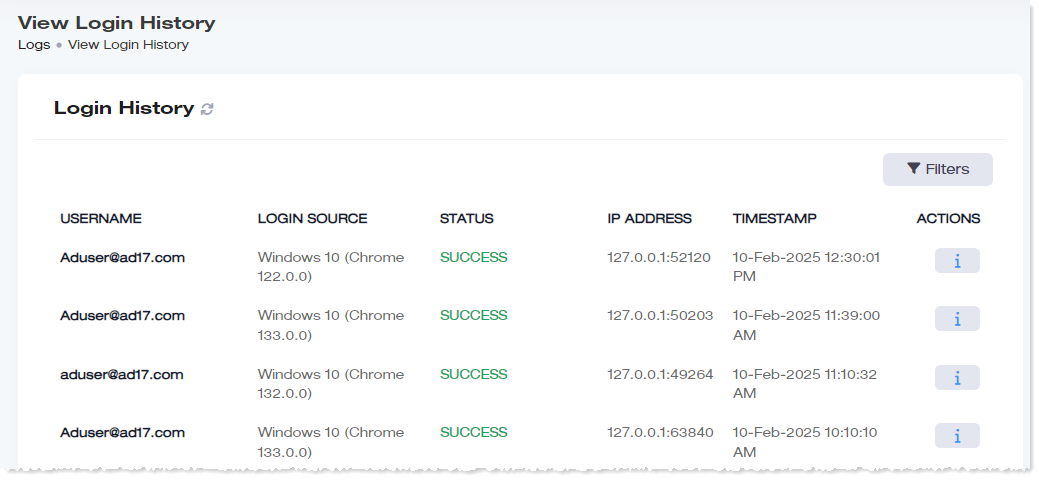
To view login history, click Logs >> Login History.
|
View Login History page shows the following information:
- Username: It shows username.
- Login Source: It shows login source details.
- Status: It shows Status as success/failed.
- IP Address: It shows IP address.
- Timestamp: It shows date and time of the last action performed.
- Actions: They show the details of the Login History.
|
User's Audit Logs
To view user's audit log, click Logs >> Login History. Under Actions column, click  to view this user's audit log.
Sync Logs
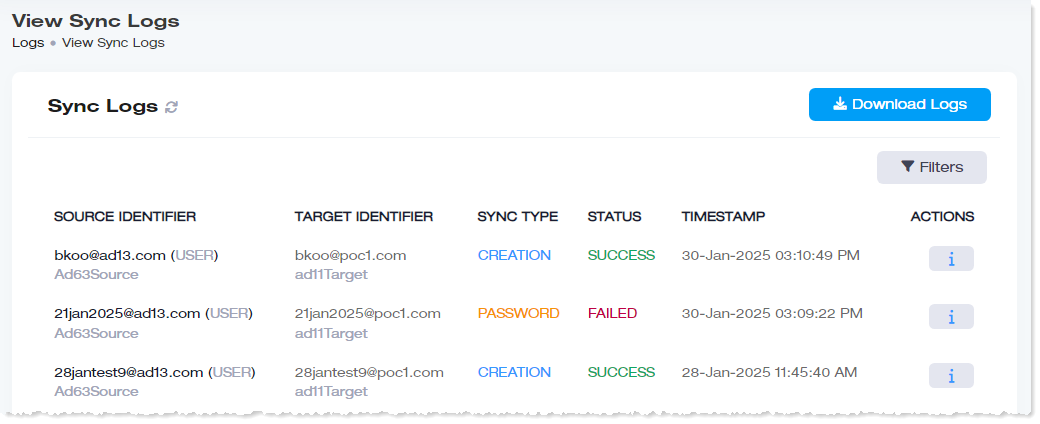
To view sync logs, click Logs >> Sync Logs.
|
View Sync Logs page shows the following information:
- Source Identifier: It shows source details.
- Target Identifier: It shows the target details.
- Sync Type: It shows synchronization type.
- Status: It shows status as success/failed.
- Timestamp: It shows date and time of the last action performed.
- Actions: They show the details of the sync log.
|
To view the logs in detail, click Download Logs. They will be downloaded in CSV format.
Exceptions
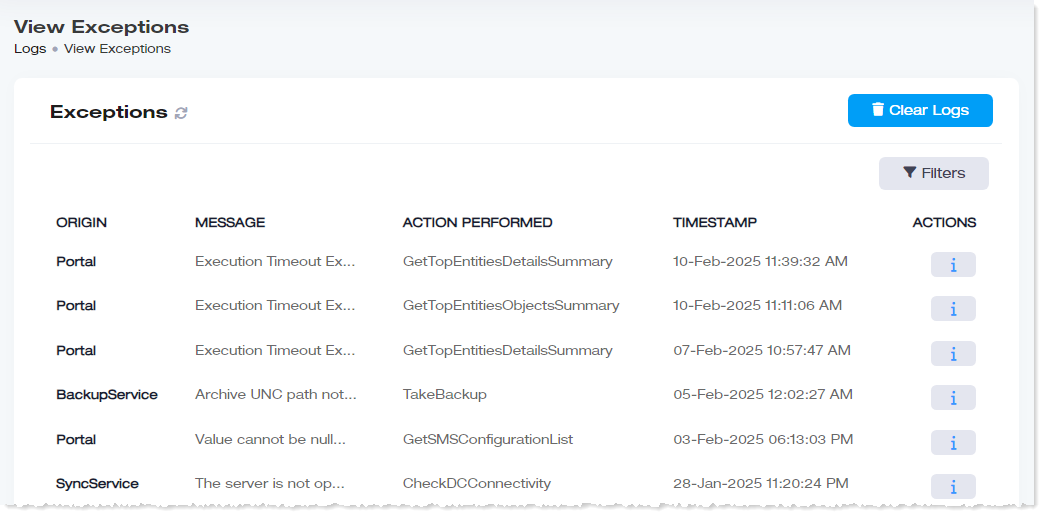
To view exceptions, click Logs >> Exceptions.
|
View Exceptions page shows the following information:
- Origin: It shows origin of the exception.
- Message: It shows message of the exception.
- Action Performed: It shows last action performed.
- Timestamp: It shows date and time of the last action performed.
- Actions: They show the details of the exception.
|
Archived Logs
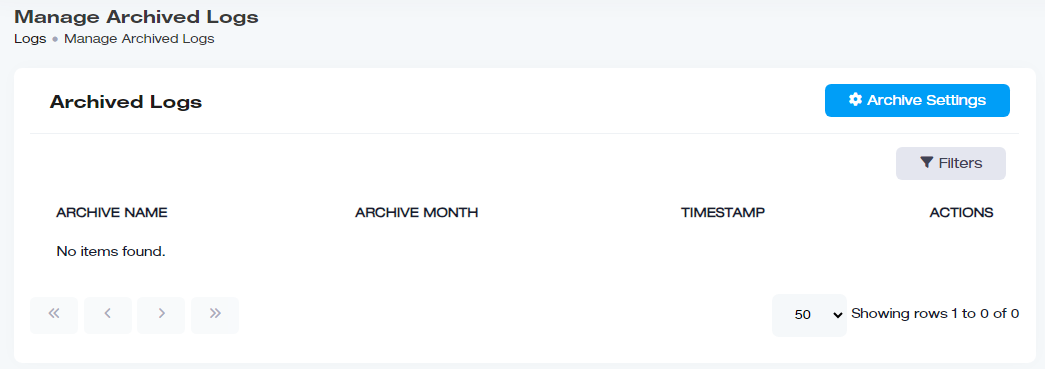
To view archived logs, click Logs >> Archived Logs.
|
View Archived Logs page shows the following information:
- Archive Name: It shows name of the archive.
- Archive Month: It shows archive month.
- Timestamp: It shows date and time of the last action performed.
- Actions: They show the details of the archived log.
|
