
| Product Documentation
AD Connect Sync Plus
Synced Users Report
This report provides a detailed overview of users, focusing on the synchronization of data related to specific entities including current status and user’s activities.
To view Synced User Report, go to Reports and select Synced User Report to proceed.
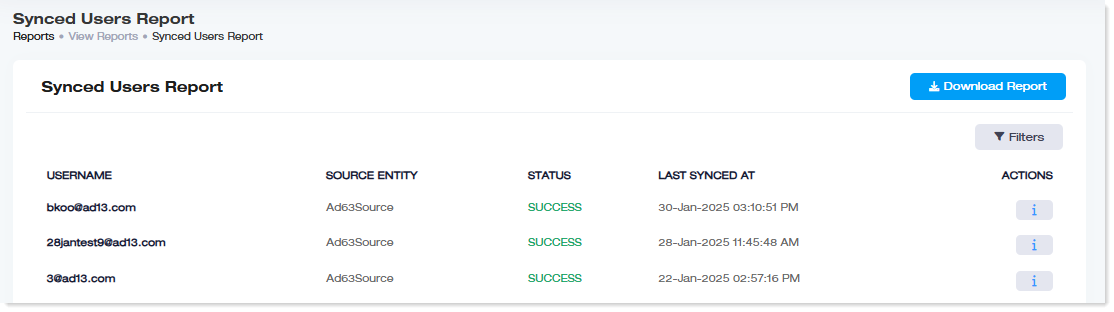
| Username: This field shows the name of the user. Source Entity: This field shows the name of each source Active Directories. Status: This field shows the current status of each synchronization. Last Synced At: This field shows the timestamp of last synchronization of each user. Actions: This field shows the history of object synch and attributes sync. |