
| Product Documentation
HC Marketplace
Payments
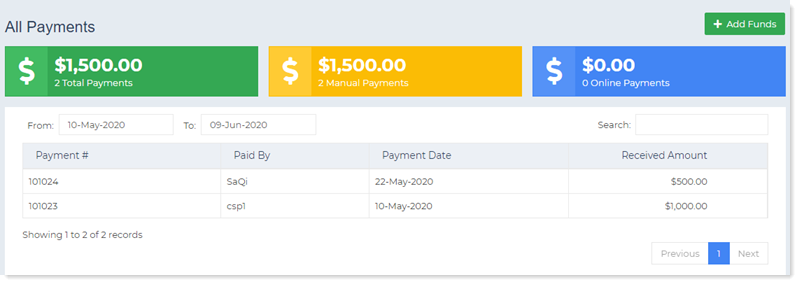
Payments are made to settle customer invoices. To settle due invoices either the customer needs to fund its own wallet or the host needs to provide it with funds. But whenever a wallet is funded, a payment is registered. Marketplace recognizes two types of payments:
- Online Payments
- Manual Payments
To manage payments navigate to the left menu and then Payments section.
Online Payments
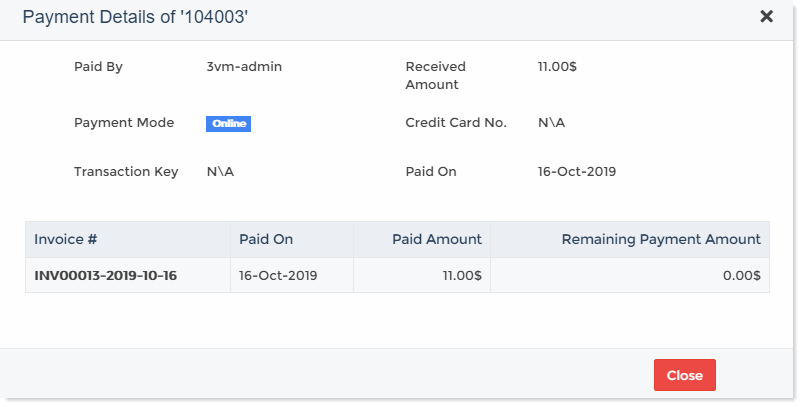
Whenever a customer adds funds to it wallet through a credit card its treated as an online payment. Online payments therefore involve payment gateways such as PayPal. The host can view all online payments in one place. To view details of each payment click Details.
Manual Payments
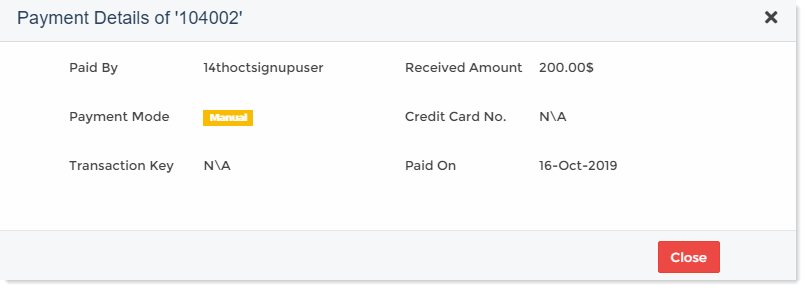
Sometimes the host may receive a payment from customer in an offline mode such as cash, cheque or a wire transfer. These manual payments need to be registered in the Marketplace. The host can register such offline payments through the “Add Funds” option. It can also view all such manual payments in one place. To view details of each payment click Details.
Add Funds
This option permits the host to add funds to the customers' wallet manually. The host may receive an offline payment from the customer via cash, cheque, bank draft etc. To register this offline payment the host can add the corresponding funds to the customer’s wallet manually. To add funds specify the followings.
- Customer: To add funds, the host can select the required customer from the list.
- Amount: This is the amount to be added to the customer’s wallet.
- Cheque No: If the payment was made via a cheque, the cheque number can be mentioned here.
- Bank Details: If the payment was made via a bank draft, demand draft or a pay order, the corresponding number can be mentioned here.
- Account No: If the payment was made via a bank transfer, the account number can be mentioned here.
- Routing No: The routing number for a wire transfer can be mentioned here.