
| Product Documentation
HC Marketplace
Staff Members
Staff members are additional administrators with the same privileges as the host. They can perform all those actions which a host can. Their purpose is only to differentiate tasks performed by different admins and trace those operations to their respective admins. In other words they are useful for fixing responsibility for tasks performed and maintaining an audit log for all operations.
To manage staff members, from the left menu navigate to Staff Members.
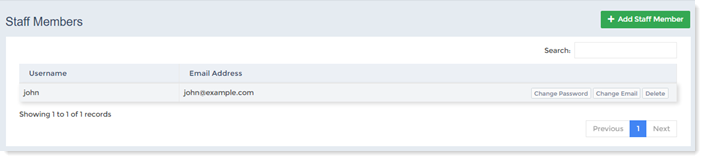
Add Staff Member
To add a customer click + Add Staff Member and specify the followings.
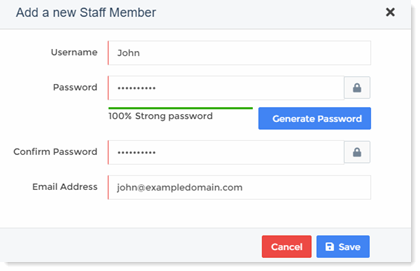
- Username: Type name of the staff member being added.
- Password: Type password.
- Generate Password: In case you want computer generated password, click Generate Password.
- Confirm Password: Confirm your typed password.
- Email Address: Type email address of the staff member.
Change Password
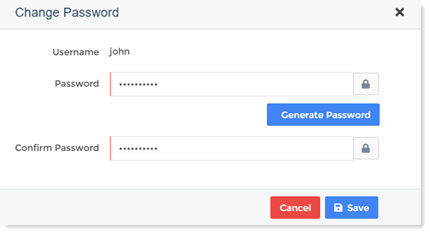
The host can change staff members password. To modify password, click Change Password under Actions column. You can type your own password or automatically generate it via Generate Password.
Change Email
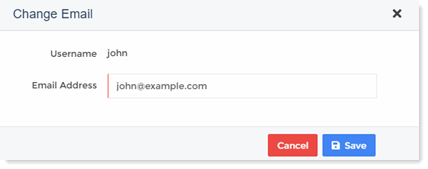
The host can change staff members' email addresses. To modify email address, click Change Email under Actions column and modify email address as required.
Delete Staff Member
The host can delete staff members as required. To remove a staff member click Delete.