
| Product Documentation
ExSign
Viewing Reports
Reports give you visibility into stamping activity across your environment, how many signatures, disclaimers, and banners have actually been applied, and where. All reports can be downloaded as CSV and filtered by date range, useful for audits, business reviews, or just tracking adoption over time.
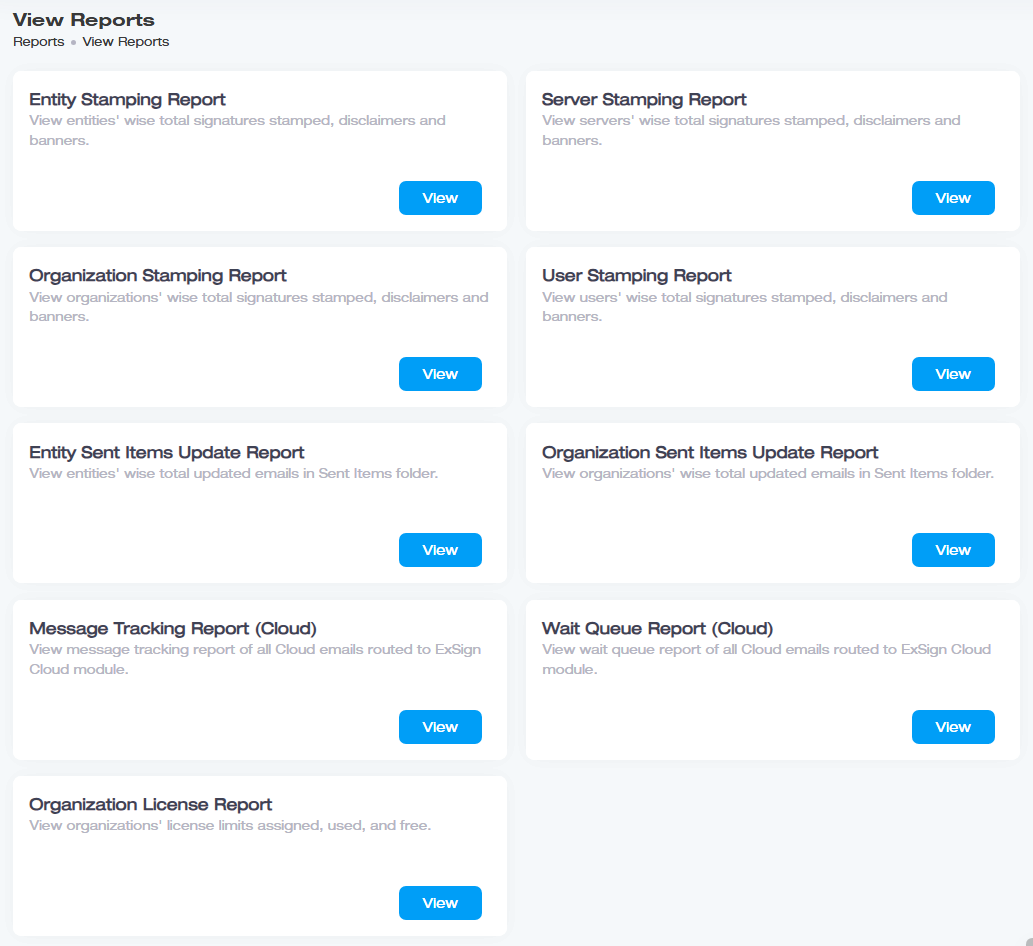
Choosing the Right Report
Six reports exist, but they're really just two questions, each sliced a few different ways: how much stamping happened, and how well is Sent Items Update keeping up. For stamping activity, pick based on the level you want to see:
| If You Want to See Stamping Activity By | Use |
| Entity (whole Exchange environment) | Entity Stamping Report |
| Individual mailbox server | Server Stamping Report |
| Organization (OU) | Organization Stamping Report |
| Individual user/mailbox | User Stamping Report |
Each of these shows the same thing: total signatures and disclaimers stamped, and banners applied, just grouped at a different level of granularity.
For Sent Items Update activity (see Adding Entities and Organizations >> Sent Items Settings for what this feature does), pick based on scope:
| If You Want to See Sent Items Activity By | Use |
| Entity | Entity Sent Items Update Report |
| Organization | Organization Sent Items Update Report |
Both show the total number of messages stamped and how many of those had their Sent Items folder actually updated to match, useful for confirming the feature is keeping up, not just enabled.
Downloading and Filtering
Every report supports:
- CSV download: for further analysis, record-keeping, or sharing outside ExSign.
- Date filtering: narrow any report to a specific time window, e.g., a single campaign, billing period, or audit range.