
| Product Documentation
ExSign
Viewing Summary
To view summary of all the invoices, payments, and login history, click Summary.
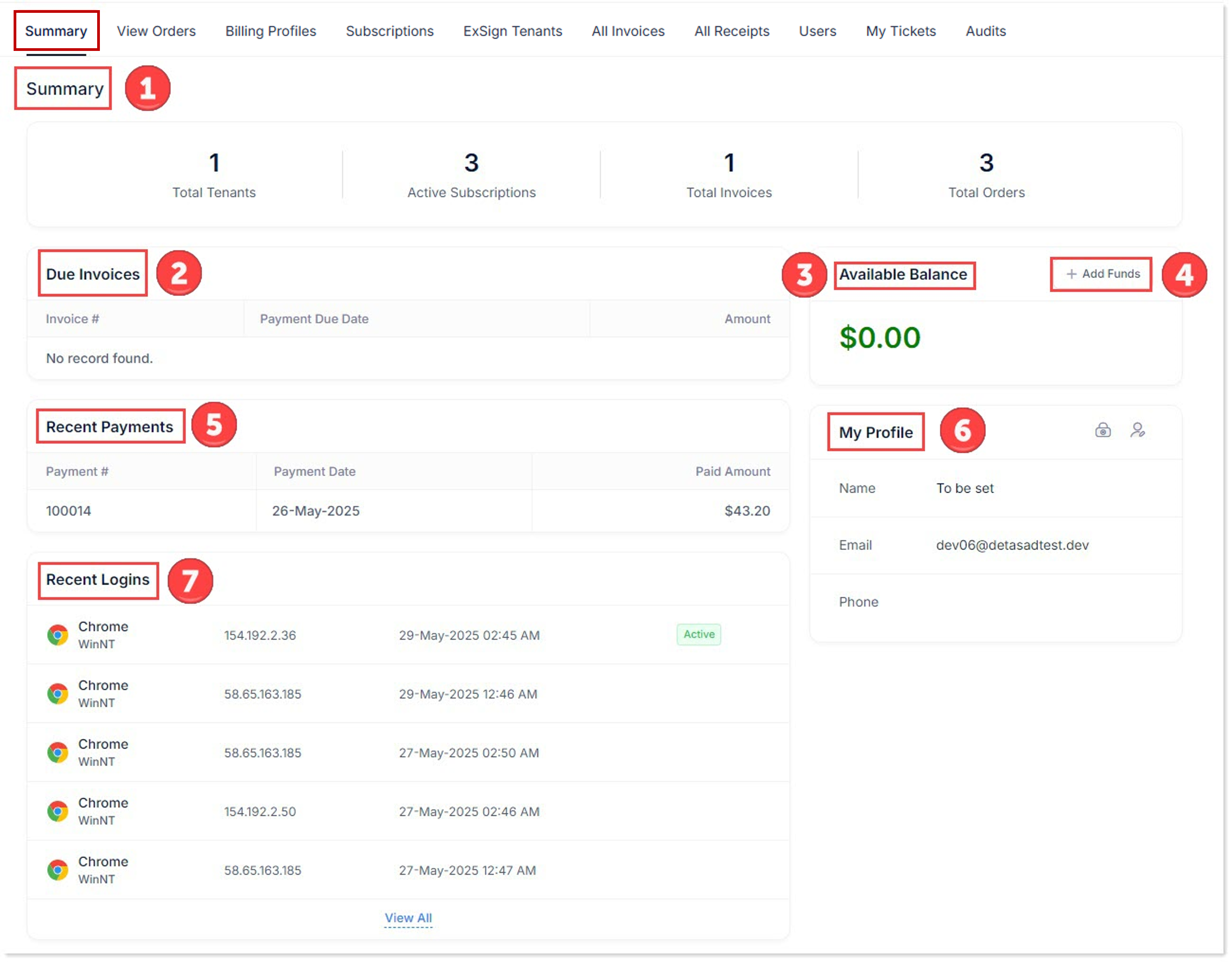
- Summary: This shows total numbers of tenants, active subscriptions, total number of invoices, and total orders.

- Due Invoices: This reflects the invoice number, payment due date, and amount to be paid.

- Available Balance: This displays the amount of available balance in your wallet. The wallet ensures secure transactions, allowing you to use it as a digital account and store funds for current and future transactions.

- Add Funds: This feature enables you to deposit funds into your wallet.

- Recent Payments: This reflects all the recent payments.

- My Profile: This shows the profile of the logged-in user. Profile details like the name, email, and phone are pulled directly from the Microsoft 365 admin center.

- Recent Logins: This displays recent logins to the ExSign Billing Portal. The log includes the browser used to log in, the IP address of the machine used for logging in, and the date and time of the login.
