
| Product Documentation
ExSign
High Availability in ExSign
High availability in ExSign means the system keeps working without downtime, even if one Portal node goes down. It's a two-phase setup: making the Portal highly available for users, then making it highly available for the Agent(s) connecting to it.
High Availability Between Users and the Web Portal
What You Need:
- An F5 load balancer (or equivalent)
- At least two ExSign Portal machines, running redundantly
How It Works?
A user's request to the Portal URL (e.g. https://hc-contoso.com) goes to F5 first, which routes it to whichever Portal node is currently active, the user never talks to a specific node directly.
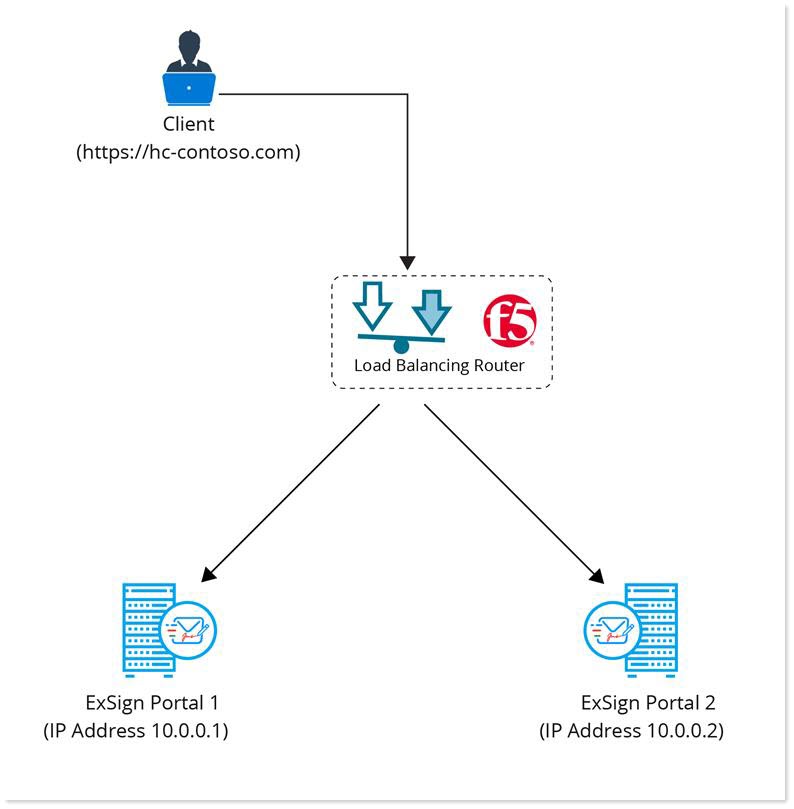
Setup:
- Log into the ExSign Portal as the Portal Admin.
- Go to Settings >> General Settings.
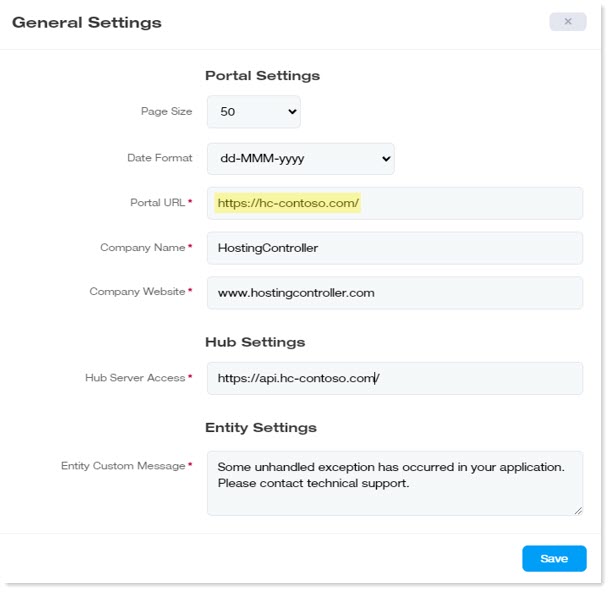
- Change the Portal URL to your F5-fronted, 443 (HTTPS)-based URL, not a direct address for either individual Portal machine.
High Availability Between the Agent and the Web Portal
This phase ensures an Agent can still reach the Portal even if one node is down. The Agent communicates with the Portal through the same API URL used everywhere else in ExSign (e.g.https://api.hc-contoso.com), normally on port 8776 (see Firewall Ports You Will Need Open M365)
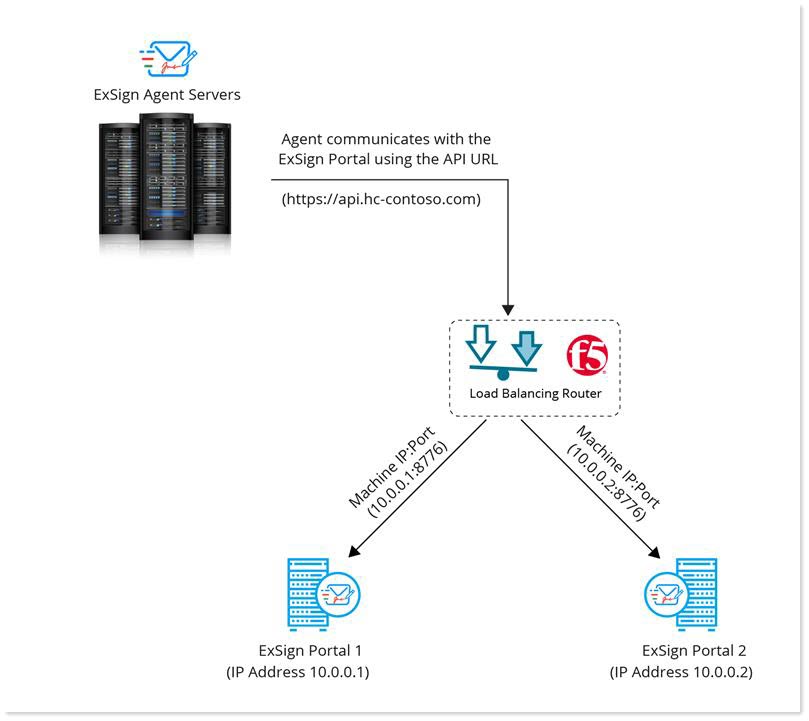
Setup: Part One, Update the Hub URL:
- Log into the ExSign Portal as the Portal Admin.
- Go to Settings >> General Settings.
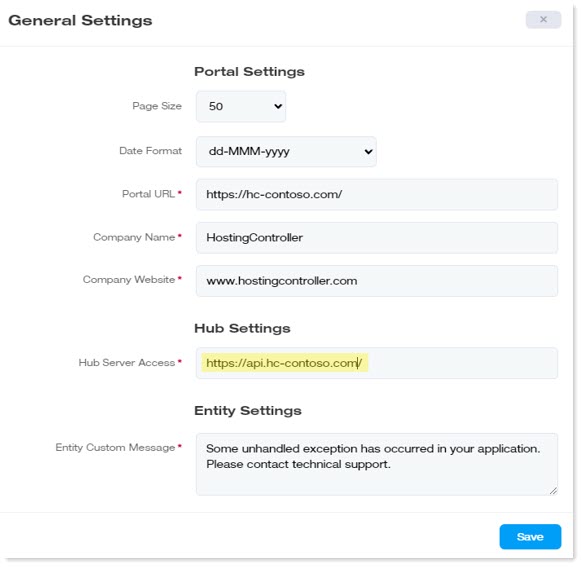
- Change the Hub Server Access URL to your F5-fronted, 443-based URL.
Setup: Part Two, Configure Each Portal Machine Individually:
- On each Portal machine, navigate to
C:\Program Files\ExSign Portal\Configsand open ConfigHub.xml. - Update the IP address inside the <uri> tag to that specific machine's own IP address, leave the port number unchanged.
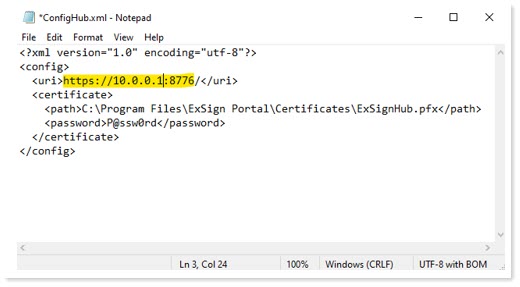
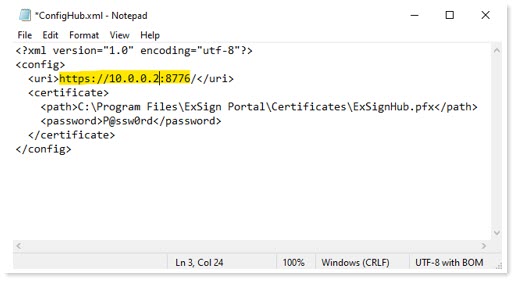
- ClickSave.
This is a per-machine setting, not a shared one, get this wrong and HA breaks silently. Each Portal node's ConfigHub.xml should point to its own IP, not F5's IP, and not the other node's IP. It's easy to accidentally copy the same value to both machines; double-check that each one references itself before considering this done.