
| Product Documentation
ExSign
Designing vCards for Cloud Signatures
vCards are digital business cards you can distribute through email signatures. Recipients can scan a QR code in the signature to open the card, which includes your name, photo, and contact details from directory attributes.
You can create one vCard per organization.
Open vCards
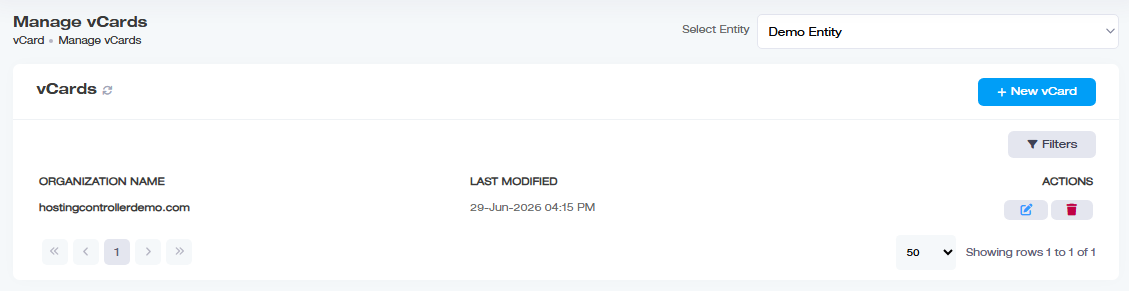
- Sign in to the ExSign Portal.
- In the left menu, open vCard (under View By Entities / the equivalent menu section).
What the vCards List Shows
| Field | Meaning |
| Organization Name | Organization that uses the vCard |
| Last Modified | Date the vCard was last changed |
| Actions | Edit or delete |
Add a vCard
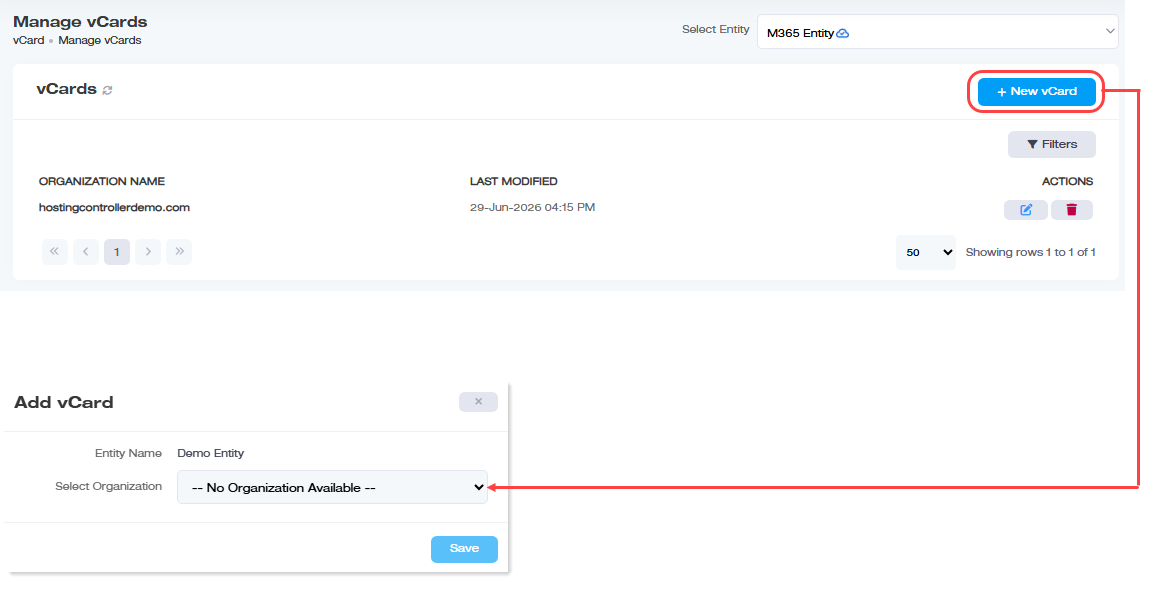
- Click + New vCard.
- Enter:
Field What to Enter Entry Name / entity Entity container for the organization, if prompted Select Organization Microsoft 365 or Google Workspace organization - Save, then design the card in the editor.
Design the vCard
- Under Actions, open Edit.
- Build from scratch or choose a Template.
- Insert Placeholders for directory attributes (name, title, phone, and so on).
- Add a QR code if the template does not include one by default.
- Use Source Code for advanced HTML edits if needed.
- Preview, then save.
Some templates already include a QR code; others require you to insert one manually.
The source code view cannot be saved empty; include at least one line of code before saving.
Configure the organization QR code behavior under Managing Organizations when you use QR-based cards.
Search or Delete a vCard
- Use Filter to search by name or organization.
- Under Actions, click Delete to remove a vCard.