
| Product Documentation
ExSign
Creating a Rule M365
A rule tells ExSign when to stamp a signature or disclaimer, and what to stamp. These are ExSign's own rules, separate from Exchange Online's native mail flow (transport) rules. See How ExSign for M365 Works for how the Microsoft 365 Agent applies published rules, including its own local SQLite cache.
Viewing Rules
Go to the left menu, under View by Entities, and click Rules.
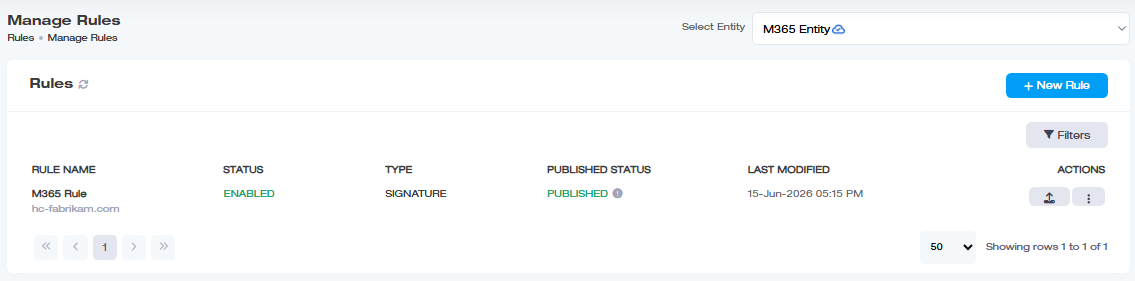
| Field | What it Shows |
| Rule Name | Name of the rule, with the organization name under it |
| Status | Enabled or disabled |
| Type | Signature or Disclaimer |
| Published Status | Published or unpublished. Click  for publishing details: which servers it is published to, and whether each publish succeeded. for publishing details: which servers it is published to, and whether each publish succeeded. |
| Last Modified | When it was last changed |
| Actions | Publish  , ,  for edit, copy, history, delete, and the other actions covered in Publishing and Managing Rules for edit, copy, history, delete, and the other actions covered in Publishing and Managing Rules |
Creating a New Rule
Click New Rule and choose a type:
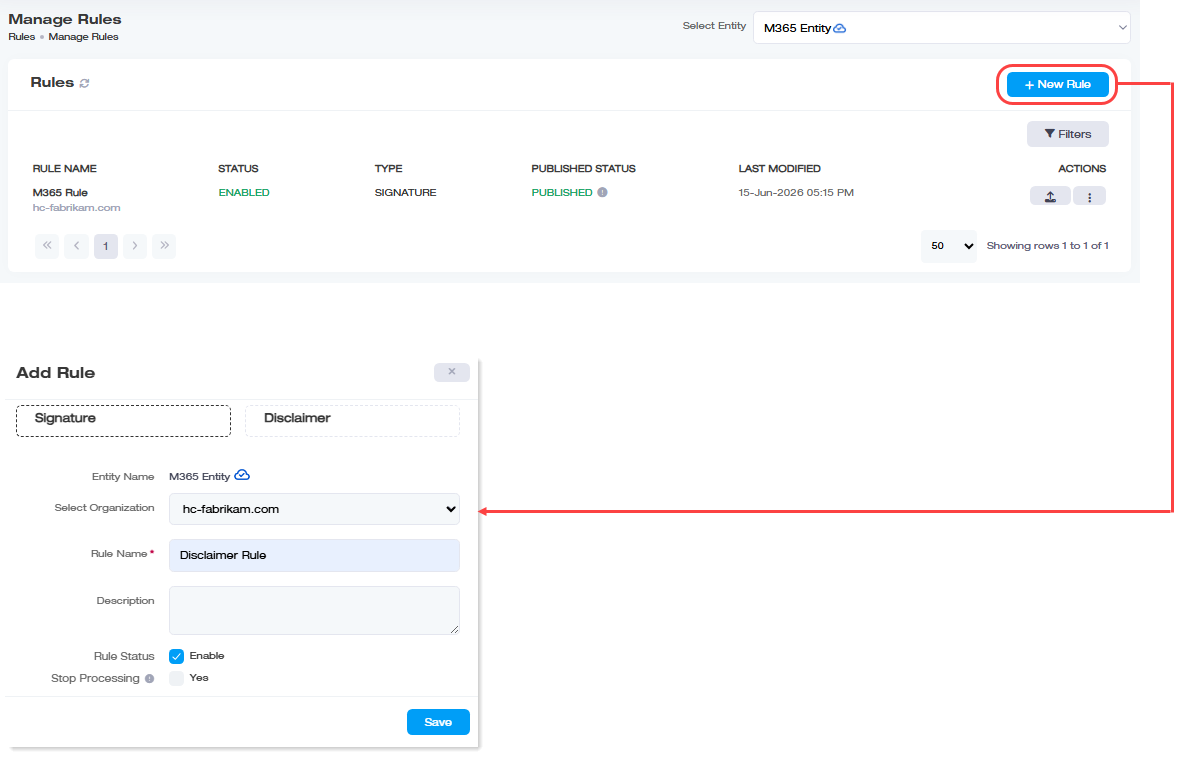
- Signature Rule: For email signatures (names, titles, contact info, branding).
- Disclaimer Rule: For legal/compliance text.
Both share the same basic fields:
| Field | What to Enter |
| Entity Name | The M365 logical entity this rule applies to |
| Select Organization | The M365 organization/tenant within that entity |
| Rule Name |
Required |
| Description |
A brief note |
| Rule Status |
Enable or disable |
| Stop Processing |
Stop evaluating further rules once this one applies |
Editing a Rule
Click  under Actions column and then Edit. Everything above can be changed here, plus one more option only available once a rule exists:
- Apply on Top: enable this to insert the signature at the top of the email body instead of the bottom.