
| Product Documentation
ExSign
Designing vCards
A vCard (Virtual Contact Card) allows recipients to save your contact information directly to their address book by scanning a QR code or opening the attached digital contact card.
Viewing Your vCards
Go to the left menu, under View By Entities, and click vCard:
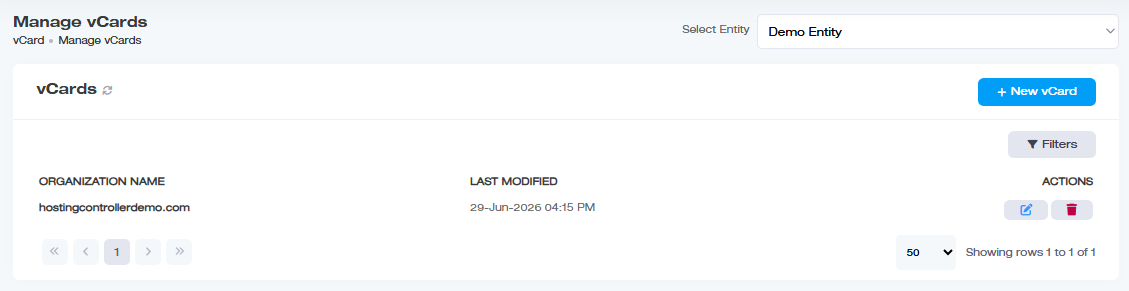
| Column | Shows |
| Organization Name | Which organization the vCard belongs to |
| Last Modified | When it was last changed |
| Actions |
Edit or delete |
Adding a vCard
Click + New vCard and provide:
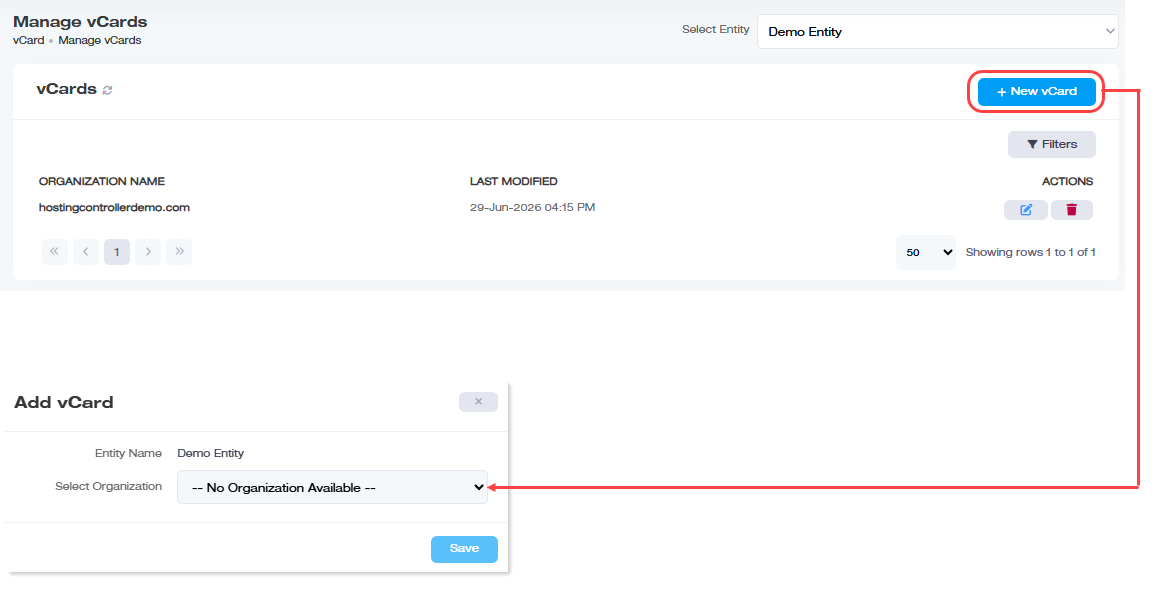
| Field | What to enter |
| Entity Name | The entity under which the organization lies. |
| Select Organization | The organization this vCard will represent, remember, one per organization |
Designing the vCard
Click  under Actions column to open the vCard editor. You can build from scratch or start from a Template, several built-in styles are available for admins who'd rather adjust an existing design than start blank.
- Placeholder: insert Active Directory attributes anywhere in the vCard; they're replaced with each user's actual profile data when their QR code is scanned. This likely works the same way as signature placeholders, see Personalizing content with placeholders.
- Source Code: view or edit the vCard's underlying HTML directly.
You can't save an empty source code window, at least one line of content needs to be present - Preview: see how the vCard will actually look before saving.
Finding a vCard
Click Filters and search by name or organization.
Deleting a vCard
Click  under Actions, then confirm.