
| Product Documentation
ExSign
Managing Invoices
Invoices are official bills of services issued by ExSign for all purchased subscriptions. An invoice is automatically generated each time you purchase a subscription through the ExSign Client Area. Each invoice includes a unique invoice number, the generation date, the subscription period it covers, and the total amount due.
All invoices are generated with unique invoice numbers.
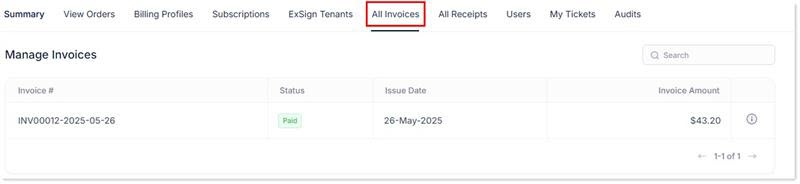
To manage invoices, click Invoices.
|
Manage Invoices page shows following information:
|
View Invoice Details
To view invoice details, click  icon.
icon.
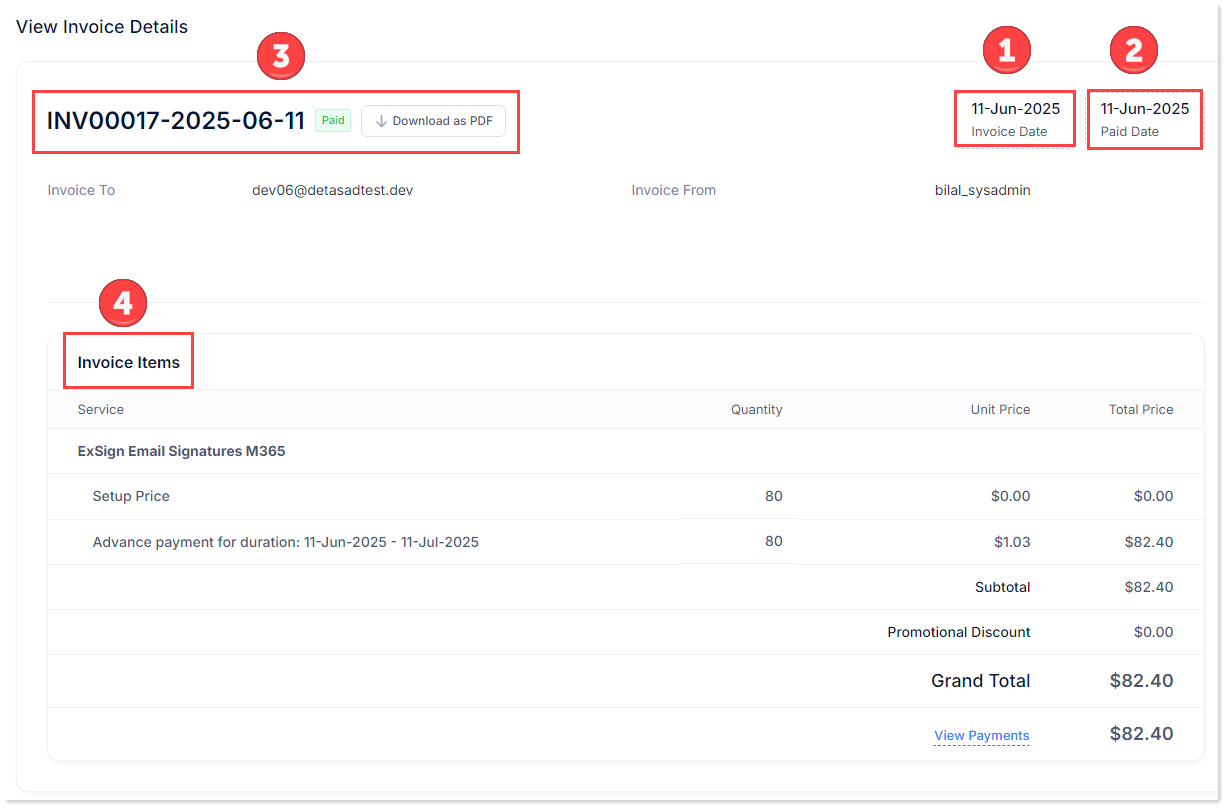
- Invoice Date: It shows the date when the invoice is sent.

- Paid Date: It shows the date when the invoice is paid.

- Invoice Details: It shows invoice details like unique invoice number with an option to download a pdf version of the invoice, name of the person to whom the invoice is sent and from whom.

- Invoice Items: It shows following information regarding an invoice:

- Service: It shows the type of service purchased.
- Quantity: It shows total number of subscriptions purchased.
- Unit Price: It shows the unit price of the service purchased.
- Total Price: It shows the total price of the service purchased.
- View Payments: It displays all payments made against the invoice.
Any outstanding invoices already recorded in the system will be settled first by a given payment. After clearing any outstanding invoices, the remaining portion of the payment will be available in your wallet and can be used for future purchases.