| Product Documentation
ExSign
How to Buy
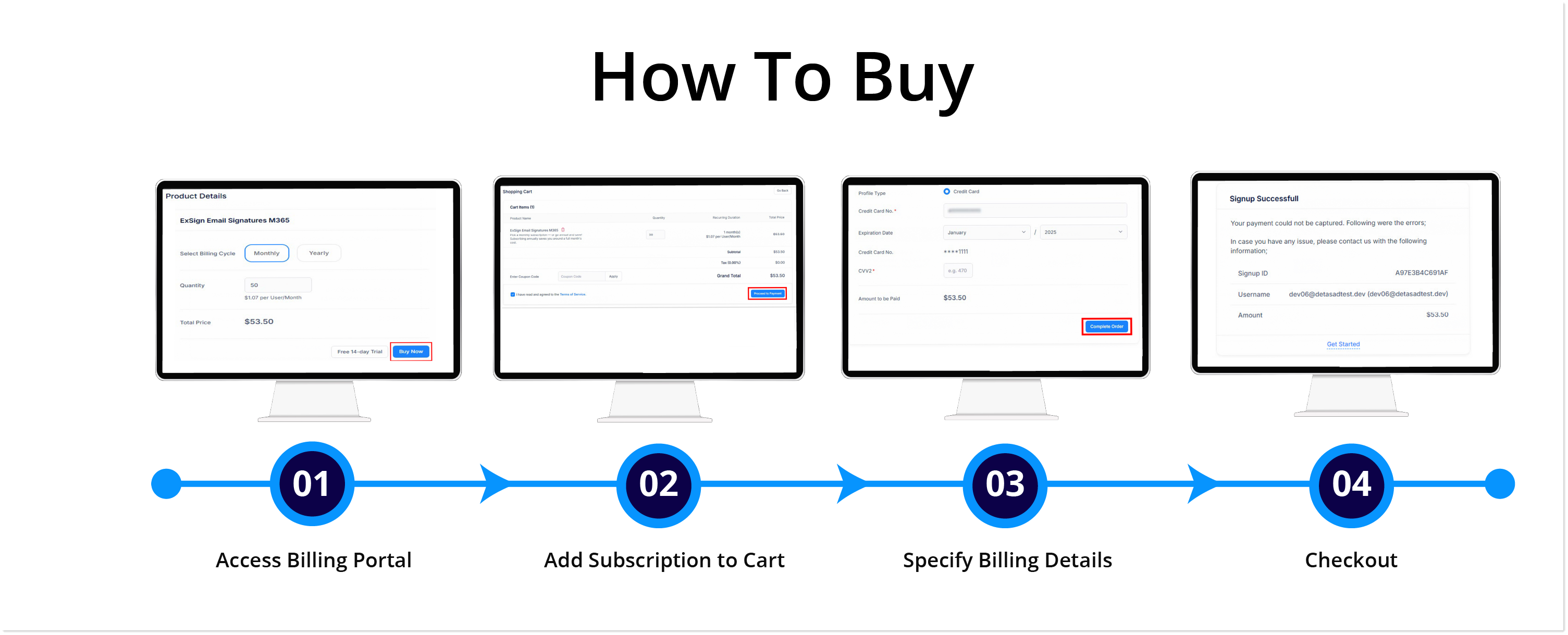
1) Access Billing Portal
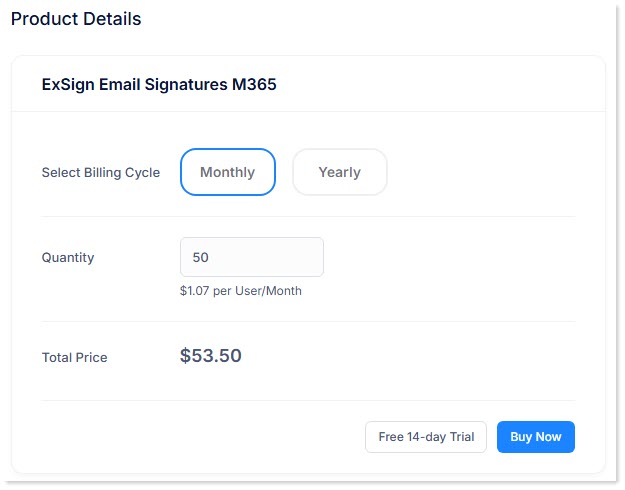
A subscription for ExSign Cloud Signatures can be bought in the ExSign Billing Portal. To buy a subscription, access the Billing Portal and click the Buy Now button. Select a billing cycle (monthly/yearly) and specify the number of mailboxes to subscribe. Then again, hit the Buy Now button.
2) Add Subscription to Cart
This will add your subscription to a shopping cart. If any tax is to be added to your order, it will be added here. Also, apply a coupon code if you have one. Review your order and agree to the Terms of Service (TOS).
 icon.
icon. 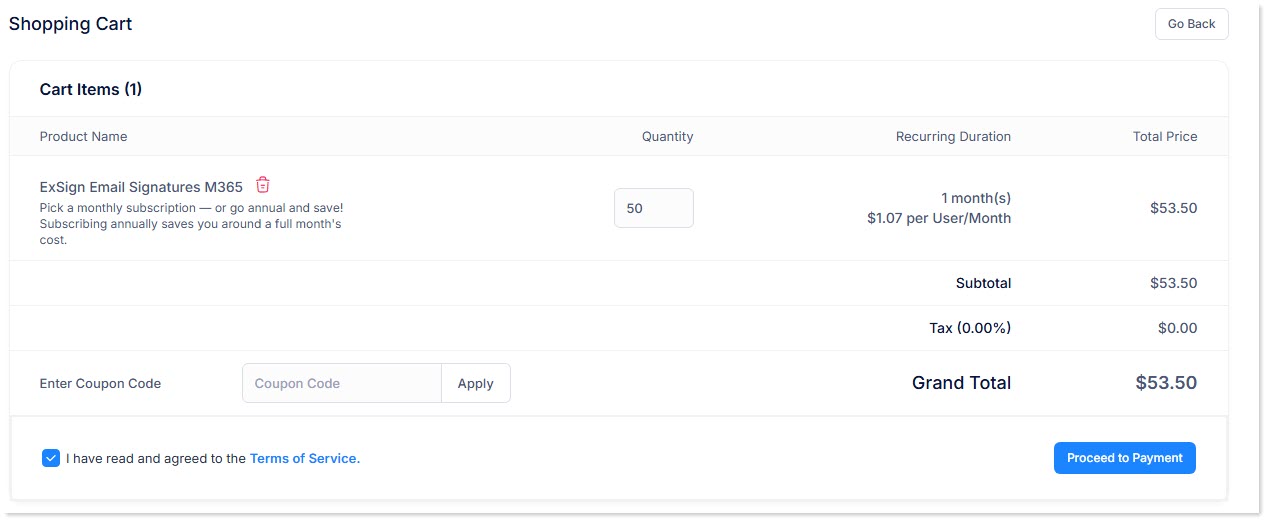
3) Specify Billing Details
Select an existing billing profile or specify new billing details. Insert a valid credit/debit card number and CVV2 code to complete the transaction.
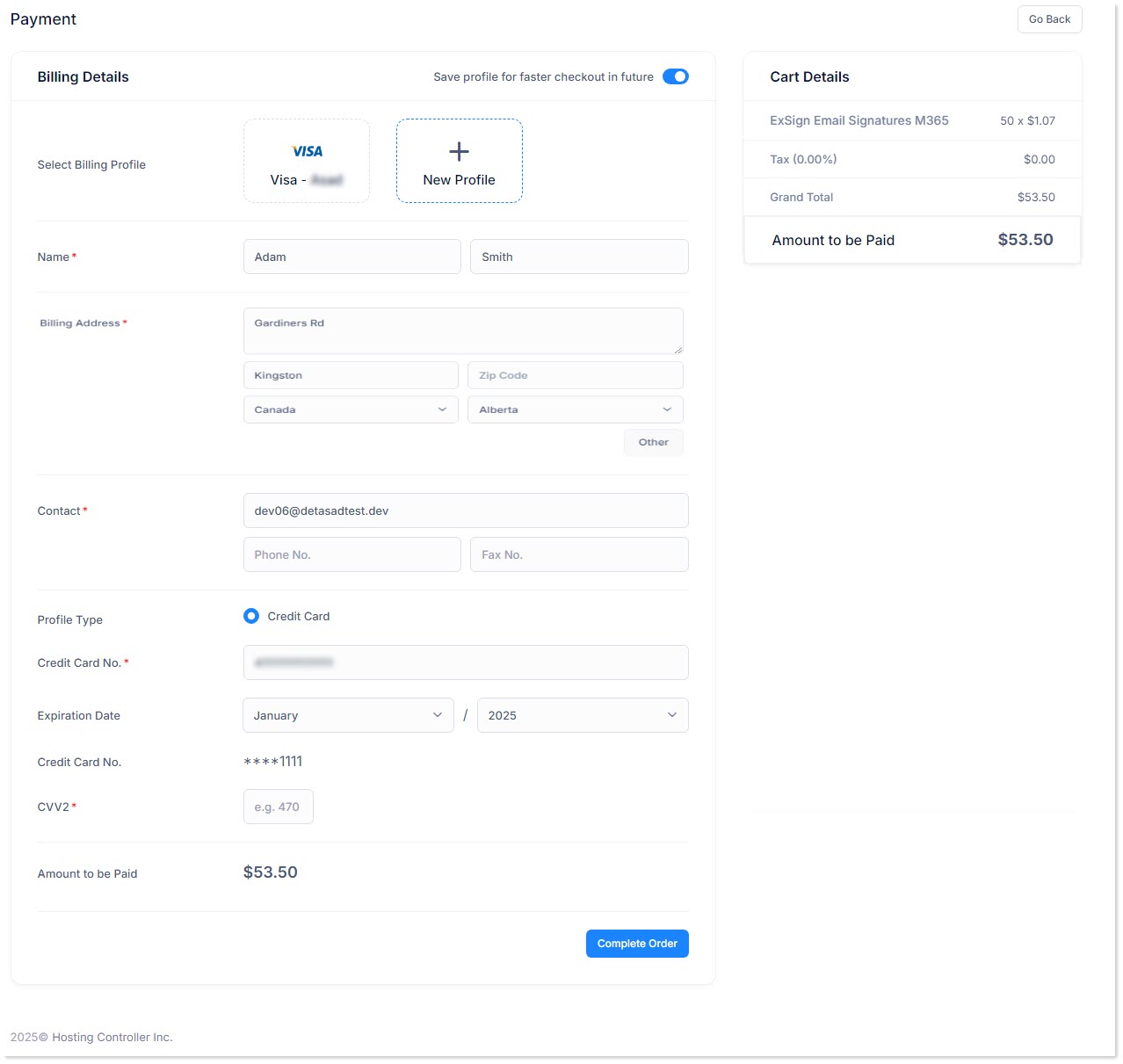
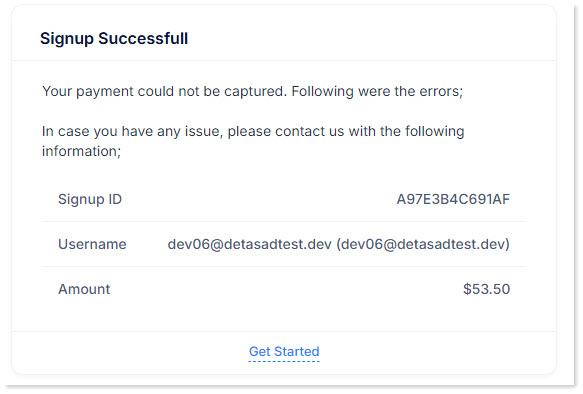
4) Checkout
Click the Complete Order button to finalize your purchase. Once the transaction is successful, your account will be activated, and you'll be signed up for ExSign Cloud Signatures.