| Product Documentation
ExSign
Sent Items Update
The sent items update feature is responsible for letting users see signatures and disclaimers in their sent items folder. It updates messages in the sent items folder with signatures and disclaimers.
When the email is sent out, the user cannot see how the added signature or disclaimer looks. This is because the signatures and disclaimers are added by Microsoft 365 later, when the email is sent, and are not visible to the user. Normally, they don’t display even in the sent items folder. To give the user an idea of how signatures really look, ExSign's sent items update feature allows users to see signatures and disclaimers in their sent items folder.
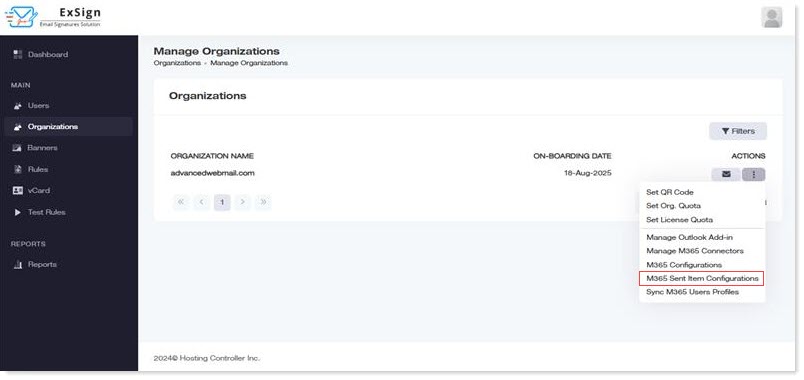
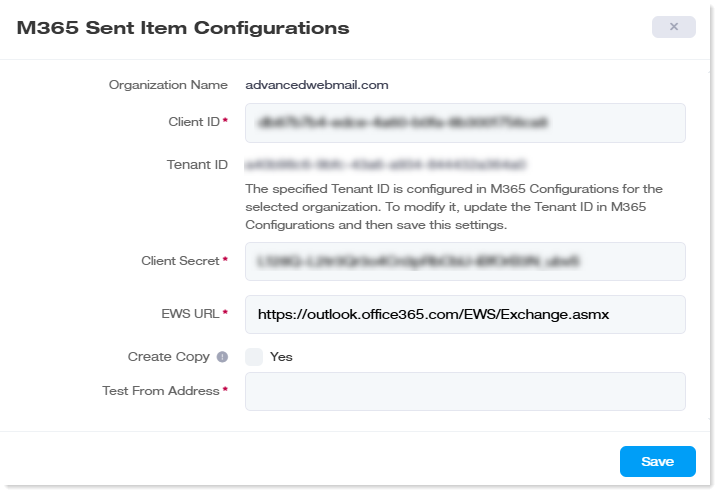
To configure sent items, navigate to the left menu, under the Main section, and click Organizations. Under Actions column, click M365 Sent Item Configurations.