
| Product Documentation
ExSign
Signatures Based on Timings
There are scenarios in which emails sent on different days, such as weekdays and weekends, should include different signatures. ExSign lets you apply different signatures based on specific time intervals, such as particular days, working hours, or custom date ranges.
Scenario
Consider a scenario where users need to apply slightly different signatures on weekdays versus weekends. For example, they need to use detailed signatures on weekdays, while simpler signatures on weekends.
How to Achieve This with ExSign
To achieve this with ExSign, create two signature rules. Configure the first rule to include all weekdays (Monday through Friday) and active hours from 8:00 in the morning to 8:00 at night. Then configure the second rule to include the weekend (Saturday and Sunday) and again active hours from 8:00 in the morning to 8:00 at night.
This way, emails sent on weekdays are stamped with a more detailed signature, while emails sent on weekends include a more concise signature.
Here’s how to implement this through ExSign:
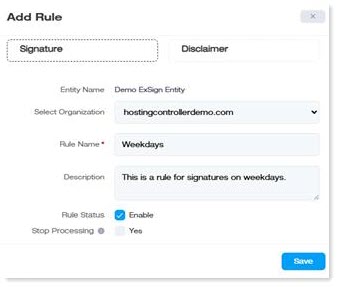
- Create the first rule and call it Weekdays.
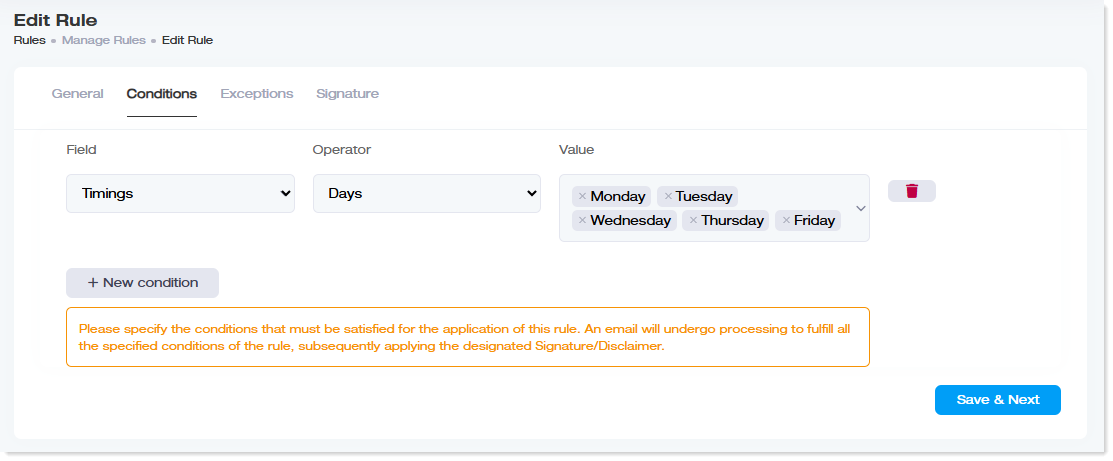
- In the Conditions tab, add a new condition where the field is Timings and the operator is Days. In the value column, select all the working days of a week (Monday through Friday).
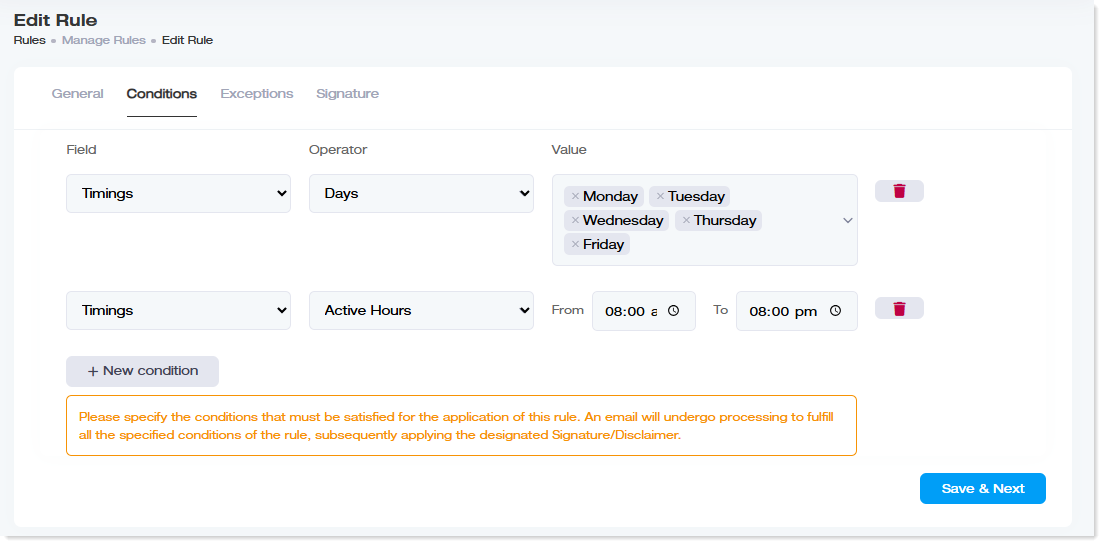
- Then, in the same rule, add another condition where the field is Timings and the operator is Active Hours. In the value column, provide a range of active hours from 8:00 a.m. to 8:00 p.m. Then click Save & Next.
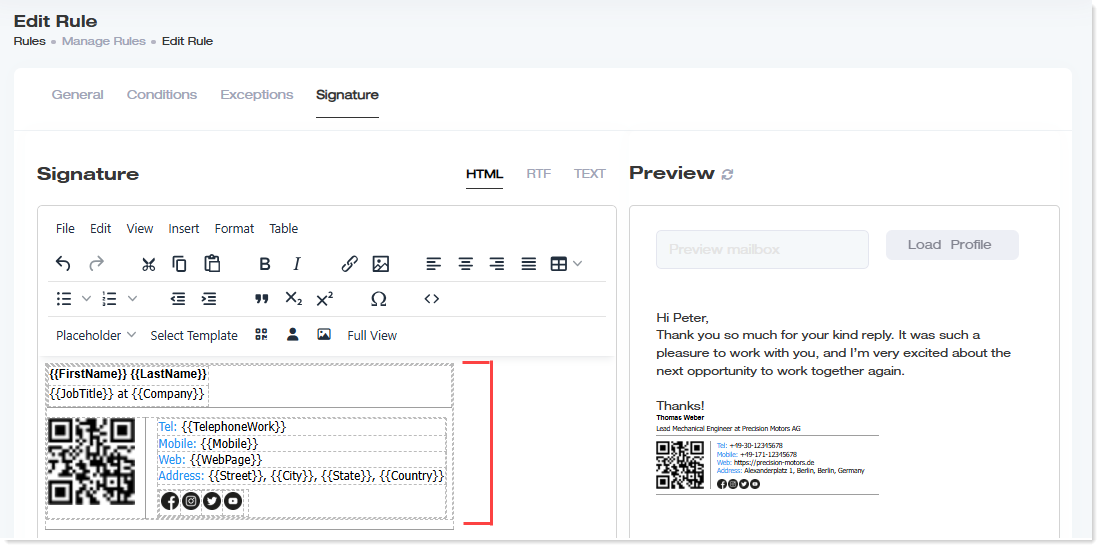
- In the Signature tab, either create your signature from scratch or choose a predefined template. Choose a detailed signature, possibly with full name, designation, phone numbers, website, address, and social media icons.
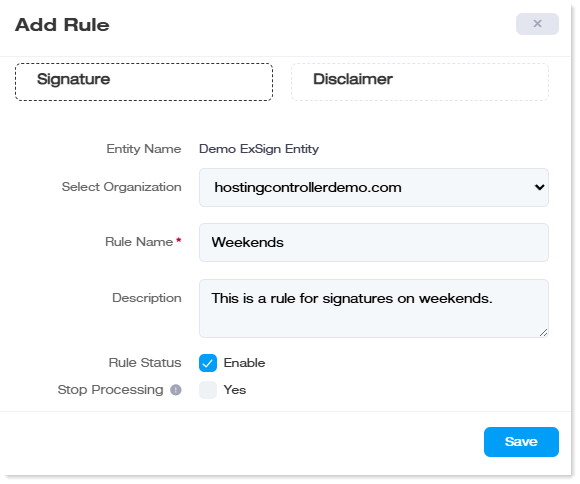
- Create the second rule and call it Weekends.
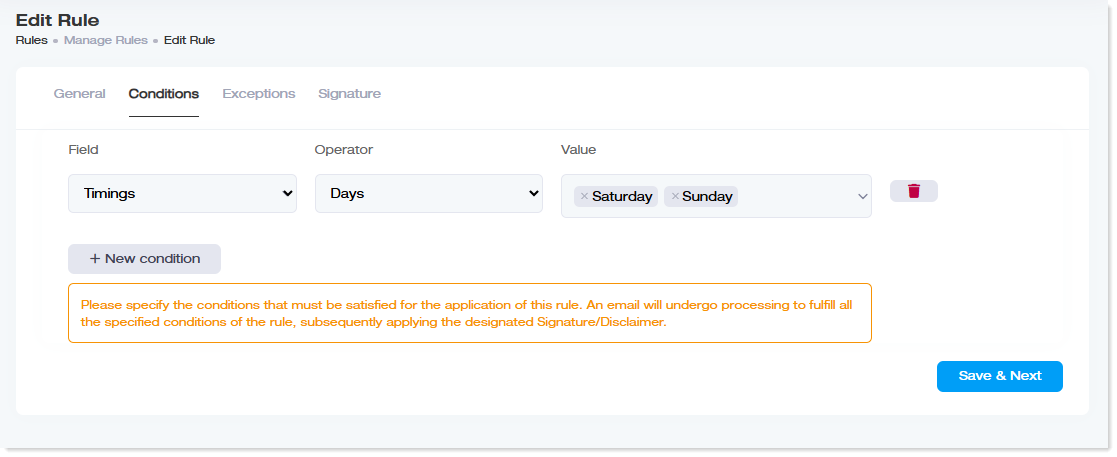
- Under its Conditions tab, add a new condition where again the field is Timings and the operator is Days. In the value column, select the days of a weekend (Saturday and Sunday).
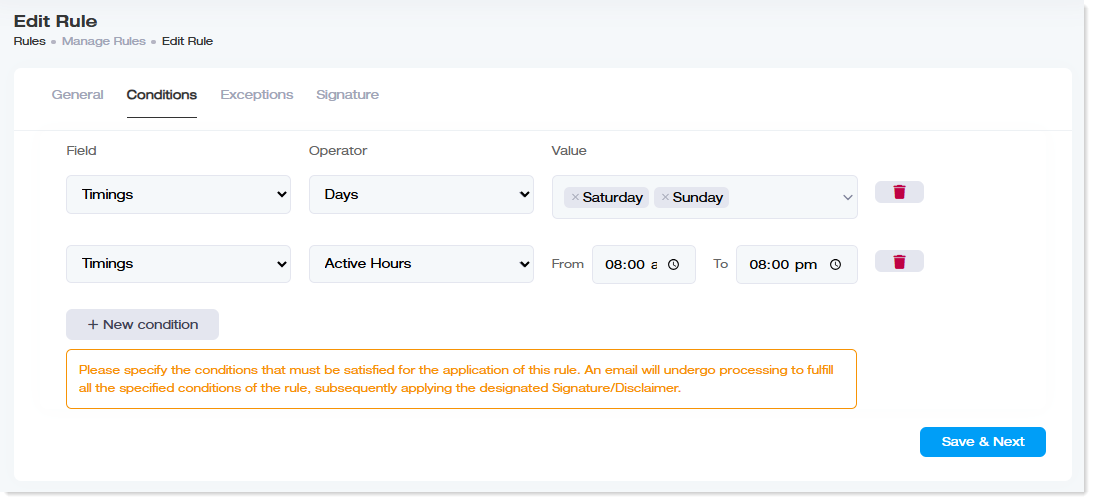
- Then, in the same rule, add another condition where the field is Timings and the operator is Active Hours. In the value column, provide a range of active hours from 8:00 a.m. to 8:00 p.m. Then click Save & Next.
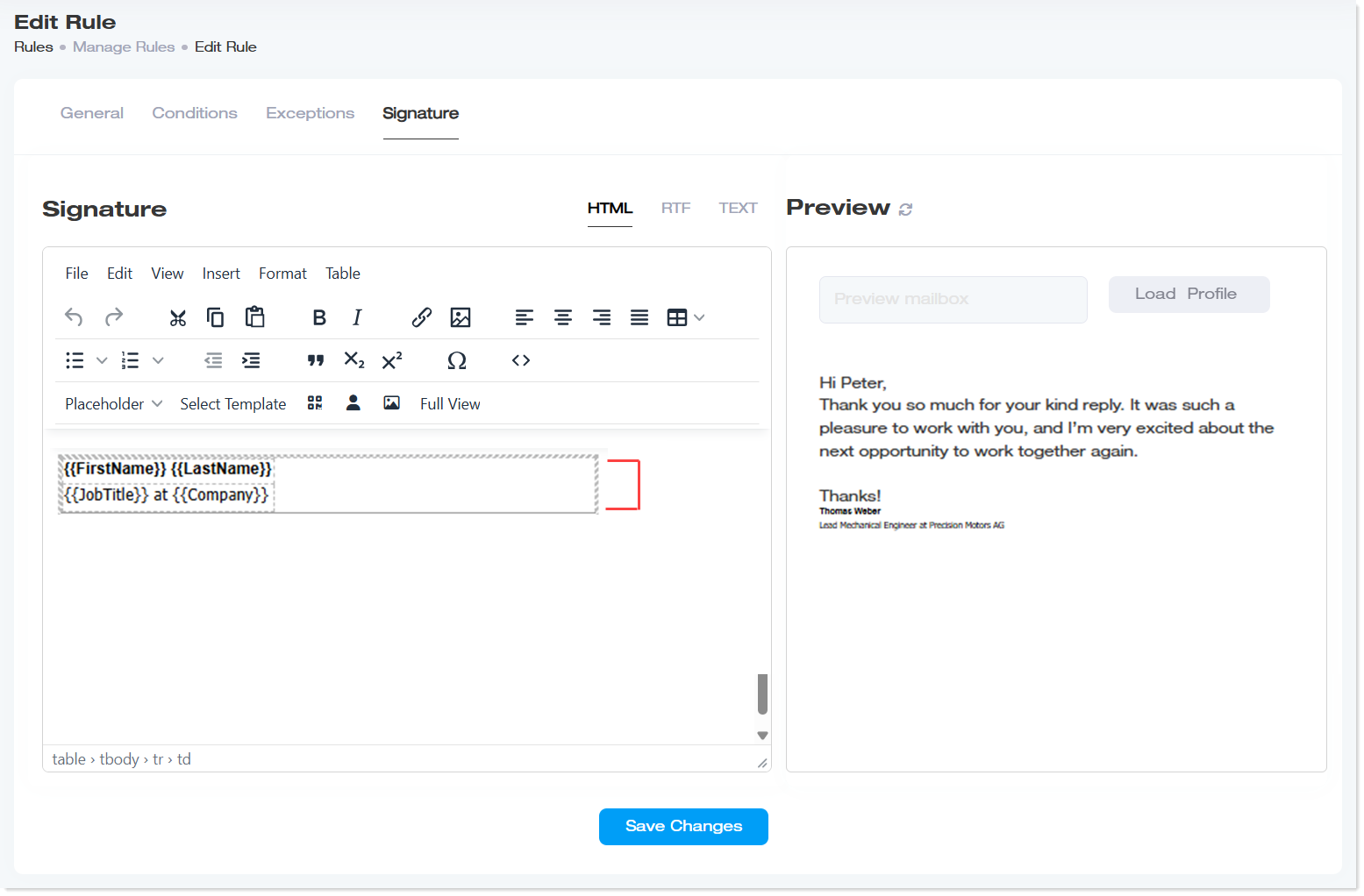
- In the Signature tab, prepare a shorter version of the signature that may include only the full name and designation.
That's it! Now, whenever users send emails on a weekday, they will be stamped with a fuller, more detailed signature, while emails sent on weekends will contain simpler signatures.