
| Product Documentation
ExSign
Hybrid Mode for Microsoft 365
ExSign Cloud Service for Microsoft 365 can also be deployed in a hybrid mode. In this mode, some mailboxes of the Microsoft 365 tenant/organization can use an SMTP service to send emails, while others can utilize the Outlook add-in.
Some groups in the 365 tenants will have access to SMTP (server-side) signatures while others will have access to the Outlook add-in (client-side) signatures. Server-side signatures will be applied to members of groups using SMTP configurations, while client-side signatures will be applied to members of groups using the Outlook add-in.
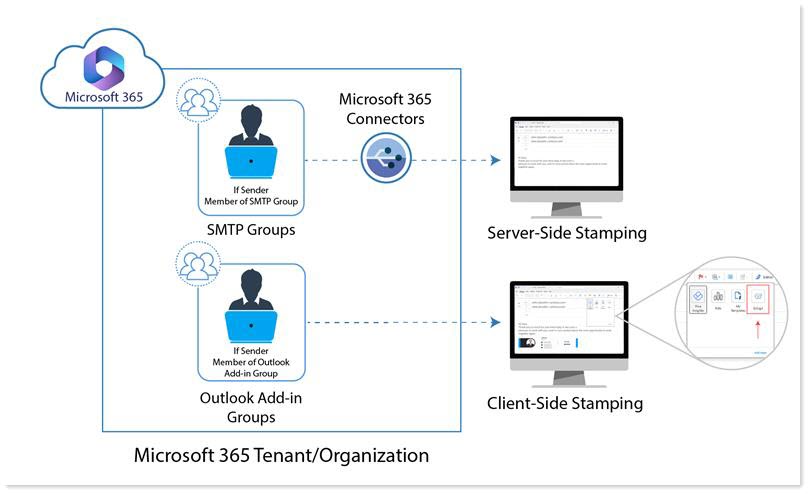
Server-Side Signatures
Server-side signatures require two connectors to be set up within the Microsoft 365 tenant, along with an SMTP service that has port 25 open in the firewall.
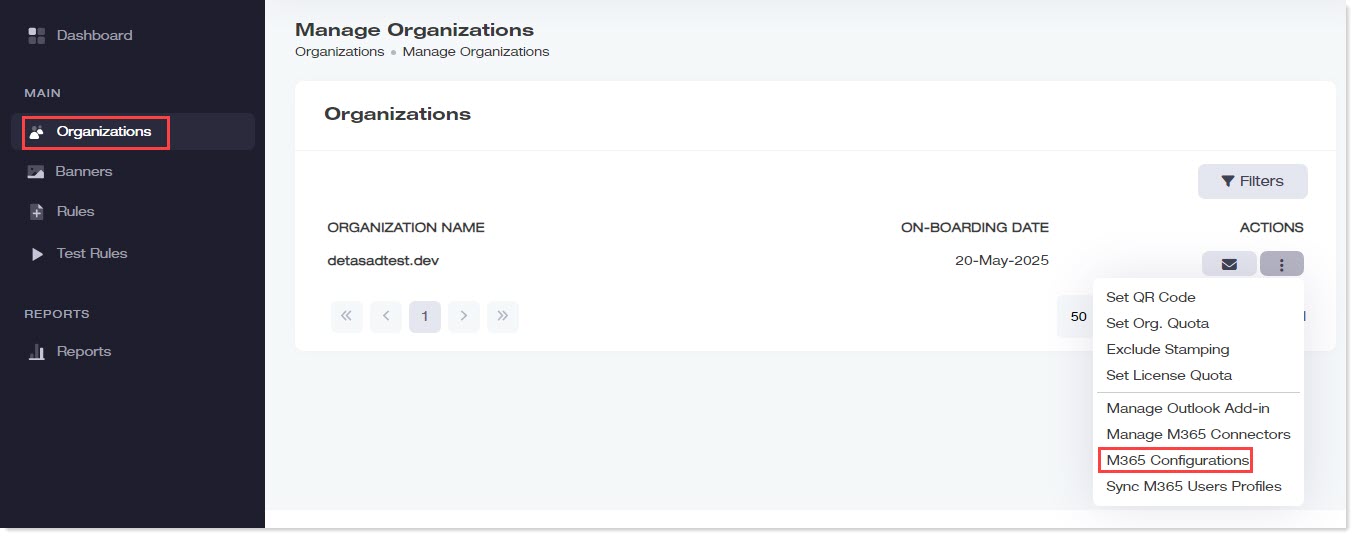
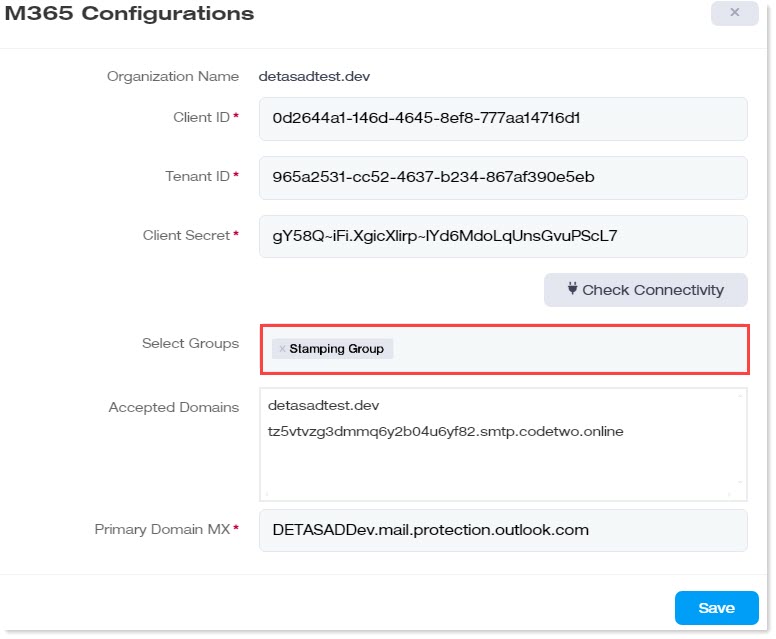
To apply server-side signatures navigate to organizations and provide the Client ID, Tenant ID, and Client Secret in the M365 Configurations.
Additionally, specify the groups whose members will use server-side stamping.
Client-Side Signatures
Client-side signatures do not require connectors to be set up. Neither do they require SMTP server configurations. They only require the Outlook add-in to be downloaded and added to the Microsoft 365 organization.
To apply client-side signatures go to organizations and download the Outlook add-in. This downloads a “manifest.xml” file. The primary function of this file is to populate the Outlook client with an ExSign add-in. Then upload the “manifest.xml” file to the Microsoft 365 organization.
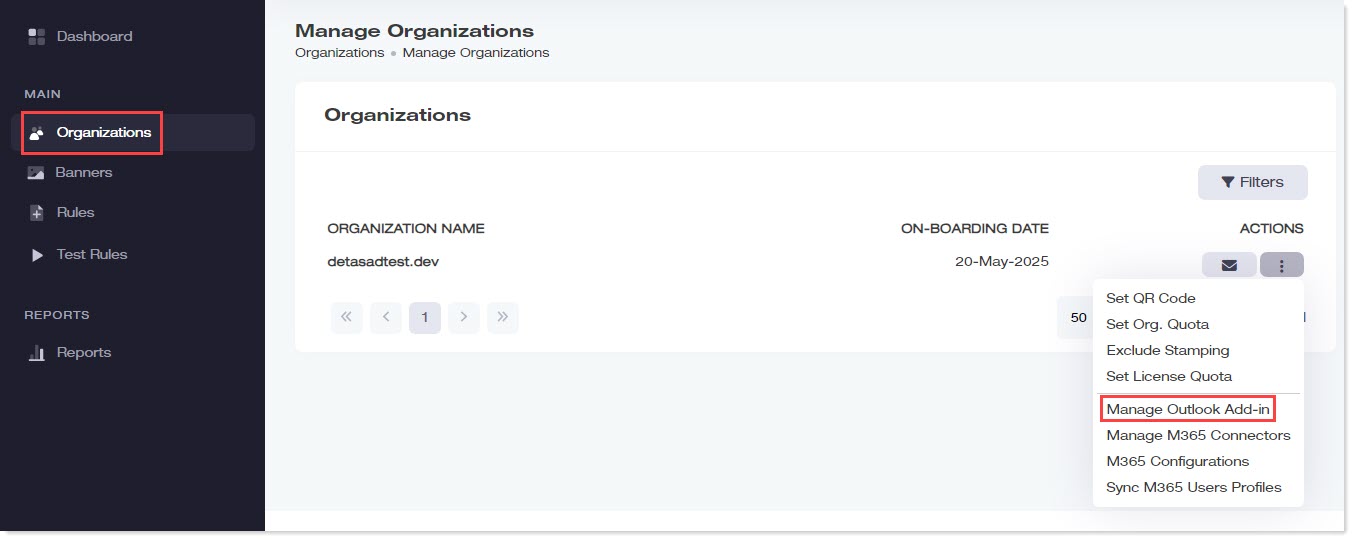
Additionally, specify the groups whose members will use client-side stamping.