Receipts serve as proof of payments made against invoices or wallet top-ups. Whenever an online payment is made through a credit/debit card, a receipt is generated.
To manage receipts, click All Receipts.
|
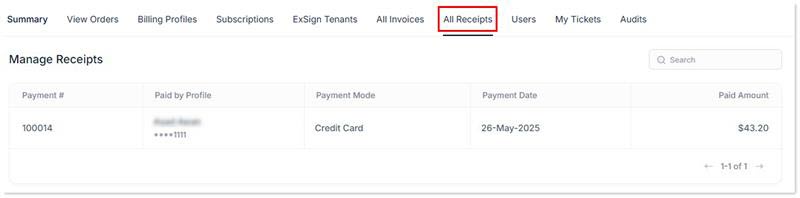
Manage Receipts page shows following information:
- Payment #: It displays the payment number (aka receipt ID). All receipts are generated with unique payment numbers.
- Paid by Profile: It displays the billing profile and the associated credit card through which the payment was made. In ExSign you can have more than one billing profile.
- Payment Mode: It shows mode of the payment either cash/credit card/check.
- Payment Date: It shows date of the payment received or paid.
- Paid Amount: It shows amount paid.
|
