
| Product Documentation
ExSign
Viewing Summary for Cloud Signature
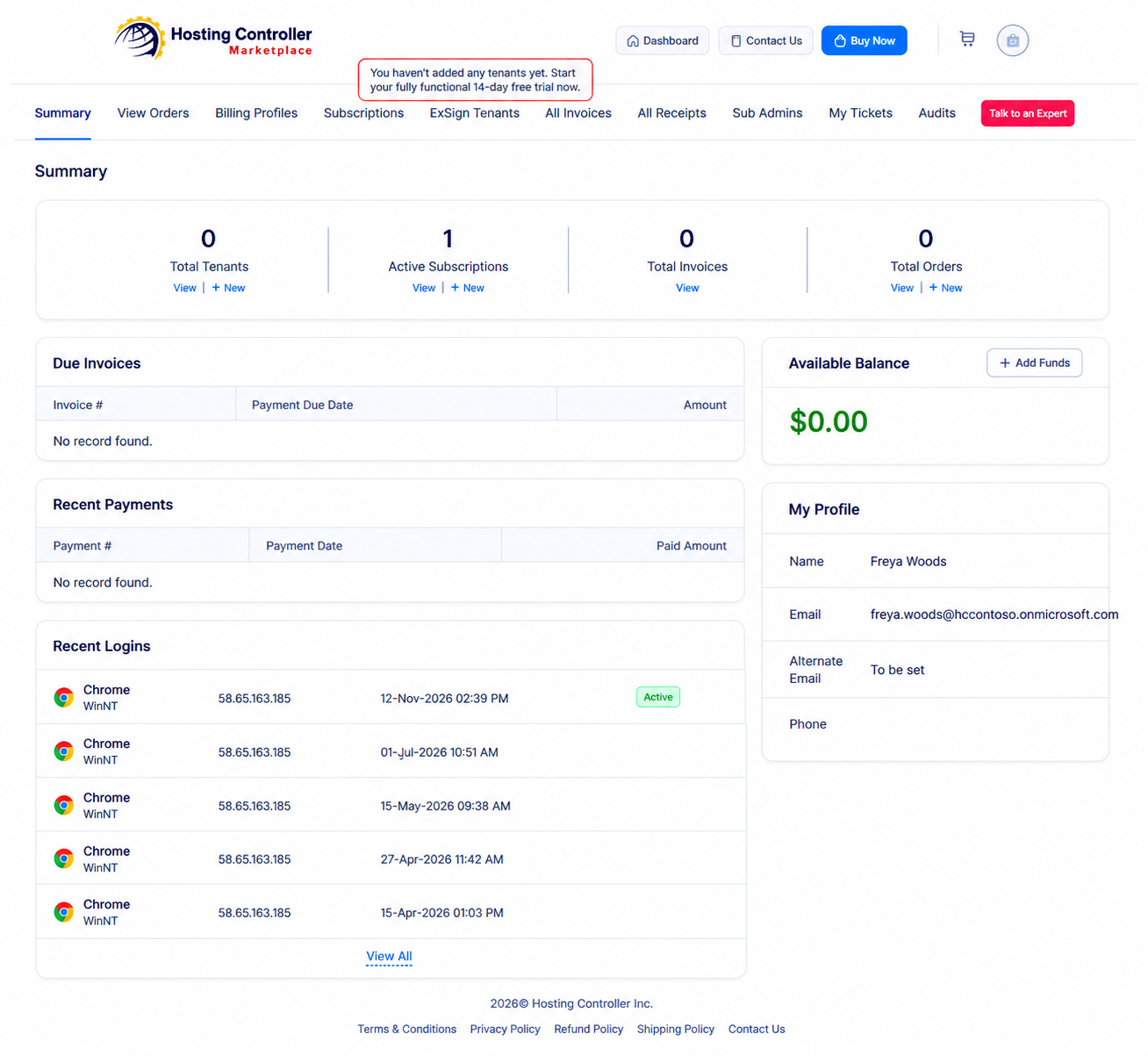
Use Summary in the Billing Portal for a quick view of your account health: tenants, subscriptions, invoices, payments, wallet balance, and recent logins.
Open Summary
- Sign in to the Billing Portal
- Click Summary.
What You Can Review
| Area | What It Shows |
| Summary | Totals for tenants, active subscriptions, invoices, and orders |
| Due Invoices | Invoice number, payment due date, and amount due |
| Available Balance | Funds available in your wallet for current and future transactions |
| Add Funds | Deposit money into your wallet |
| Recent Payments |
Latest payments on the account |
| My Profile |
Profile of the signed-in user (name, email, phone, and related contact details) |
| Recent Logins |
Recent Billing Portal logins, including browser, IP address, and date/time |