
| Product Documentation
ExSign
Publishing and Managing Rules for Cloud Signatures
A rule has no effect until it is published. Use publishing controls to put signature and disclaimer rules into production, reuse rules, and remove rules you no longer need.
Publish a Rule
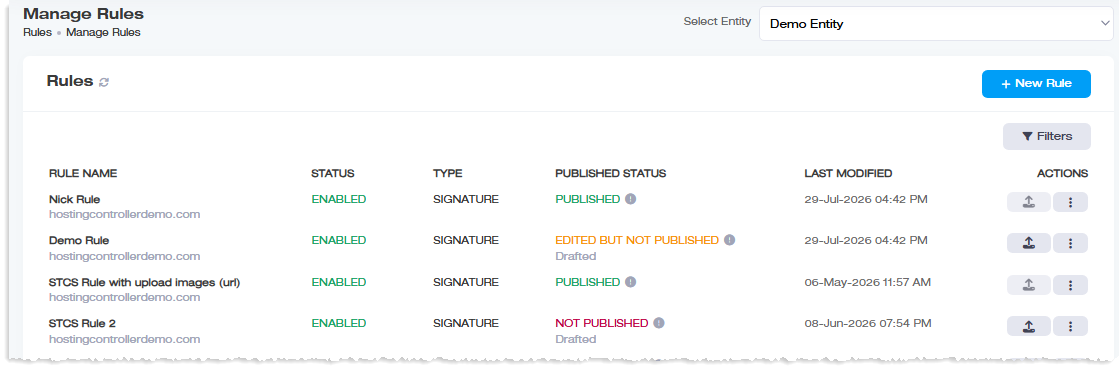
- Open Rules.
- Under Actions, click the publish action for the rule.
- Confirm publishing details when shown.
Until a rule is published, ExSign does not stamp its signature or disclaimer on live mail.
Make a Copy of a Rule
Use Make a Copy when you need a similar rule for another department or scenario.
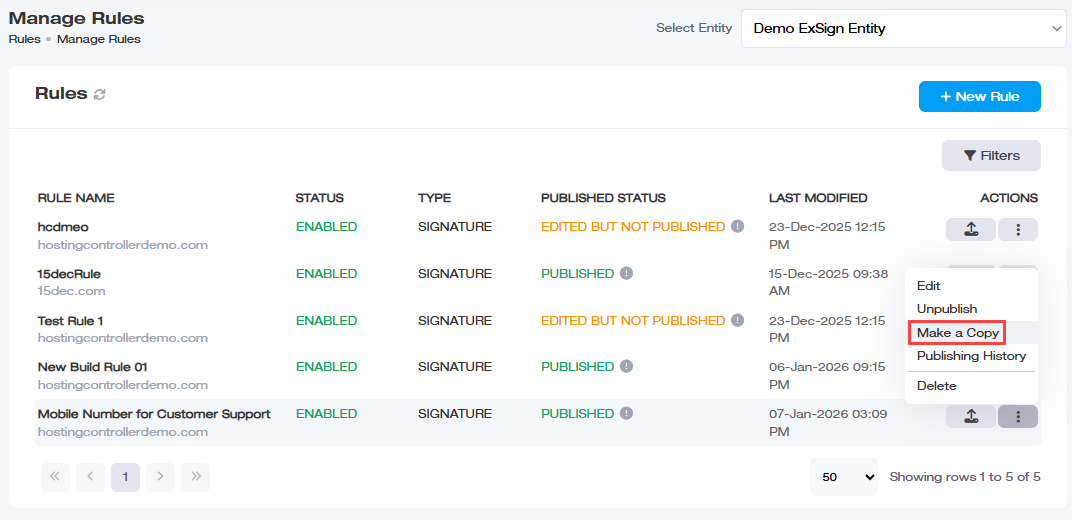
- Under Actions, click Make a Copy.
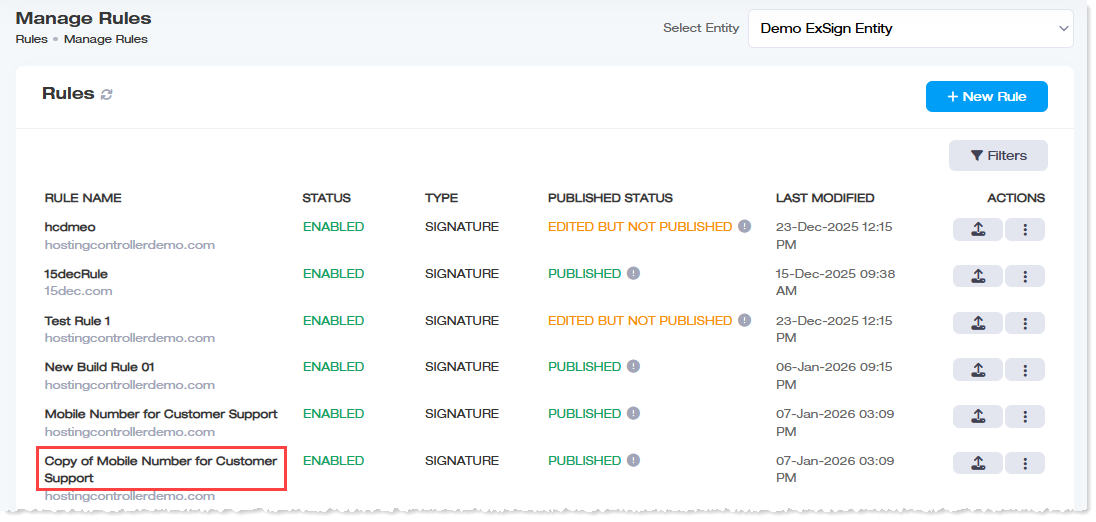
- Adjust organization, conditions, or signature content as needed.
- Click Save.
- Publish the new rule when ready.
Edit and Republish
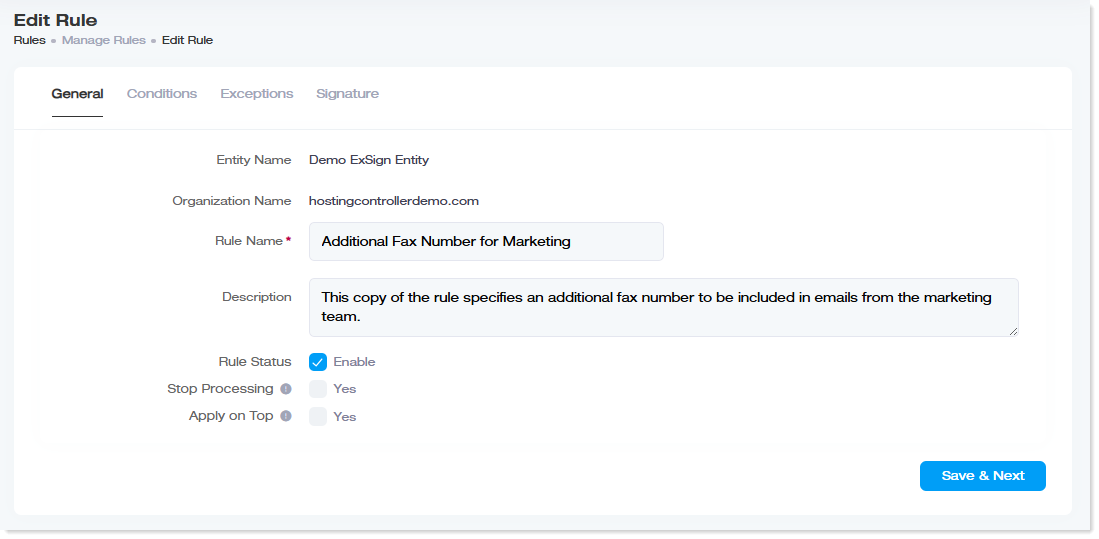
- Under Actions, click Edit.
- Update general settings, conditions, exceptions, or signature design.
- Save.
- Publish again so production mail uses the updated rule.
If your portal build includes Review Changes, use it to compare the currently published rule with the edited version before you republish or revert.
Delete a Rule
- Under Actions, click Delete.
- Confirm the deletion.