
| Product Documentation
ExSign
Managing Tenants for Cloud Signatures
Tenants are Microsoft 365 or Google Workspace organizations registered in the Billing Portal. ExSign can apply signatures only after an organization is registered here.
For step-by-step onboarding, use:
Open ExSign Tenants
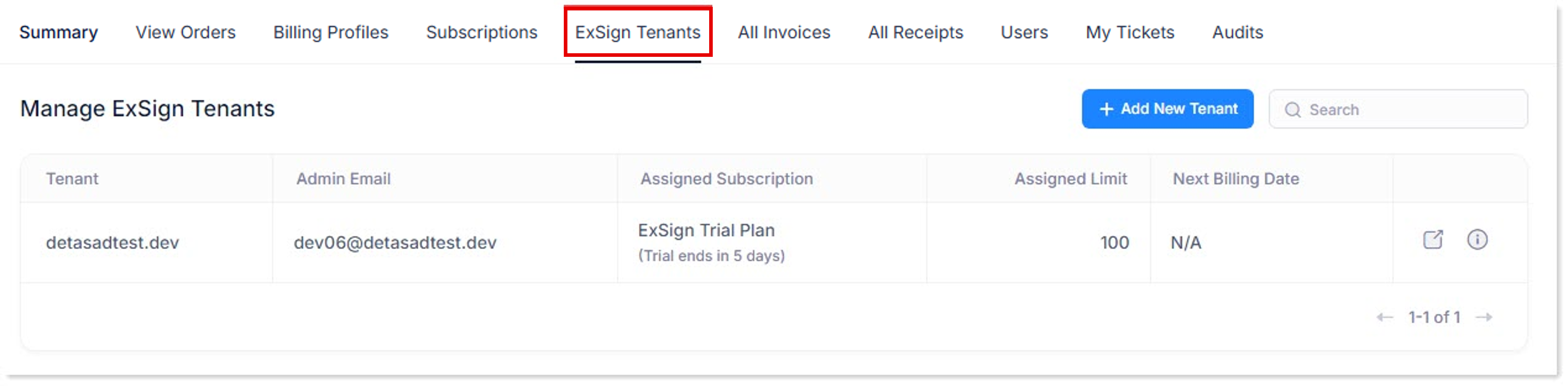
- Sign in to the Billing Portal
- Click ExSign Tenants.
What the Tenants List Shows
| Field | Meaning |
| Tenant | Name of the registered organization |
| Admin Email | Admin who manages the organization in the ExSign Portal |
| Assigned Subscription | Trial or purchased subscription assigned to the tenant |
| Assigned Limit | Mailbox limit from the assigned subscription (trial includes up to 100 mailboxes) |
| Next Billing Date |
Next billing date for paid subscriptions |
| Login ExSign Portal |
Opens the ExSign Portal for that tenant |
| View Tenant Details |
Opens detailed tenant, trial, and usage information |
Add a Tenant
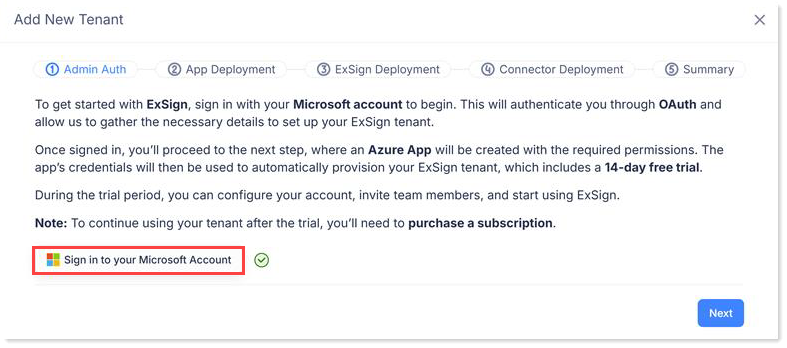
- Click + Add New Tenant (or + New Tenant).
- Select the platform:
- Microsoft 365
- Google Workspace
- Complete the platform wizard (admin authorization, group/tenant selection, and connector deployment).
Microsoft 365 onboarding requires a Global Administrator. Google Workspace onboarding requires a Google Workspace administrator account.
After registration, a new tenant on trial includes the 14-day free trial. To continue after the trial, purchase and assign a subscription. See How to Buy.
View Tenant Details
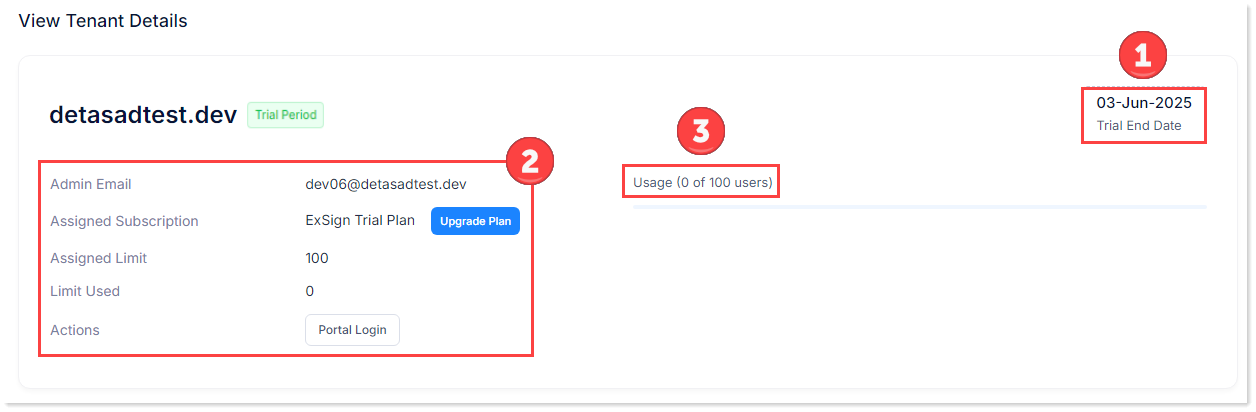
- Open the tenant details action.
- Review:
| Detail | Meaning |
| Trial End Date | When the trial expires (if on trial) |
| Admin Email | Organization admin for the ExSign Portal |
| Assigned Subscription | Trial or paid plan assigned to the tenant. A tenant cannot move to a subscription with fewer mailboxes than currently assigned |
| Assigned Limit | Mailbox limit from the subscription or trial |
| Limit Used | Mailboxes currently consuming the stamping service |
| Usage Details | Users/mailboxes counted against the assigned limit |
| Actions | Log in to the ExSign Portal |
Open the ExSign Portal
- On ExSign Tenants, click Login ExSign Portal for the organization.
- Sign in with the organization admin account.
Use the ExSign Portal to create rules, banners, tests, and reports.