| Product Documentation
Hybrid Control Panel (v10)
Configuring SpamExperts
Hosting Controller supports SpamExperts as its Anti-Spam solution. SpamExperts is an efficient Email filtering agent against spam, viruses, and malware. A complete installation and configuration of SpamExperts with Hosting Controller involves the following steps:
- Login as an Admin, Reseller or Client.
- Navigate to Configurations >> Applications Configurations >> SpamExperts Configurations and enable Anti-Spam by checking the Enable Spam Experts checkbox. Specify required configurations as:
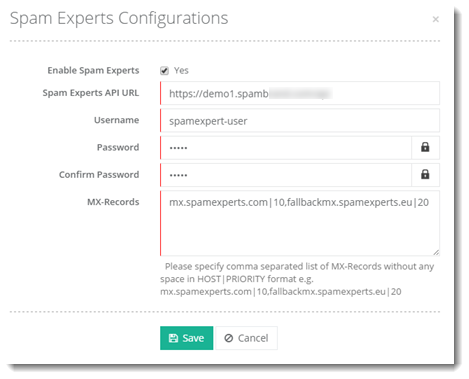
- Required fields are as follows:
API URL Provide a valid API URL such as https://demo1.spambrand.com/api User Name Provide SpamExperts Reseller name. Password Provide SpamExperts Reseller password. Confirm Password Confirm Password DNS Record Settings Priority Record Data MX Record 1 MX Record provided by SpamExperts e.g. 10 e.g. mx.spamexperts.com MX Record 2 MX Record provided by SpamExperts e.g. 20 e.g. fallbackmx.spamexperts.eu MX Record 3 MX Record provided by SpamExperts e.g. 30 e.g. lastmx.spamexperts.net MX Record 4 MX Record provided by SpamExperts e.g. 40
The Reseller may use his own SpamExperts settings or adopt the Admin settings as shown in the screenshot below: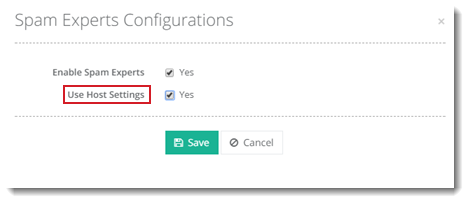
- Navigate to Applications >> SpamExperts from the left menu and enable SpamExperts on the mail domain.
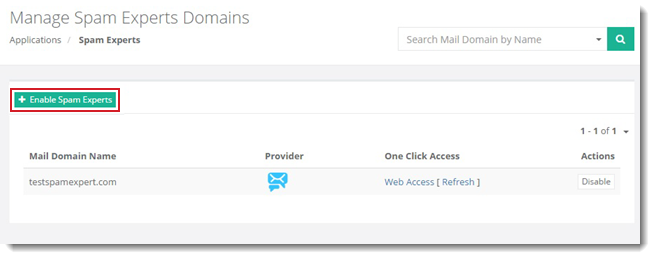
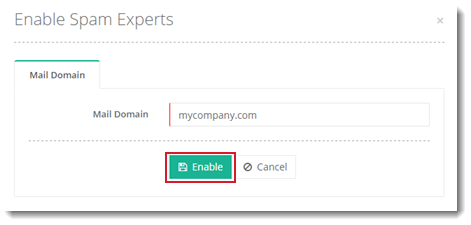
- SpamExperts is installed successfully.
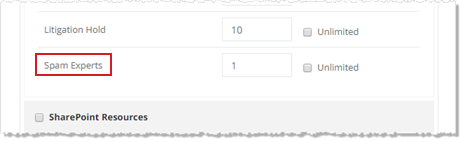
After configuration of SpamExperts, it can be sold as a resource in a service plan.