
| Product Documentation
Hybrid Control Panel (v10)
Adding a Linux Mail Server
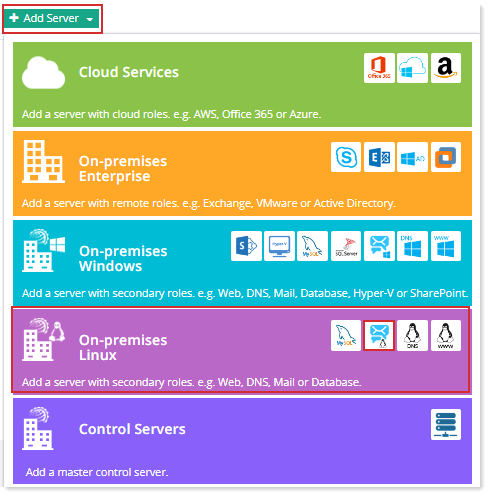
Prior to add a Linux Mail server, make sure you have enabled the server roles under Cluster Settings. If you have not configured it yet, please configure it now to proceed further.
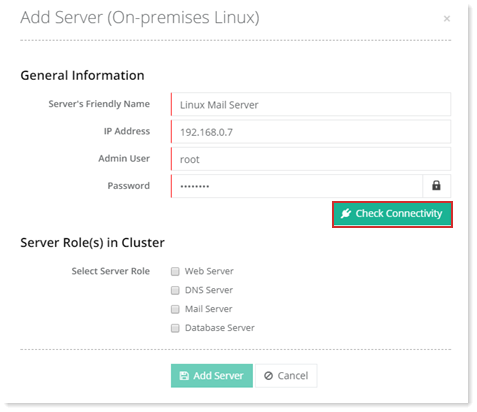
To add a mail server, specify General Information and click Check Connectivity. Once you are connected successfully, only then you can add a Mail server.
Fields marked in red are required fields and cannot be left empty.
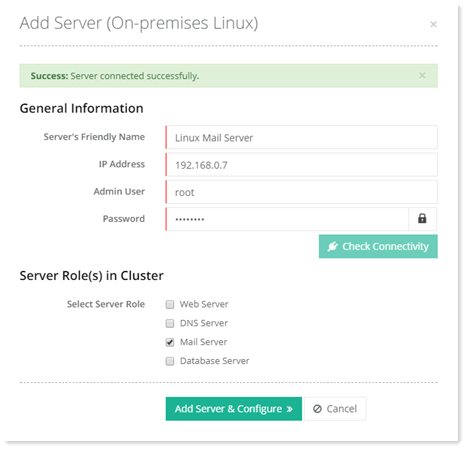
Click Add Server & Configure. Specify required information for Mail Server.
For Postfix
To configure Postfix, specify required information.
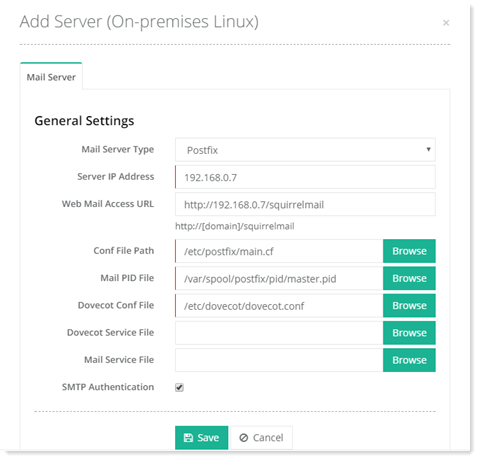
General Settings
- Mail Server Type: HC supports Postfix, as one of the mail servers, for its Linux platform. Select Postfix from the drop down.
- Server IP Address: This is the IP for the mail server.
- Web Mail Access URL: This is the web mail access URL for Postfix.
- Conf File Path: All configuration changes for Postfix occur in its configuration files. The main.cf file is the core configuration file. This field indicates the location path for the main.cf file, which usually is /etc/postfix/ main.cf.
- Mail PID File: This is the master lock file for Postfix. It is called master.pid. This field indicates the location path for the master.pid file, which usually is /pid/master.pid.
- Dovecot Conf File: Dovecot is an open-source IMAP and POP3 email server for Linux. When a server has a Postfix mail server to send mails, then you need a program to retrieve the incoming messages from the server. Dovecot retrieves emails from Postfix and delivers them to the relevant mailbox on the server. The configuration file for Dovecot is dovecot.conf. This field indicates the location path for dovecot.conf, which usually is /etc/dovecot/dovecot.conf.
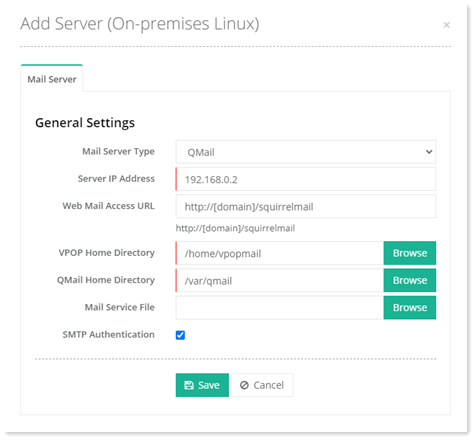
For Qmail
To configure Qmail, specify required information.
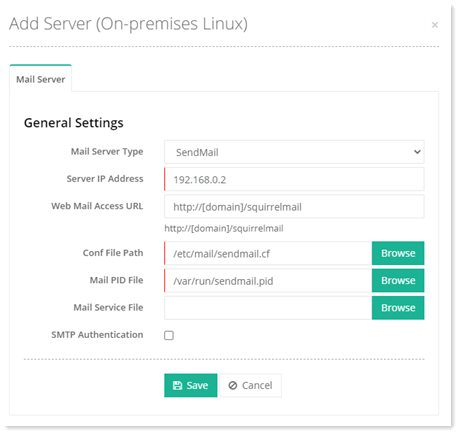
For Sendmail
To configure Sendmail, specify required information.
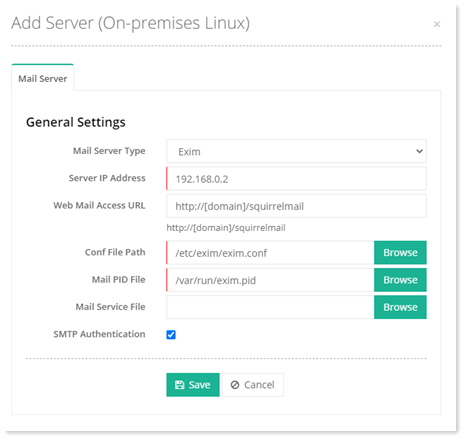
For Exim
To configure Exim, specify required information.
For Zimbra
To configure Zimbra, specify required information.
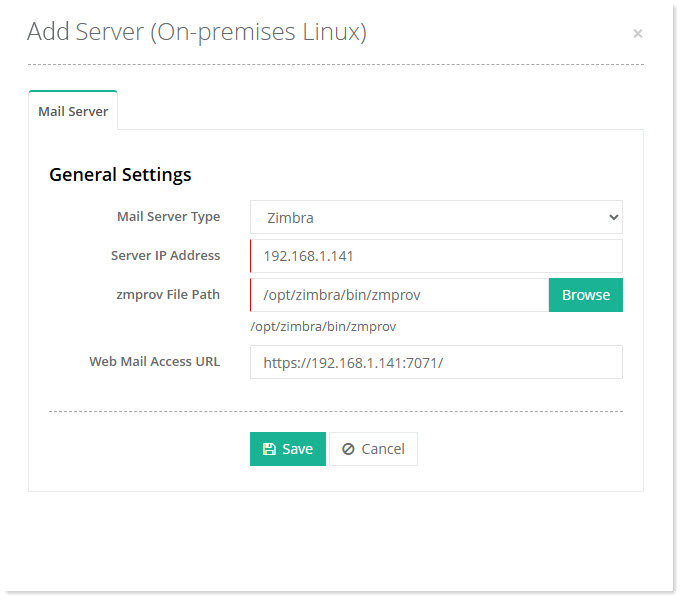
- Mail Server Type: HC supports Zimbra, as one of the mail servers, for its Linux platform. Select Zimbra from the drop-down.
- Server IP Address: This is the IP for the mail server.
- zmprov File Path: zmprov is a command-line tool used for performing provisioning tasks within the Zimbra LDAP (Lightweight Directory Access Protocol) directory, including creating and managing accounts, aliases, domains, and other configurations. /opt/zimbra/bin/zmprov is the path where the zmprov tool resides.
- Web Mail Access URL: This is the web mail access URL for Zimbra.