
| Product Documentation
Hybrid Control Panel (v10)
Editing a mailbox for MD
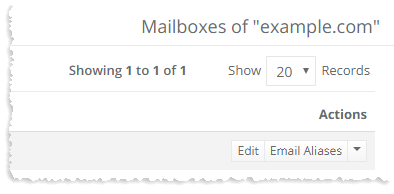
To edit a mailbox, click Edit under Actions column and modify information as required.
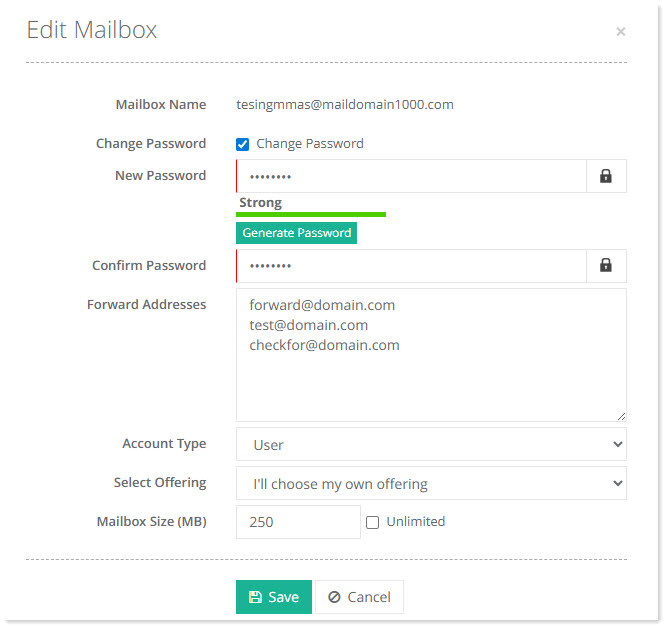
- Mailbox Name: This shows the name of the mailbox.
- Change Password: This allows admins to change the mailbox’s password.
- New Password: Type new password.
- Generate Password: To generate an auto password, click Generate Password
- Confirm Password: Re-type the new password for confirmation.
- Forward Addresses: Specify one or more email addresses to which incoming emails should be forwarded.
- Account Type: Select the account type from the drop-down list. Indicate if the mailbox is of the type user or admin.
- Select Offering: Select a service plan from the drop-down list.
- Mailbox Size: Specify the mailbox size as per your need or click the checkbox Unlimited.