
| Product Documentation
Hybrid Control Panel (v10)
Adding a SharePoint Server
Prior to adding a SharePoint server, make sure you are aware of the following:
- HC does not support a standalone installation of SharePoint. In order to make it work with HC, the SharePoint server should essentially be part of an Active Directory (A.D.) domain. The server must join an A.D. domain before a SharePoint install.
- Windows internal database (MSDE) should not be used for SharePoint installation. The use of SQL Server is recommended instead.
- Both SharePoint and SQL Server installations should be made via the same domain\admin account. An installation performed via a local system account may confront access denied errors. However, if you do not wish to use a domain\administrator account follow the guidelines here.
- This domain\admin should have permissions over both SharePoint and SQL with SharePoint user and site creation privileges.
- HC should be installed on the SharePoint Web Front End server (WFE). In case of high availability all highly available Web Front End servers should carry an installation of HC.
- Port 8796 should remain open for communication between HC Control Servers and SharePoint Web Front End servers. To learn more about ports, see Common Firewall Ports.
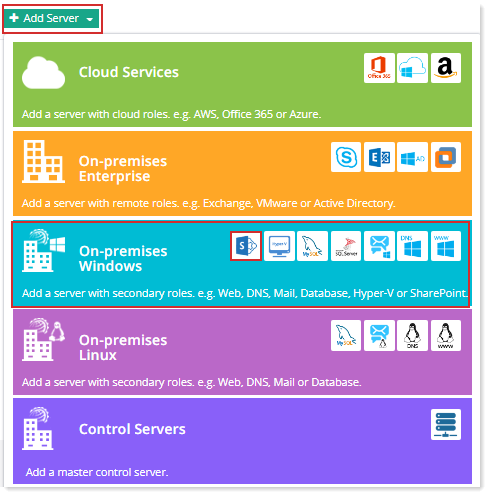
To add a SharePoint server, specify General Information and click Check Connectivity. Once you are connected successfully, only then you can add a SharePoint server.
For complete configuration, refer to HC10 Configuration with SharePoint.
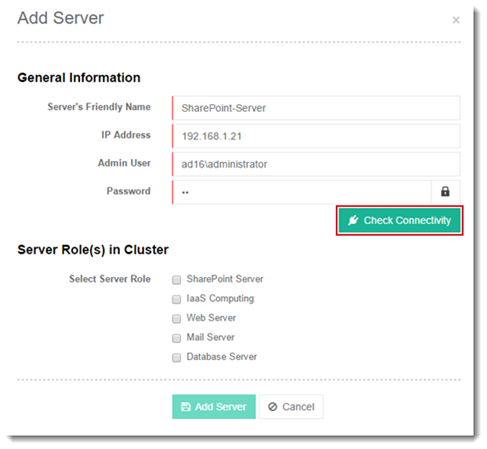
Fields marked in red are required fields and cannot be left empty.
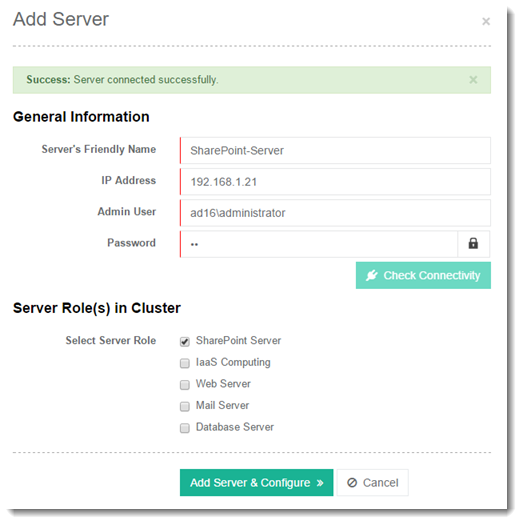
Click Add Server & Configure. Specify required information for SharePoint Server.
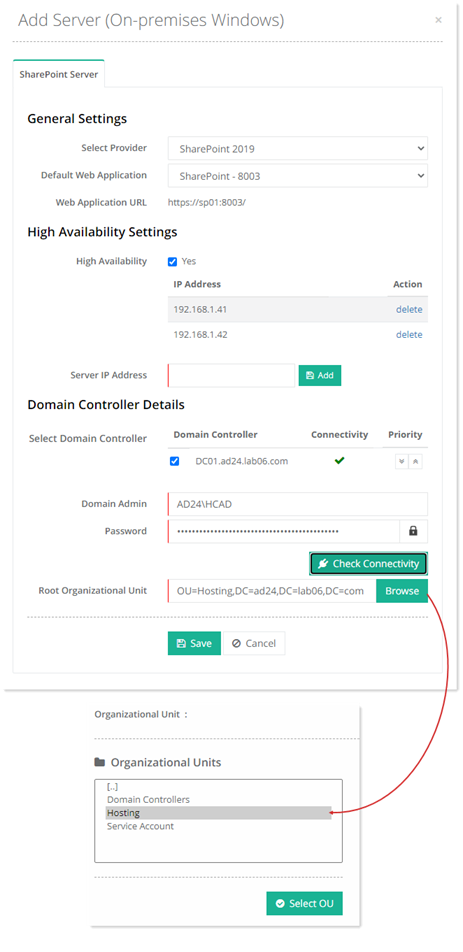
- High Availability: Hosting Controller supports high availability for SharePoint. It allows you to add all highly available SharePoint Web Front End servers (WFE) to the interface. You must install Hosting Controller agent on all highly available SharePoint Web Front End servers. During install, provide a failover virtual IP, which will direct traffic to the available server. After achieving high availability, Hosting Controller will replicate the same SharePoint site on all highly available servers.
- Server IP Address: Specify the IP address for a highly available Web Front End server to be added. It is necessary for the intended server to have an installation of HC
- Select Domain Controller: The Domain Controller associated with SharePoint server. This information is fetched automatically. There can be more than one Domain Controllers for high availability. If one of the Domain Controllers goes down due to a disaster, HC automatically fails over to the second Domain Controller, ensuring constant uptime. The Domain Controller listed on the top has the highest priority while subsequent Domain Controllers have low priorities.
If HC control server is not a member of a domain, multiple domain controllers will not list for the SharePoint server. Only a single domain controller will list.