
| Product Documentation
Hybrid Control Panel (v10)
Managing List Object Mode
One of the requirements is to limit what a user or group of users can see in Active Directory. The data should be made visible only to those who need to see it. One way of achieving this is through ‘List Object Mode’. By default, the Authenticated Users group is granted the List Object permissions on any newly created organizational units (OUs). This means AD doesn't evaluate the permissions of any objects underneath any container object (e.g., an OU) that a user queries. However when List Object mode is enabled, AD evaluates the permissions of each object before returning the list of objects to a user. Access to other organizational units (OUs) can be prohibited so users from one company (represented by an OU) can only see users from their own company. HC allows you to enable ‘List Object Mode’ on any OU.
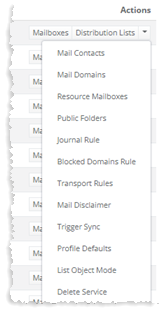
To manage list object mode, click List Object Mode under Actions column.
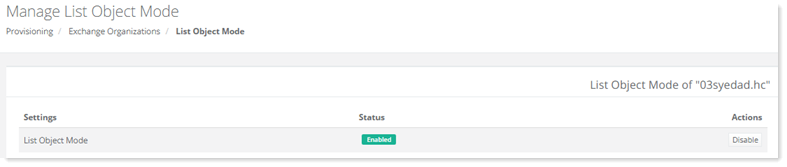
To enable/disable list object, click Enable/Disable under Actions column.