
| Product Documentation
Hybrid Control Panel (v10)
Adding a mail disclaimer
Mail disclaimer or email disclaimer is a warning or a legal notice added to an outgoing mail. It is a paragraph or a piece of text appended to the bottom of the outgoing mail and informs recipients about confidentiality, copyright or certain privileges. It is also referred to as email footer or an organization signature.
Multiple mail disclaimers can be added to an organization.
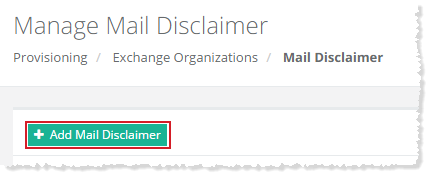
To add a mail disclaimer, click + Add Mail Disclaimer and specify the information to proceed.
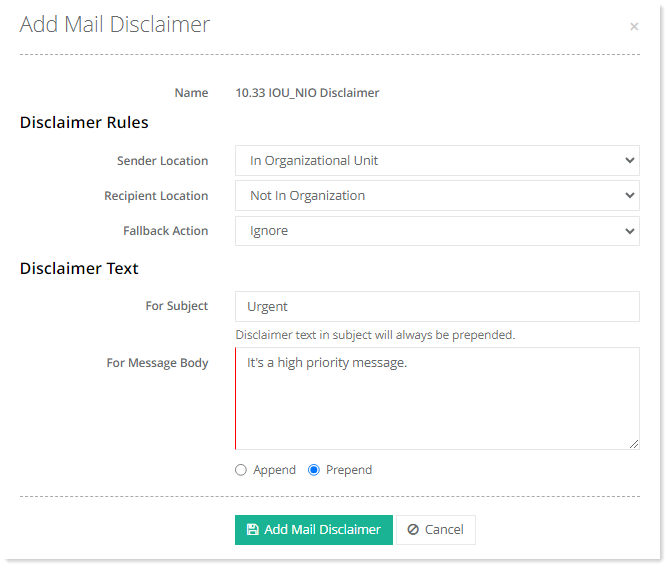
- Name: It shows the name of the disclaimer rule.
- Sender Location: Select the location of the sender. The sender can reside in the organization or outside of it.
- Recipient Location: Select the location of the recipient. The recipient can also reside in the organization or outside of it. The recipient can also be in an external partner organization or in an external non-partner organization.
- Fallback Action: Choose a fallback action for the disclaimer rule. Sometimes disclaimers can’t be applied to messages for instance if the messages are encrypted. For such cases, you need to specify what to do. You can specify three fallback actions.
-
Ignore: The ignore action ignores the rule and delivers the message without the disclaimer.
-
Wrap: The wrap action creates a new email message with the disclaimer and adds the original email message as an attachment.
-
Reject: The reject action returns the message to the sender in a non delivery report.
-
- For Subject: Disclaimer text can be prepended to the subject. Any text specified here will be prepended to the subject line of the message.
Disclaimer text will always be prepended to the subject line. - For Message Body: Disclaimer text can be prepended or appended to the message body. Any text specified here will be prepended or appended to the message body.
- Location: Choose whether to append the disclaimer at the end of the message or to prepend it at the beginning of the message.
See how you can Add a Mail Disclaimer Rule through Hosting Controller.