
| Product Documentation
Hybrid Control Panel (v10)
Managing resource mailboxes
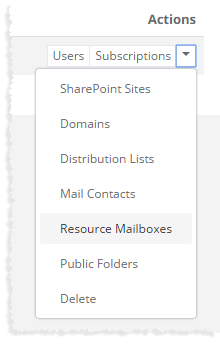
To manage resource mailboxes, click Resource Mailboxes under Actions column.
|
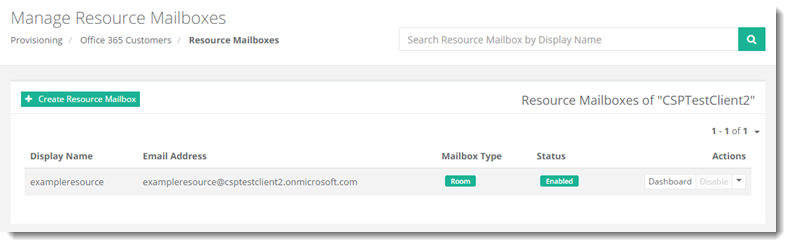
Manage Resource Mailboxes page shows existing resource mailboxes with additional information as:
|
Manage Resource Mailboxes section allow admins to add/delete resource mailbox and view dashboard of a resource mailbox. For further details, refer to the following sections:
Adding a Resource Mailbox
To add a resource mailbox under any customer, click + Create Resource Mailbox and specify required information.
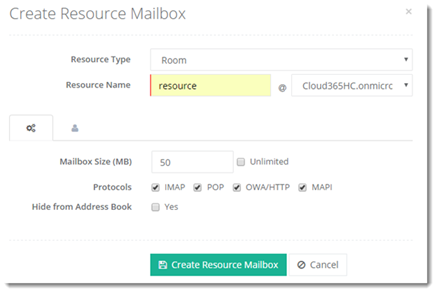
Click  (Advanced Settings) to specify some advance level settings and
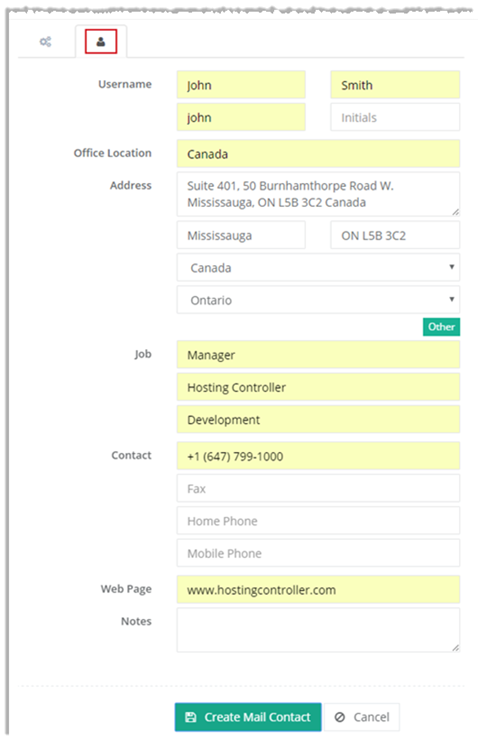
  (User Profile) to provide user information.
Advanced Settings: These settings allow you to perform certain advanced level settings as:
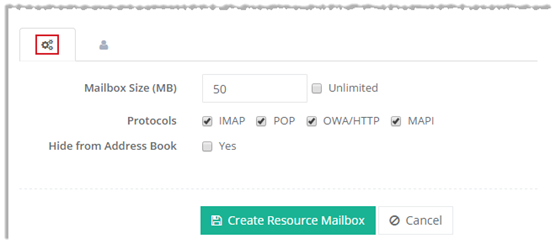
User Profile: This section allows you to specify user information as:
Viewing Dashboard
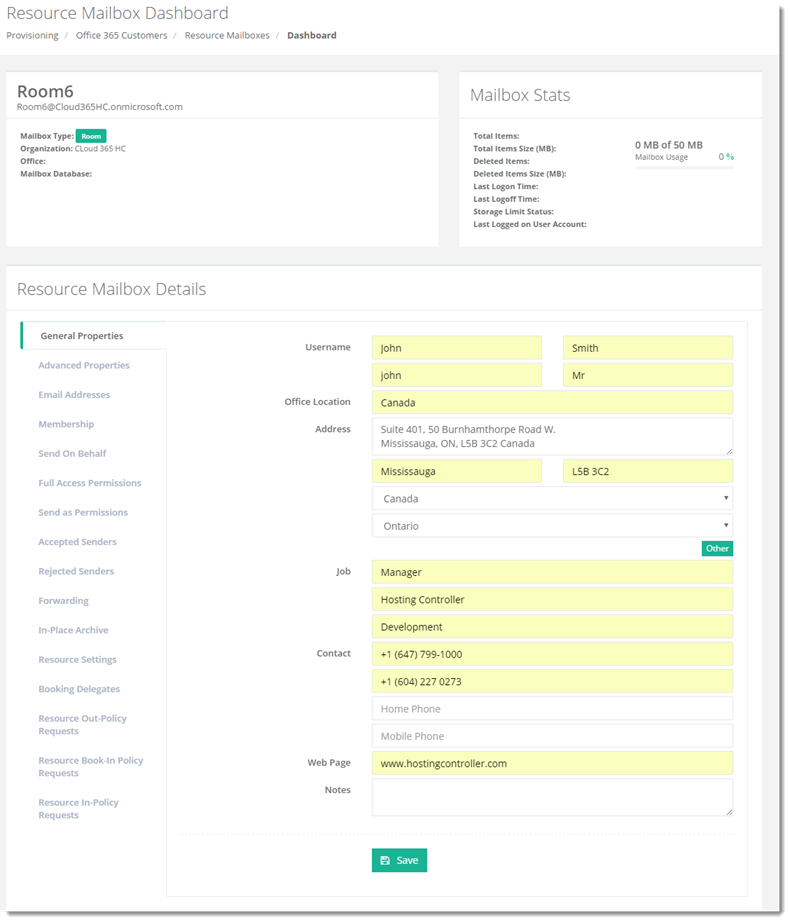
To view dashboard of a resource mailbox, click Dashboard under Actions column.
Deleting a Resource Mailbox
To remove a resource mailbox, click Delete under Actions column.