
| Product Documentation
Hybrid Control Panel (v10)
Cloud Services
Select Cloud Services to add a server with cloud roles like AWS, Office 365 or MS Azure.
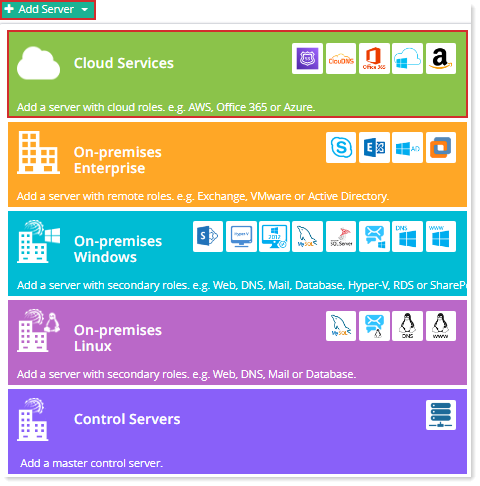
Fields marked in red are required fields and cannot be left empty.
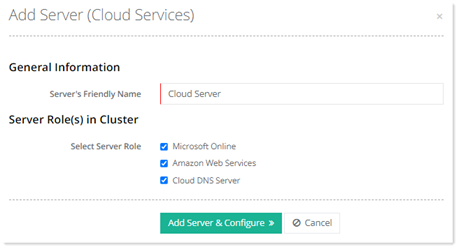
- Server's Friendly Name: It is a friendly name of the server being added for your convenience.
- Select Server Role: Select any or both of the server roles as required.
Click Add Server & Configure. Specify required information for Microsoft Online, Amazon Web Services and Cloud DNS Server tabs
Office 365
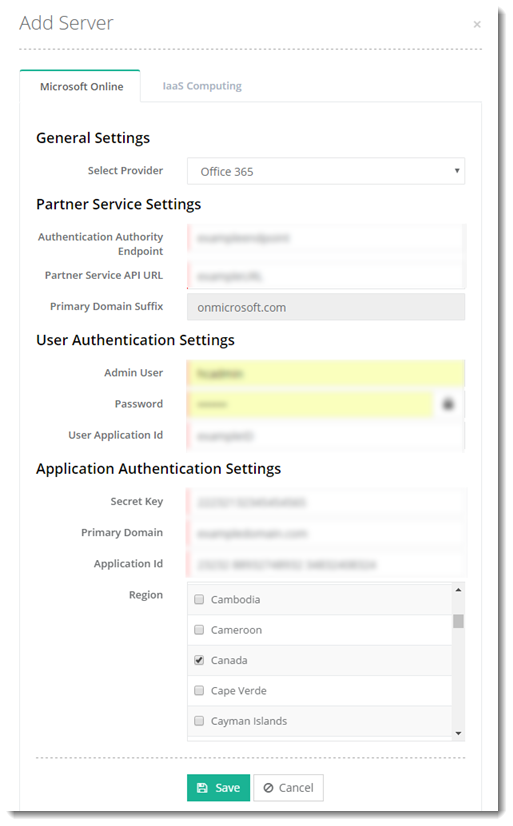
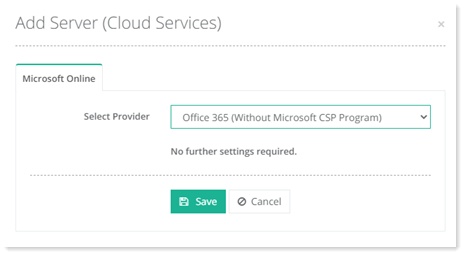
Office 365 (without CSP)
Before adding an Office 365 (Without CSP) server, the following three PowerShell commands should be run on all HC Master Control Servers in the panel. This is a pre-requisite for managing Office 365 organizations without the CSP program.
** Install-Module MSOnline
** Install-Module -Name MicrosoftTeams
** Install-Module -Name Microsoft.Online.SharePoint.PowerShell -RequiredVersion 16.0.8029.0
** Install-Module MSOnline
** Install-Module -Name MicrosoftTeams
** Install-Module -Name Microsoft.Online.SharePoint.PowerShell -RequiredVersion 16.0.8029.0
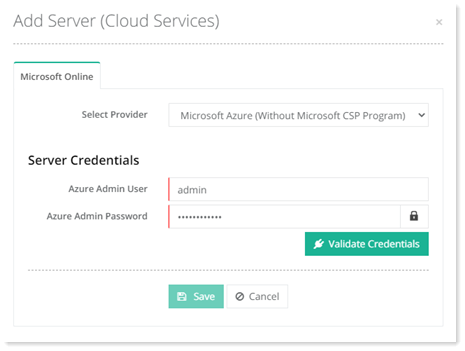
MS Azure (without CSP)
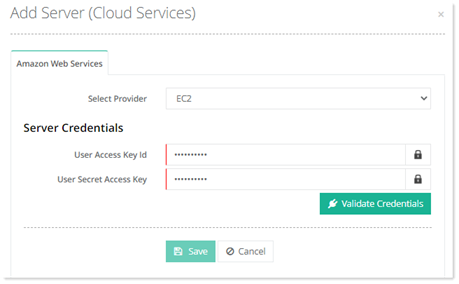
Amazon Web Services
ClouDNS Server
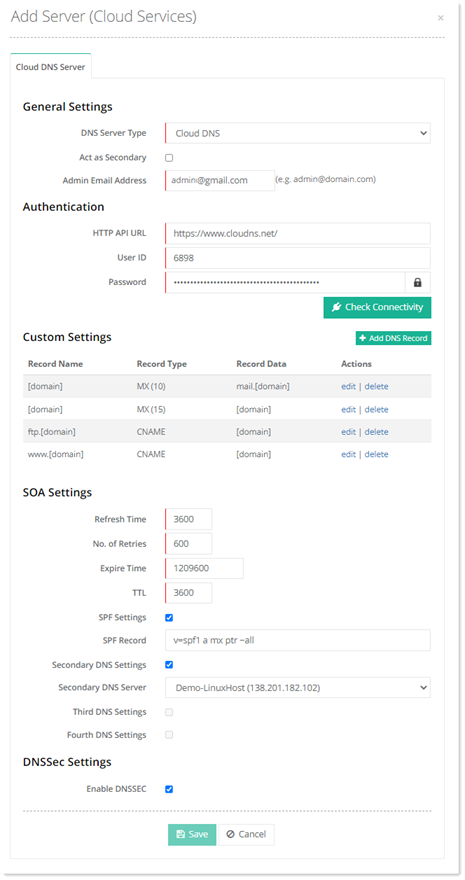
- HTTP API URL: This is the access URL for ClouDNS HTTP API. The HTTP API is available at: https://api.cloudns.net/ . For security reasons, always send API requests using HTTPS.
- User ID: This is the API user ID for ClouDNS. Its authentication parameter is “auth-id” and all requests require this.
- Password: This is the password for API user ID. Its authentication parameter is “auth-password”.
- Check Connectivity: This ensures that the Cloud DNS API connects successfully.
To learn how to configure ClouDNS with Hosting Controller, see How to Configure ClouDNS with HC.
Route53 (Amazon Web Services)
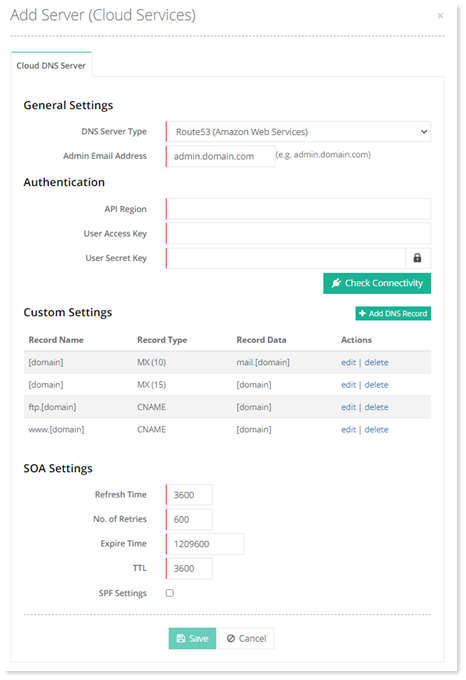
- API Region: A region in AWS is a cluster of data centers in a physical location, around the world. These cluster of data centers are known as Availability Zones. AWS maintains multiple geographic regions, including regions in North America, South America, Europe etc. Users should choose a region, geographically close to them because it reduces latency and data reaches them more quickly.
- User Access Key: Once IAM User is added in AWS Management Console, this is the “Access Key ID” for the user.
- User Secret Key: This is the “Secret Access Key” for the IAM user.