
| Product Documentation
Hybrid Control Panel (v10)
Creating a blocked domains rule
Exchange mail flow rules (also known as transport rules) allow you to block emails from unwanted senders or certain email addresses. To block emails from unwanted sender domains, you can create a new rule and specify the domains to be blocked. Taking advantage of this feature, Hosting Controller allows you to block unwanted emails through its blocked domains rule.
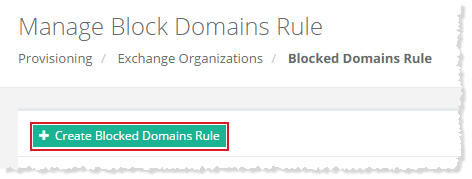
To create a blocked domains rule, click + Create Blocked Domains Rule and specify information to proceed.
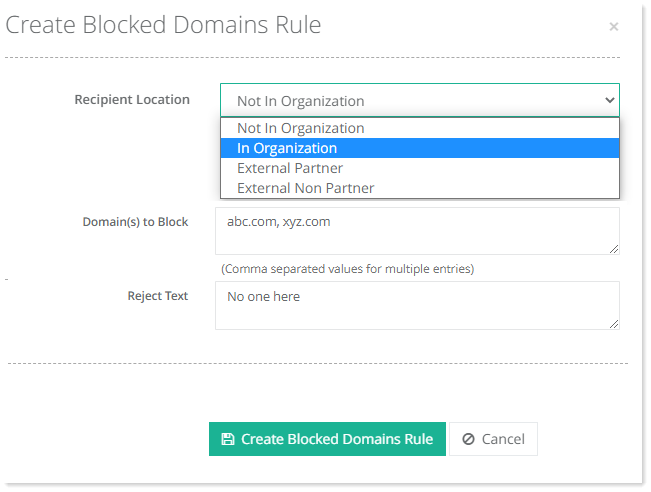
- Recipient Location: This specifies the location of the recipient.
- In Organization: A recipient is considered to be inside the organization if either of the following conditions is true:
-
The recipient is a mailbox, mail user, group, or mail-enabled public folder that exists in the organization's Active Directory.
-
The recipient's email address is in an accepted domain that's configured as an authoritative domain or an internal relay domain, and the message was sent or received over an authenticated connection.
-
- Not In Organization: A recipient is considered to be outside the organization if either of the following conditions is true:
-
The recipient's email address isn't in an accepted domain.
-
The recipient's email address is in an accepted domain that's configured as an external relay domain.
-
- External Partner: External partner organizations are external domains where you've configured Domain Security (mutual TLS authentication) to send mail.
- External Non Partner: External non-partner organizations are all other external domains that aren't considered partner domains.
- In Organization: A recipient is considered to be inside the organization if either of the following conditions is true:
- Domain(s) to Block: Type domain name(s) to be blocked. In case of more than one domain, type comma separated names. Messages where the sender's email address contains text patterns that match the domain names, will be blocked.
- Reject Text: Type the explanation that will appear when the messages will be rejected.
After creation, the blocked domains rule can also be edited, disabled, or deleted. Disabling a blocked domains rule through Hosting Controller, will disable the rule under Mail Flow, Rules section in the ECP while deleting it will remove it completely from the ECP.